15
4.1.3 Direct Connection (Method 3) (continued)
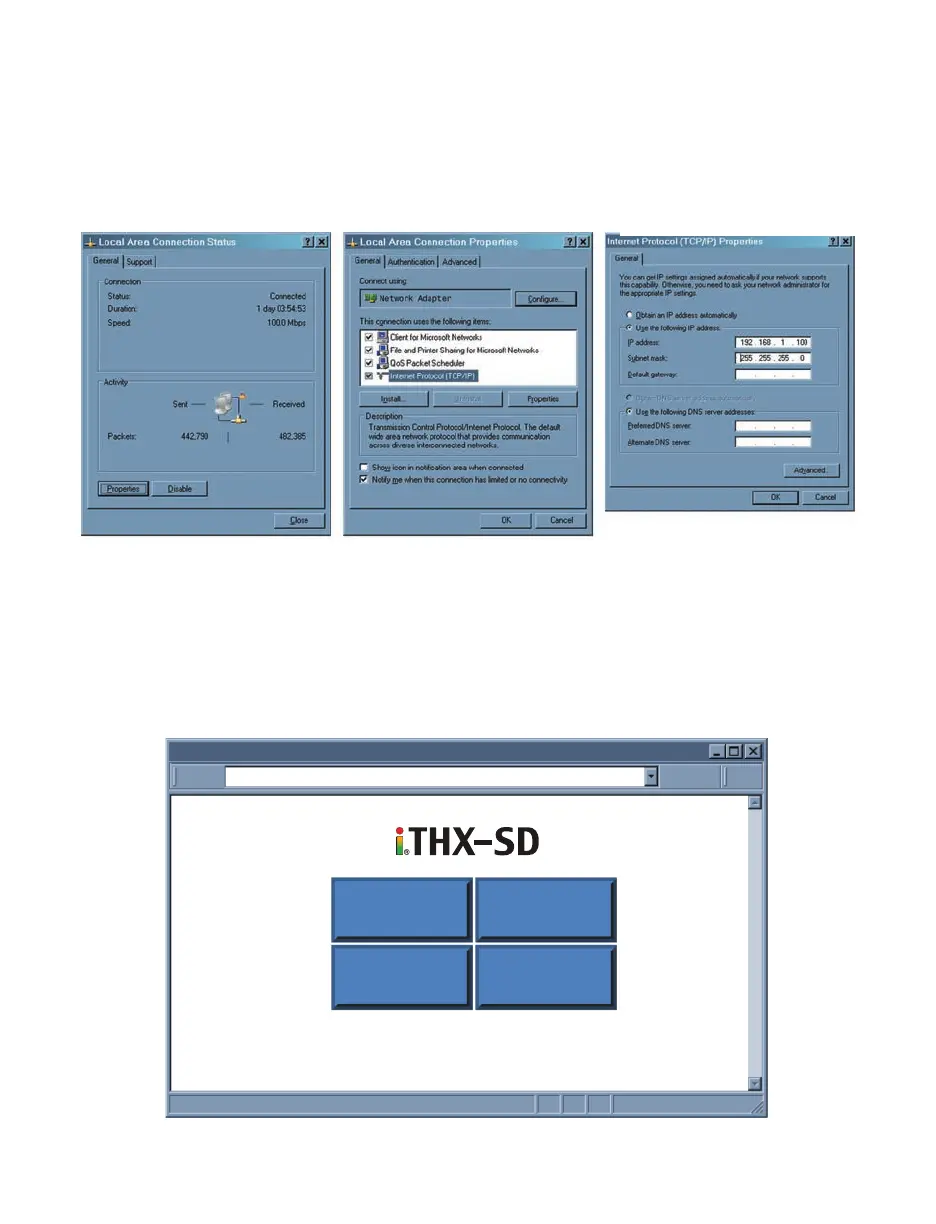
Figure 4.5 Changing TCP/IP Properties on Your Computer
4) Now you may need to reboot your computer.
5) Once your PC is back up, open your browser and type the iServer’s default IP
address of 192.168.1.200 in the “Address” window of your browser and press the
Enter key.
You will soon be inside the Welcome page (see
Figure 4.6)
of the iServers WEB
server and from there you can access all the menus.
http://192.168.1.200Address
iTHX-SD Welcome Page
Readings Chart
SetupWeb Link
Figure 4.6 iServer Welcome Page
3) Click on “Properties”
button
Select “Internet Protocol
(TCP/IP)” and click on
“Properties” button
Fill out the feilds for the IP
address 192.168.1.100 and
Subnet mask 255.255.255.0
as indicated below. Press
OK and also on all other
remaining windows.



 To Next Page