31
4.4.4.2 Alarms (continued)
http://192.168.1.200Address
Alarms
Readings
Chart
Web Link Setup
Overview
Network
Configuration
Management
Security
Recording
System
Diagnostics
Log Out
Events
Probe 1
Probe 2
Device
EmailSNMP Trap
AlarmsSetup
Power Reset
Probe 1 Disconnected
Recording Stopped
SD Card 10% Memory Left
Low Battery
Relay 1 Activated
Relay 2 Activated
Probe 2 Disconnected
Save Changes Reset
Temperature Low Low 0.0High 0.0Low 0.00.0
Low High
Low 0.00.0
Low HighLow 0.00.0
Humidity
Dewpoint
Temp Low High0.00.0
Low High
0.00.0
Low High
Low or High
Low or High
Low or High
0.00.0
Humi
Dew
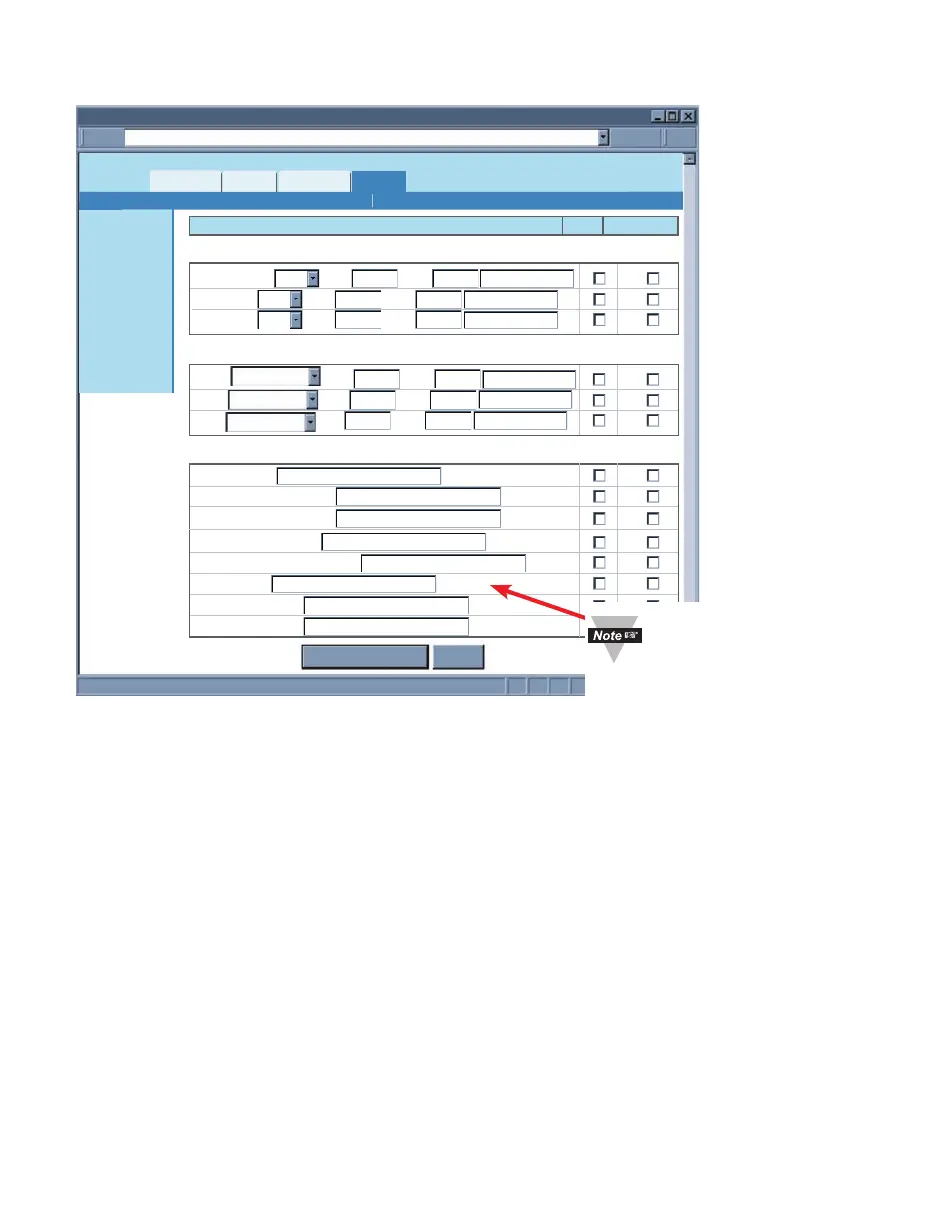
Figure 4.20 Management Menu: Alarms
Temperature – The options are Low, High, and Low or High.
If Low is selected the Low field must be given a value (lower than that value is an alarm
condition).
If High is selected the High field must be given a value (higher than that value is an alarm
condition).
If Low or High is selected the Low and High fields must be given values (outside the
band is an alarm condition).
Humidity – The same as Temperature defined above.
Dew Point – The same as Temperature defined above.
Power Reset – This refers to the iServer being powered off and back on (power reset).If
the option is checked the iServer will automatically send one email or/and an SNMP trap
after rebooting, regardless of reminder interval.
Probe Disconnected – If the probe attached to the iServer is disconnected that is
considered as an alarm condition.
Recording Stopped – If the iServer is recording, once the recording is stopped (no
matter what the cause was) an email or/and a trap will be sent.
SD Card 10% Memory Left – An alarm will be triggered if 10% or less memory left on
the flash card.
There is a text box next
to each event. The text
content will be the body of
the email.



 To Next Page