19
4.2 Access and Configuration Using a Web Browser
WStart your web browser.
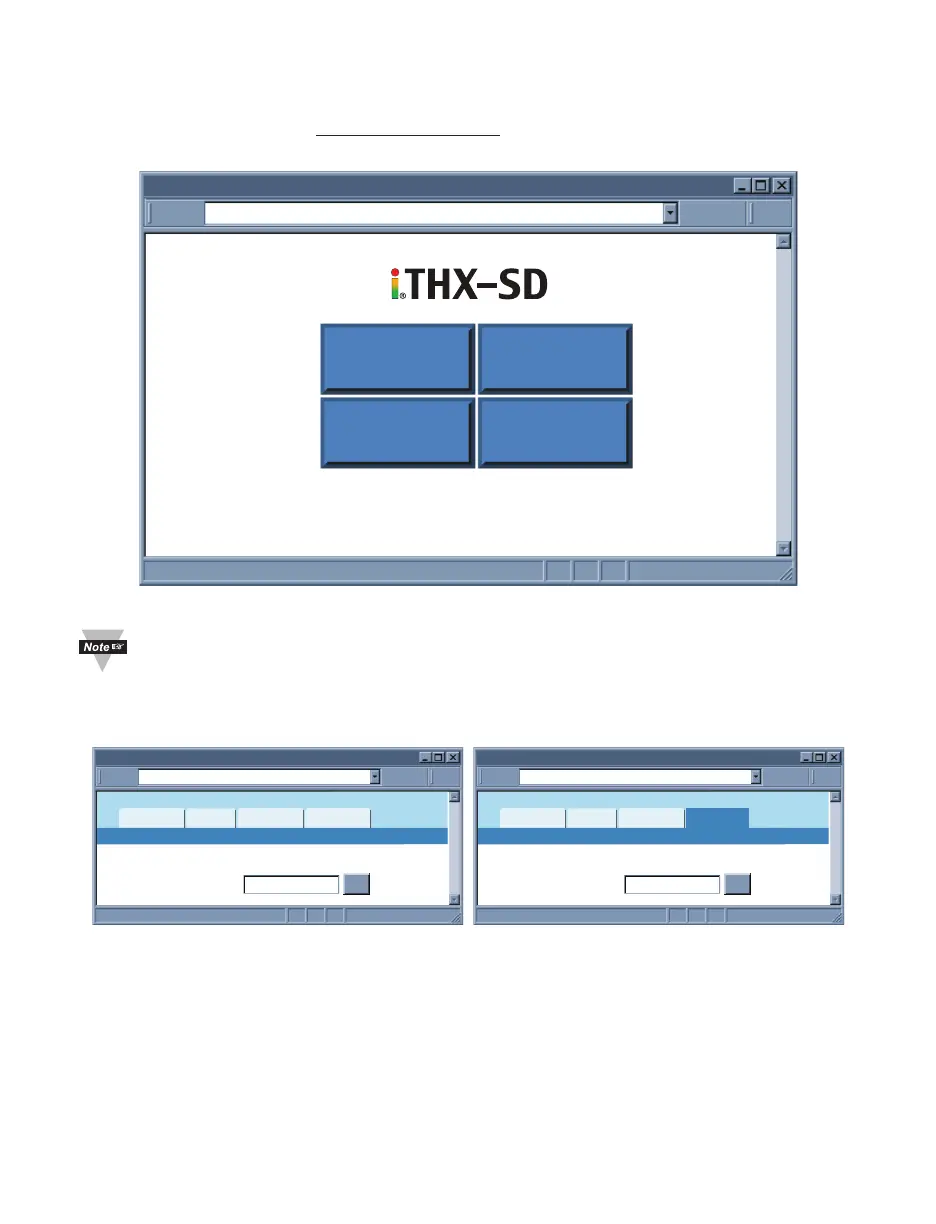
WIn the URL field, type http://192.168.1.200 (iServer’s default IP address).
WThe Welcome Page, will be displayed.
http://192.168.1.200Address
iTHX-SD Welcome Page
Readings Chart
SetupWeb Link
Figure 4.10 iServer Welcome Page
In order to access the iServer’s web pages, users may be prompted for a
password, as shown below.
4.3 LOGIN and ADMINISTRATOR Passwords
http://192.168.1.200Address
Login
Readings
Chart
Web Link Setup
Password:
OK
LOGIN
http://192.168.1.200Address
Administrator Login
Readings
Chart
Web Link Setup
Password:
OK
ADMINISTRATOR
Figure 4.11 LOGIN and ADMINISTRATOR Passwords
There are 2 different access levels:
1. LOGIN Password is required to access the iServer’s Readings, Chart, and Web Link
pages unless it’s disabled. The default password is 12345678.
2. ADMINISTRATOR Password is required to access the iServer’s Setup menu unless
it’s disabled. The default password is 00000000.
Refer to Section 4.4.5 for Password setup.



 To Next Page