
 Need help?
Do you have a question about the Omnitracs MCP110 and is the answer not in the manual?
Defines CAUTION and WARNING terms for safety.
Provides advice for drivers, installers, and developers on safe usage.
Introduces the MCP110 mobile computing platform and its benefits.
Details how MCP110 enhances efficiency, productivity, and safety.
Describes the main components of the MCP110 system.
Explains the use of CDMA technology for wireless communication.
Describes the GPS system used for vehicle positioning.
Lists and illustrates the physical components of the MCP110.
Details the WIB110's function and specifications.
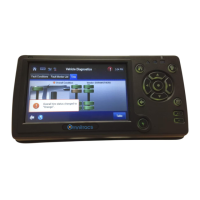
Details the DIU110's function and specifications.
Details the MAS110's function and specifications.
Describes the purpose and function of the backup battery.
Lists optional add-ons for the MCP110 system.
Details approved methods for making electrical connections.
Provides guidelines for establishing secure chassis grounds.
Covers general best practices for installation.
Provides instructions for safe and effective cable management.
Provides guidelines for planning a basic Omnitracs MCP110 installation.
Outlines the general steps for installing the MCP110.
Shows recommended placement for MCP110 components in vehicles.
Lists necessary tools and supplies for installation.
Provides general guidelines for installing the MAS110.
Details the procedure for installing the MAS110 backup battery.
Covers the mounting and securing of the MAS110 unit.
Explains how to connect the MAS110 power cable.
Provides instructions for proper grounding of the MAS110.
Details how to connect the MAS110 accessory cable.
Provides general guidelines for installing the WIB110 antenna.
Details how to install the mount for the WIB antenna.
Explains how to route the WIB antenna cable.
Details how to connect the antenna cable to the MAS110.
Provides general guidelines for installing the DIU110.
Details how to install the display holster and the DIU110 unit.
Explains how to connect the display cable to the DIU110.
Details how to secure the DIU110 into its holster.
Details how to connect the display cable to the MAS110.
Provides general guidelines for installing the TTS feature.
Guides on choosing an appropriate speaker for TTS.
Details connecting TTS to an existing speaker.
Details connecting TTS to a new, dedicated speaker.
Explains available vehicle data sources like J1939 and J1708.
Guides on choosing the correct data bus for connection.
Provides specific instructions for J1939 bus connections.
Outlines pre-installation checks for the J1939 bus.
Details connecting J1939 via a repeater cable.
Details direct J1939 connection without a repeater.
Provides instructions for connecting to the J1708/J1587 data bus.
Explains how to verify data bus connections are working.
Defines the purpose of a basic MCP110 system check.
Explains how to locate the MCP110 unit address for support.
Outlines the general steps for performing system verification.
Describes how to use the diagnostic screen for system checks.
Visual guide for performing the basic system verification.
Step-by-step instructions for a basic system verification.
Explains the different system screens for monitoring.
Provides a form to record verification results.
Introduces the Performance Monitoring application.
Details how to verify the Performance Monitoring system.
Describes various display screens for performance data.
Explains special alert messages for the driver.
Introduces the PTO monitoring feature.
Details how to verify PTO data input.
Introduces the vehicle maintenance diagnostics tool.
Details connecting the J1939 wires for vehicle maintenance.
Explains how to verify the vehicle maintenance system.
Explains Critical Event Reporting (CER) requirements and function.
Outlines the process for verifying the CER system.
Introduces the Trailer Management system.
Details wiring the Trailer Management system for the truck.
Explains how to verify the Trailer Management system.
Introduces the wired panic button and its function.
Details the steps for installing the wired panic button.
Explains how to verify the wired panic button installation.
Provides a procedure for automated testing of the panic button.
Introduces the wireless panic button (WPB) and its operation.
Lists the components included in the WPB kit.
Mentions available accessories for the WPB.
Lists recommended tools and supplies for WPB installation.
Provides general guidelines for installing the in-cab scanner.
Details options for mounting the scanner.
Explains how to install the scanner.
Describes the process for calibrating the scanner.
Explains how to send scanned data.
Provides instructions for cleaning the scanner.
Outlines the process for returning scanners.
Lists parts for the scanner.
Shows the overall electrical connections for the MCP110.
Illustrates the wiring connections for the MCP110 system.
Details pin assignments for the power cable connector.
Details pin assignments for the WIB110 cable connector.
Details pin assignments for the primary accessory cable.
Pinouts for the adapter cable between MCP100 and MCP200.
Details pin assignments for the DIU110 cable connector.
Details pin assignments for the six-pin data link connector.
Details pin assignments for the nine-pin data link connector.
Details pin assignments for the radio connector.
Details pin assignments for the CAN repeater cable.
Details the wiring for the speaker switch cable.
Lists environmental operating conditions and power specifications for MCP110.
Details the process for returning equipment for service or repair.
Explains how to check installed software versions.
Details upgrading MAS110 software via USB.
Details upgrading MAS OS and MAS software via USB.
Recommends inspection frequency for system components.
Provides steps for inspecting the MAS110.
Provides steps for inspecting the DIU110.
Provides steps for inspecting the antennas.
Details how to verify trailer management system connections.
Lists Document Control Numbers for referenced documents.
Lists Material Control Numbers for MCP110 components.
Lists MCNs for sealants and lubricants.
Lists MCNs for miscellaneous items.
Defines Accessory Cable and references related terms.
Defines Black Box as Mobile Application Server 110.
Defines Calibration process for Performance Monitoring.
Describes the Comm screen for signal strength.
Defines the Display Cable.
Defines DIU110.
Defines DIU110, referencing Display Interface Unit 110.
Defines GPS and its function.
Defines GPS, referencing Global Positioning System.
Describes the GPS screen for satellite positioning.
Defines the holster for the DIU110.
Describes the Input screen for performance data.
Defines the worksheet for installation planning.
Defines the J1708/1587 data bus.
 General
| Brand | Omnitracs |
|---|---|
| Model | MCP110 |
| Category | Touchscreen |
| Language | English |

 To Next Page
