What Is Basic MCP110 System Verification? System Verification
10-2 80-JB400-1 Rev. D
MAY CONTAIN U.S. AND INTERNATIONAL EXPORT CONTROLLED INFORMATION
What Is Basic MCP110 System Verification?
• A functional system check that should be performed after installation or service to verify
that the MCP110 is operating properly.
How to Find the MCP110 Unit Address (UA)
Before you call Omnitracs Customer Support for assistance, write down the serial number of
the mobile application server 110 (MAS110).
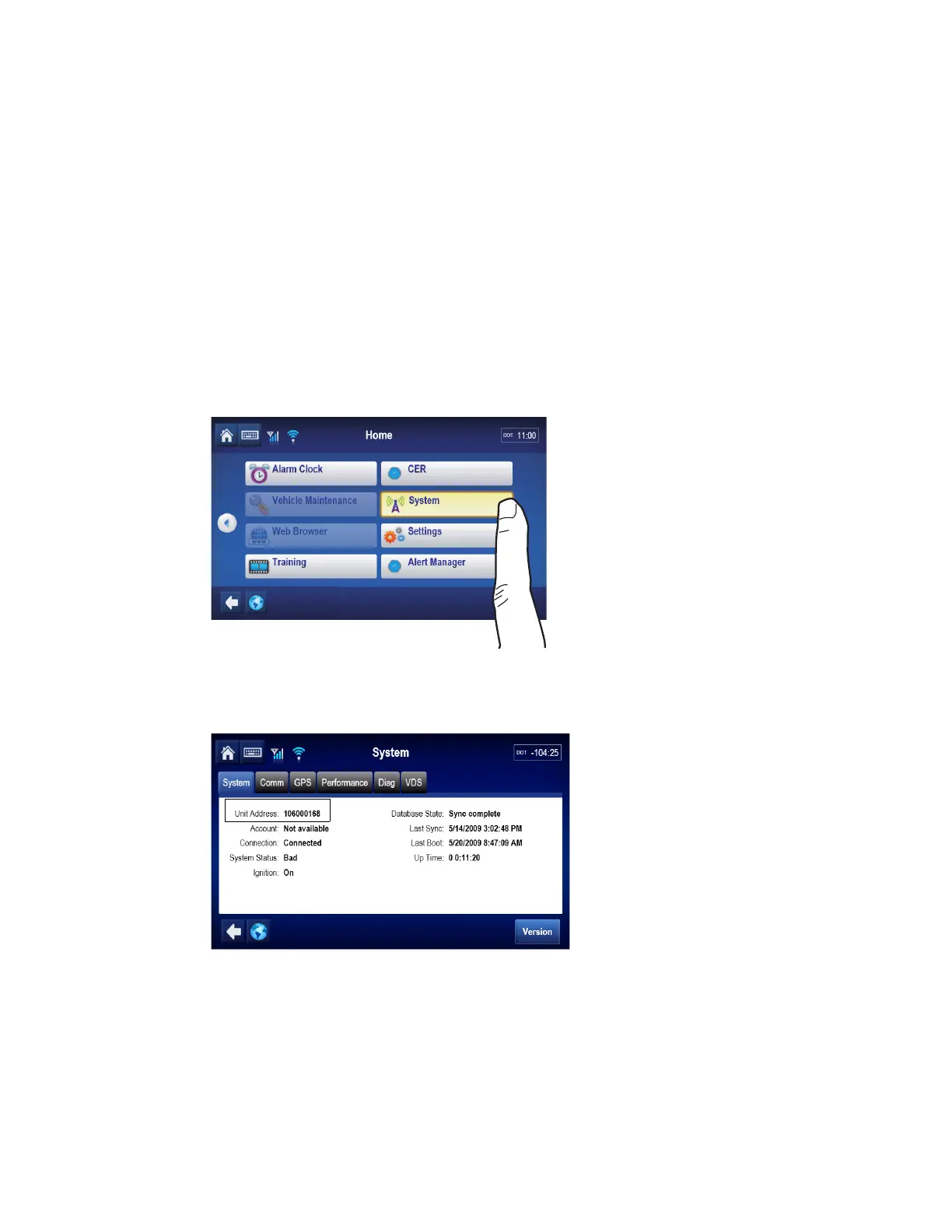
1. To view the mobile computing platform 110 (MCP110) unit address on the display
interface unit 110 (DIU110), use the right and left arrows to get to the System button,
then tap the button.
2. Tap the System tab.


 To Next Page