80-JB400-1 Rev. D 13-3
MAY CONTAIN U.S. AND INTERNATIONAL EXPORT CONTROLLED INFORMATION
Critical Event Reporting System Verification CER System Verification
CER System Verification
1. Identify configuration and available CER features
2. Test system by manually reporting an event
Identify Configuration and Available CER Features
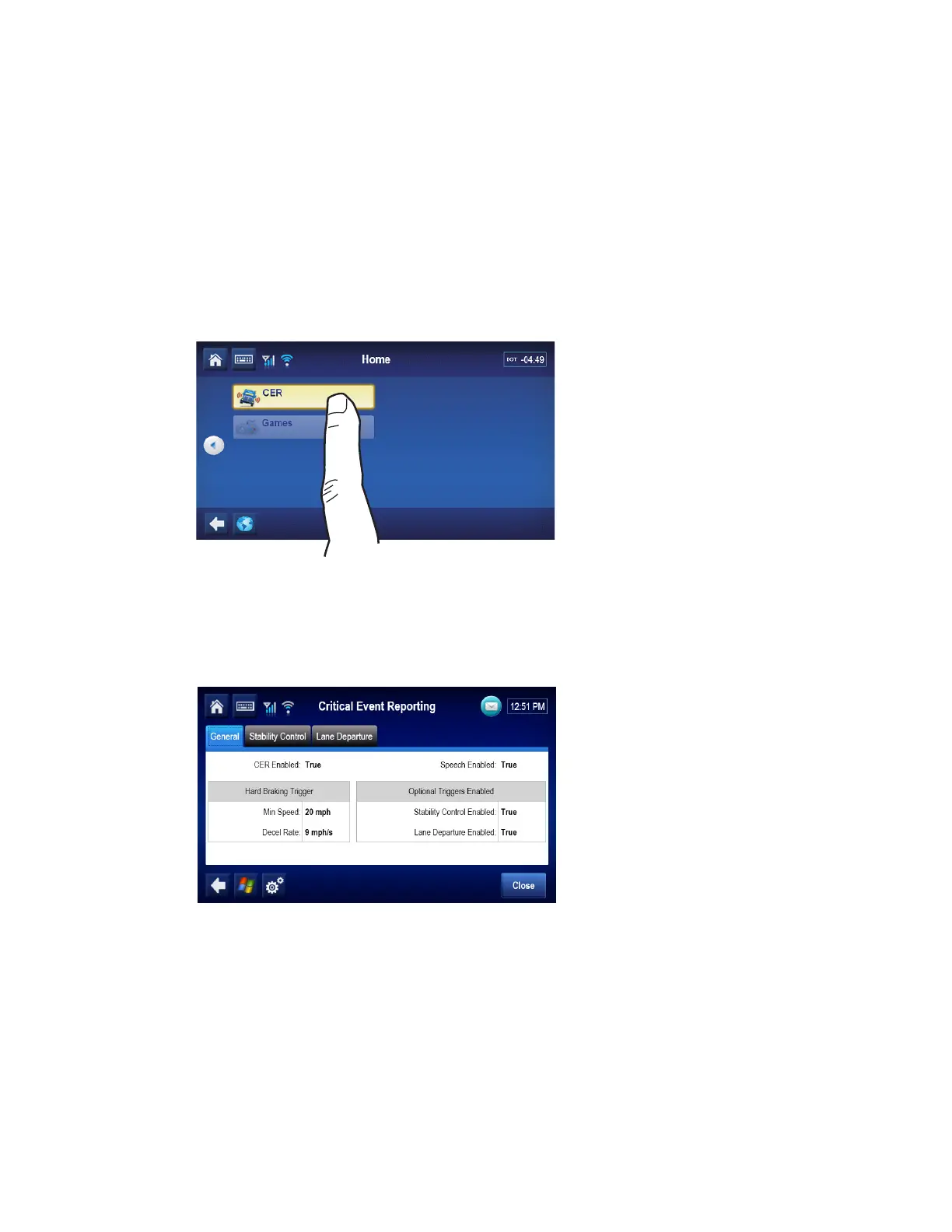
1. To access CER information, go to the Home screen and tap the CER button.
If the CER button is grayed out, then the CER service for the unit is not enabled. It will need
to be enabled from Customer Portal by assigning the unit to the correct operational
profile.The Main CER screen will show.
2. From the Main CER screen, tap the General.


 To Next Page