General Installation Guidelines Mobile Application Server 110 (MAS110) Installation
5-2 80-JB400-1 Rev. D
MAY CONTAIN U.S. AND INTERNATIONAL EXPORT CONTROLLED INFORMATION
General Installation Guidelines
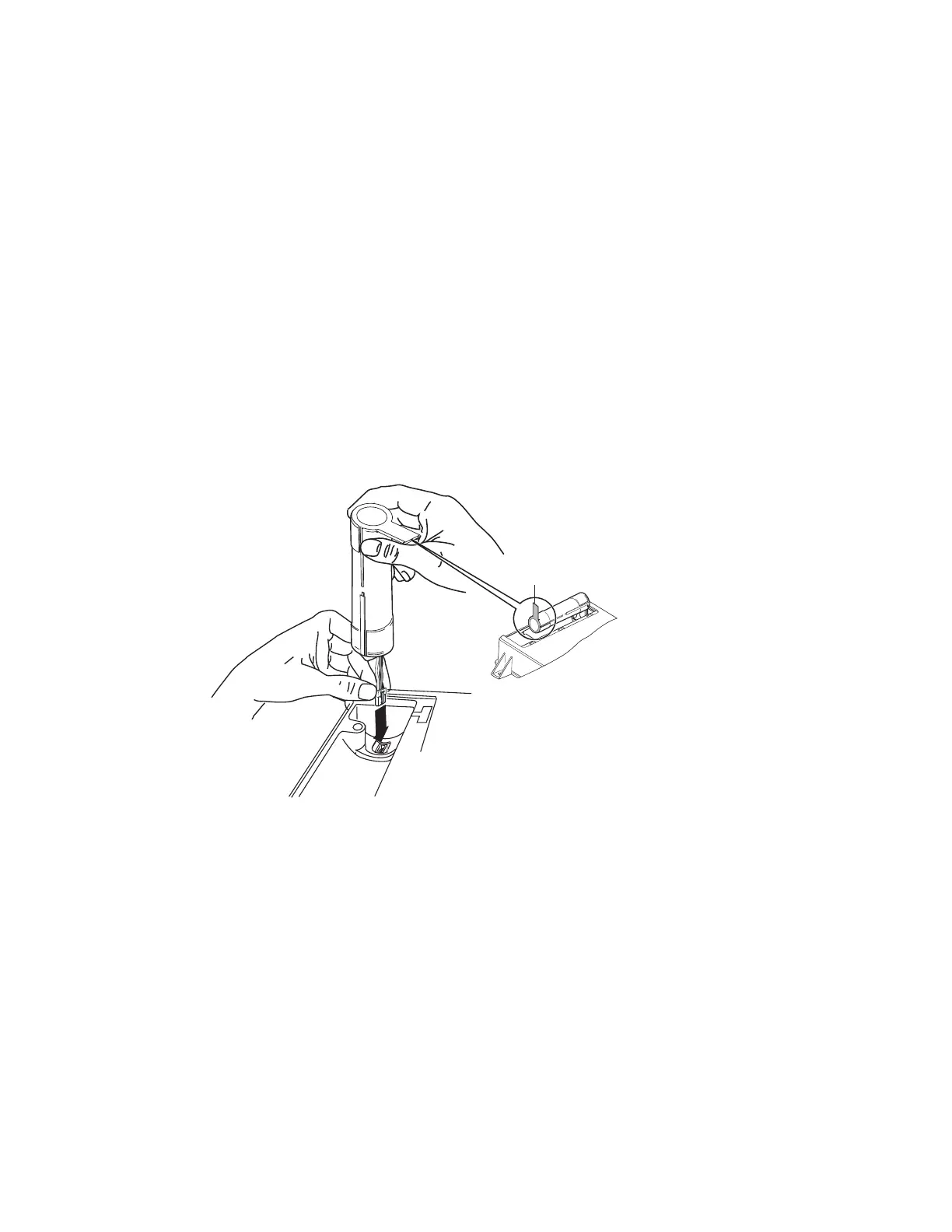
1. Install the backup battery into the MAS110.
2. Install the MAS110.
3. Connect cables to the MAS110.
Installing the Backup Battery into the MAS110
Install the backup battery before installing the MAS110.
1. Open the battery door on the MAS110 using a Torx #10 driver. Remove battery door if
necessary.
2. Hold the backup battery in a vertical position with the connector facing down.
3. Insert the backup battery connector into the keyed mating connector in the MAS110.
05AAA_45QMCP
Battery door
removed for clartiy
Rotate tab up



 To Next Page