Cable Run Mobile Application Server 110 (MAS110) Installation
5-8 80-JB400-1 Rev. D
MAY CONTAIN U.S. AND INTERNATIONAL EXPORT CONTROLLED INFORMATION
Cable Run
• Run direction—Run the loose conductor end of the cable from the MAS110 to the dash
area. (The connector is too large to pass through most access holes.)
• Routing location—Route internally or externally. Use existing cable runs.
• Cable dressing—Stow and secure any loose wires. Use convoluted tubing for cables run
externally.
• Installation instructions for optional accessories which use the accessory cable are
provided in later chapters of this guide.
• Before connecting the accessory cable to the MCP110, inspect the connectors to make
sure they are not damaged and the pins are not bent. Do not attempt to straighten bent
pins. This further weakens the pins and results in cable failure.
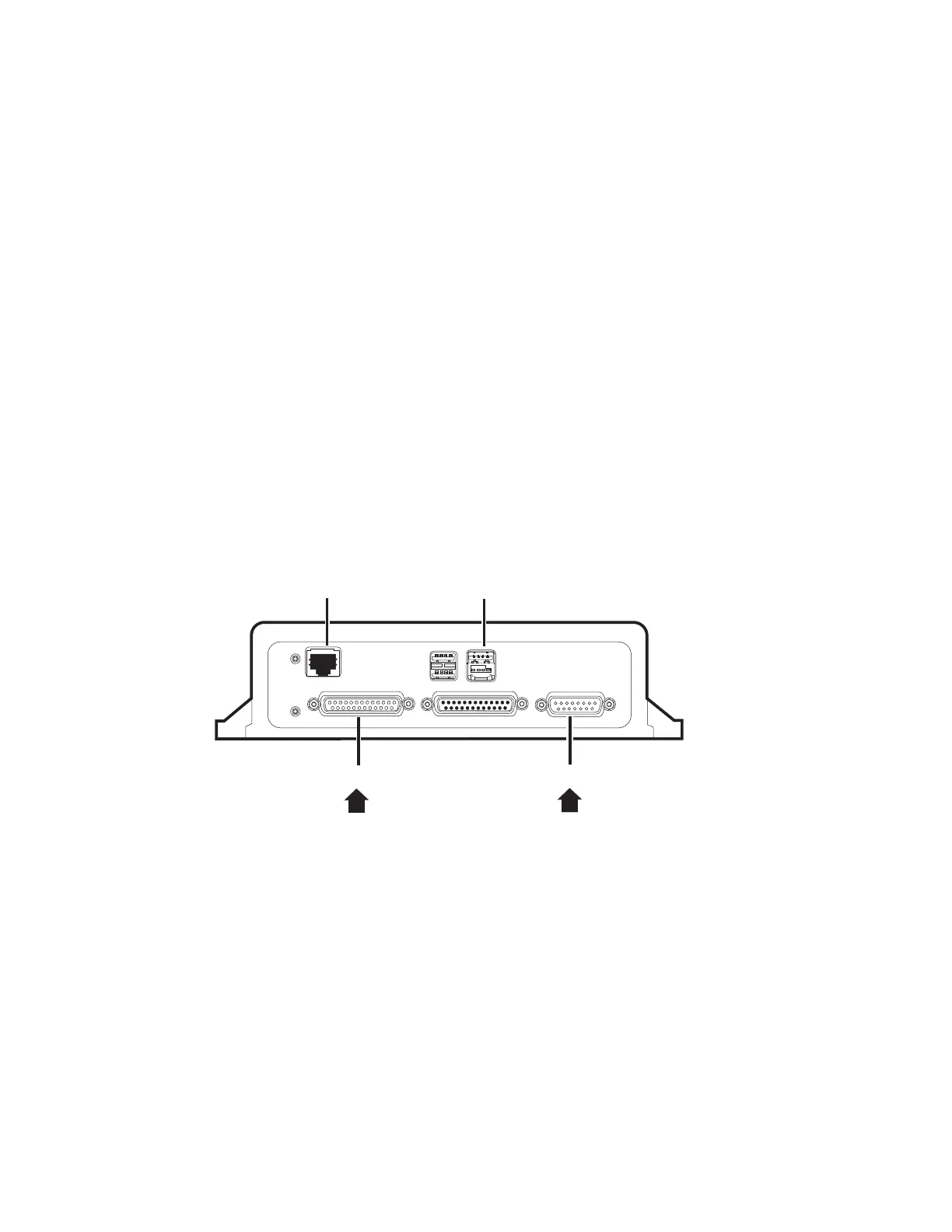
Connecting Cables to the MAS110
1. Inspect all connectors for bent pins.
2. Align the connector so it is straight before sliding into position and connect the
accessory cable into the I/O 1 slot.
3. Only hand-tighten the thumb screws on the connector.
4. Stress relief all cables by tie-wrapping them together.
09AAA_018A
DIU
WIB
PWR
Accessory Cable



 To Next Page