Connecting the Display Cable to the DIU110 Display Interface Unit 110 (DIU110) Installation
7-6 80-JB400-1 Rev. D
MAY CONTAIN U.S. AND INTERNATIONAL EXPORT CONTROLLED INFORMATION
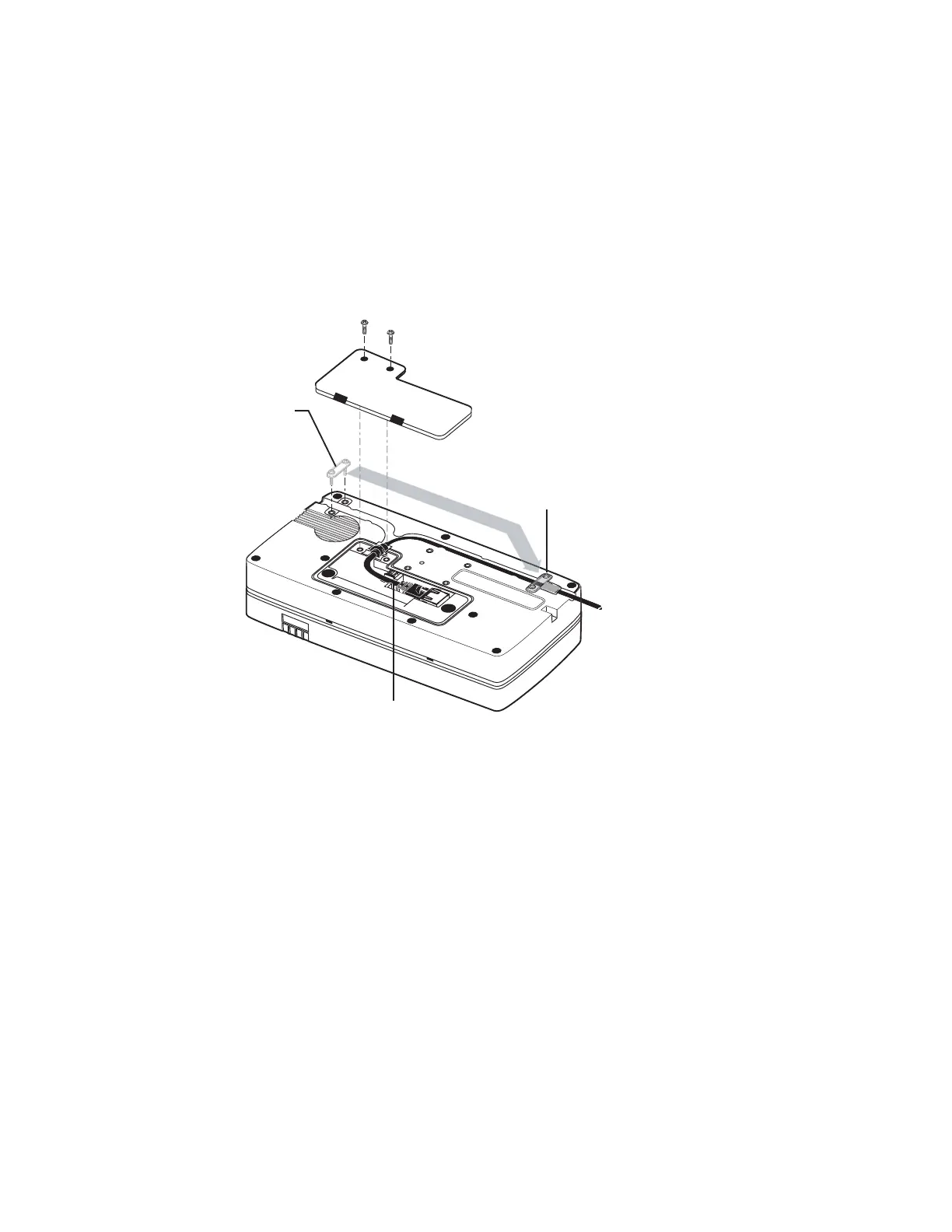
Connecting the Display Cable to the DIU110
1. Use a #10 Torx driver to remove the DIU110’s back housing.
2. Remove the protective cap on the connector.
3. Plug connector into DIU110. This provides strain relief.
• Make sure the rubber grommet fits in the grooves of the DIU110.
• Make sure the flat side of the grommet is facing up.
4. Route the display cable through a channel on the back of the DIU110.
5. Insert a small tie-wrap near the tie-wrap connection.
6. Reinstall the back housing and install the small bracket over the cable.
Move bracket
from here
To here,
after cable
is in place
09AAA_044
Tie-wrap


 To Next Page