80-JB400-1 Rev. D 7-5
MAY CONTAIN U.S. AND INTERNATIONAL EXPORT CONTROLLED INFORMATION
Display Interface Unit 110 (DIU110) Installation Installing the Display Holster and Display
Installing the Display Holster and Display
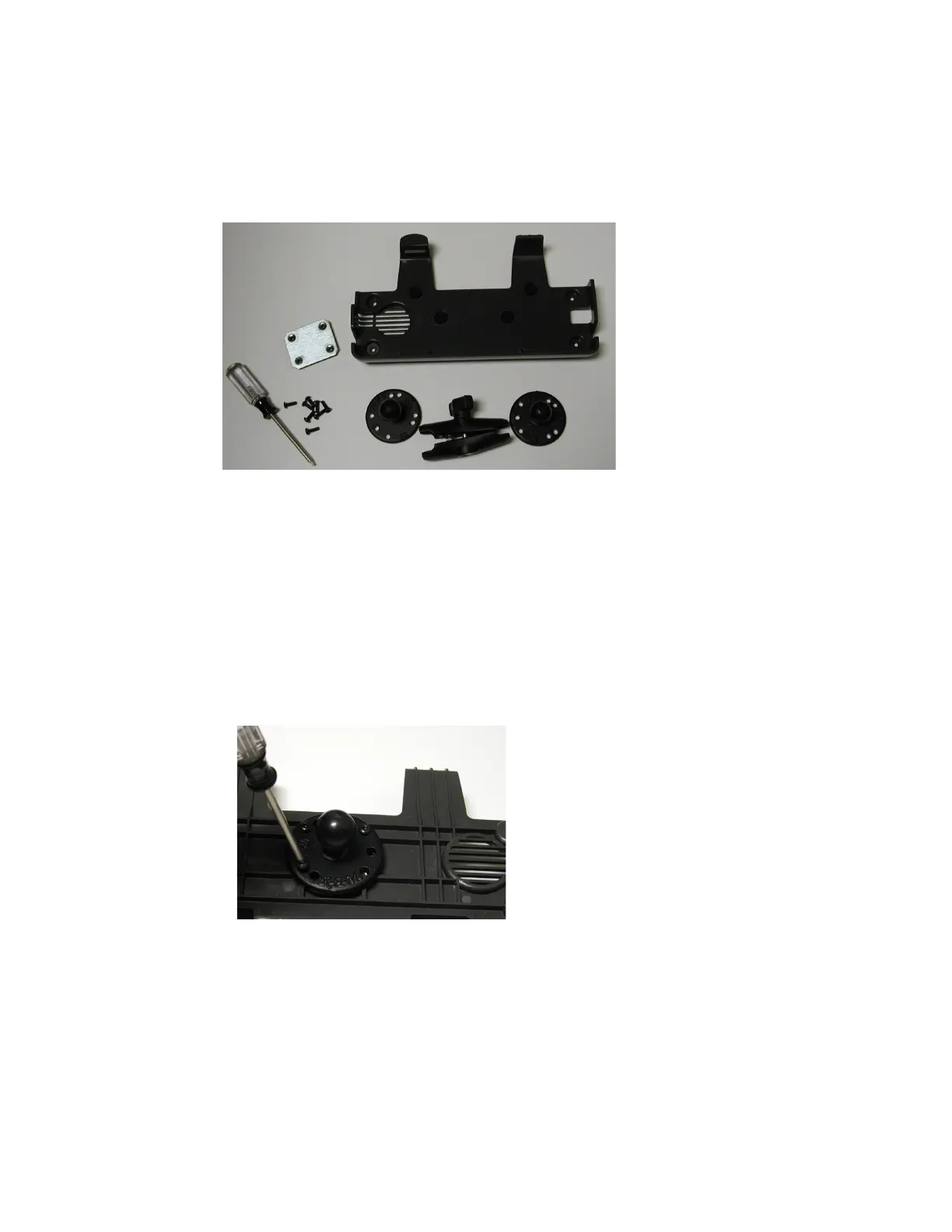
Omnitracs recommends using RAM Mounting Systems mounting hardware. (Refer to
Appendix F.) Always use a backing plate to strengthen the area.
1. Verify that there is nothing behind the mounting surface that might be damaged by
drilling holes.
2. Drill holes for the mounting bracket and backing plate.
3. If applicable, follow installation instructions from the third-party bracket mount
manufacturer.
4. Attach the holster to the third-party bracket mount using four 8x24 screws.
To attach the RAM mount ball-joint to the holster, the screws should be 1/2 inch long.
Do not use screws that are too long or they will protrude through the holster.
Display Cable Routing
• Run direction—In most vehicles, the display is mounted on the dash. Route the cable from
the DIU110 to the MAS110 with the coiled end of the cable at the DIU110 and the uncoiled
end routed to the MAS110.
• Cable dressing—For strain relief, the base of the coil should be secured with tie wraps.
The strain-relief tie wrap is normally positioned at the point where the cable transitions
from a straight cable to a coiled cable.


 To Next Page