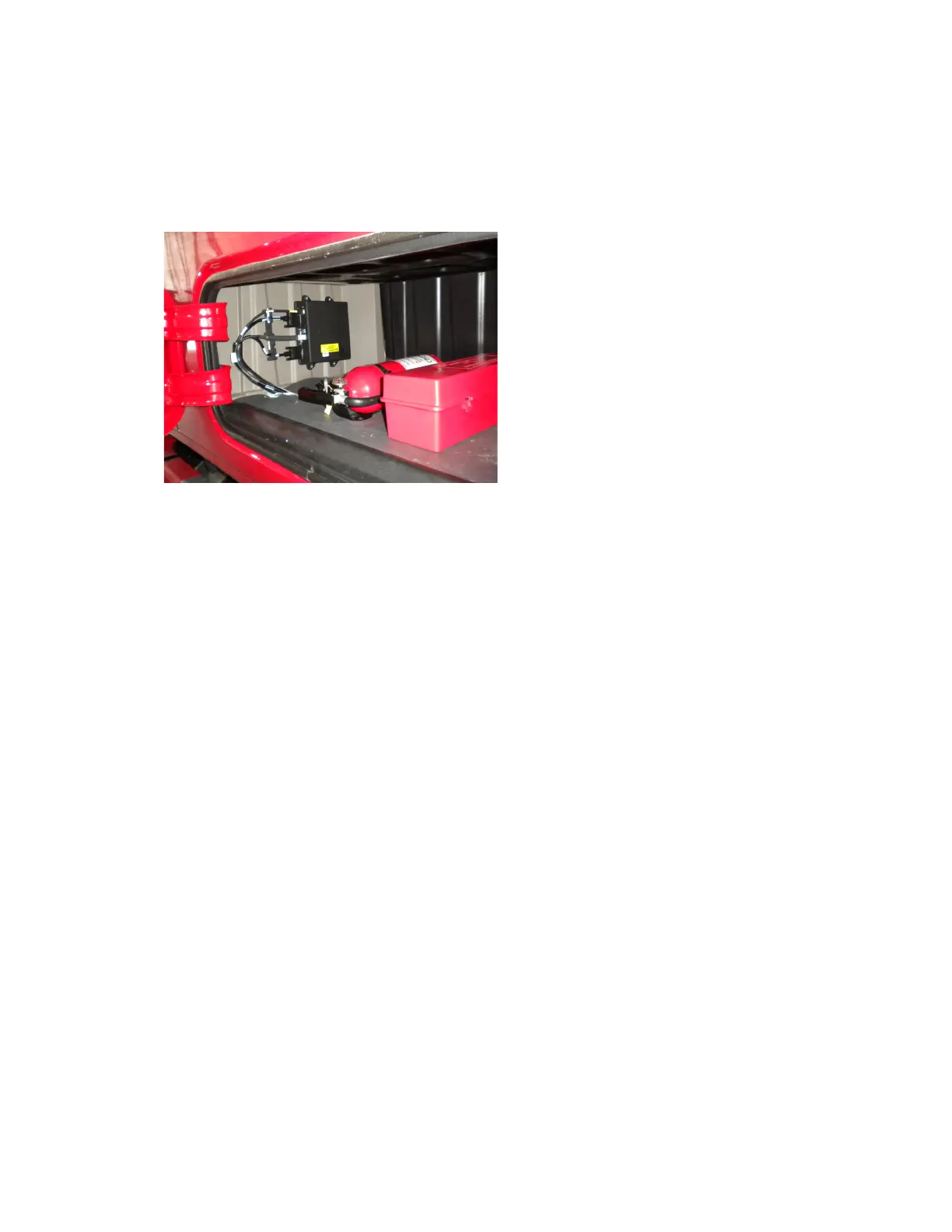
Securing the MAS110 Mobile Application Server 110 (MAS110) Installation
5-4 80-JB400-1 Rev. D
MAY CONTAIN U.S. AND INTERNATIONAL EXPORT CONTROLLED INFORMATION
Location and Orientation
• When possible, do not install the MAS110 on the floor of the vehicle.
• Preferably, install the MAS110 on the vertical side wall with cable exiting to the side.
• If possible, install the MAS110 in a storage compartment.
• Choose a location that provides easy access to the USB port you are using for the memory
stick.
• Choose a location where the MAS110 will not come into contact with liquids or solvents.
• Choose a location where tire chains or other tools will not likely be stowed on top of the
unit or cables. Do not mount the unit near items that may fall on it or bump cable
connections.
• Choose a location for the MAS110 that is structurally sound. The surface must support the
full weight of the MAS110 under all circumstances.
• Choose a location that provides for the various cable lengths.
• In cabover vehicles, install the MAS110 in the rear of the storage compartment. In this
location, tools or tire chains will not fall on top of the unit when the cab is tilted up.
• Be sure to provide enough room for cable bends or the removal of cables for servicing (4"
to 6" is recommended).
• Install the MAS110 so that the unit, cables, and backup battery can be serviced in the
future.
Securing the MAS110
• Use four self-drilling screws or well nuts and screws to mount and secure the MAS to a
solid surface.


 To Next Page