Option 2—Connecting to a Dedicated 8-ohm Speaker Text-to-Speech (TTS) Installation
8-6 80-JB400-1 Rev. D
MAY CONTAIN U.S. AND INTERNATIONAL EXPORT CONTROLLED INFORMATION
Option 2—Connecting to a Dedicated 8-ohm Speaker
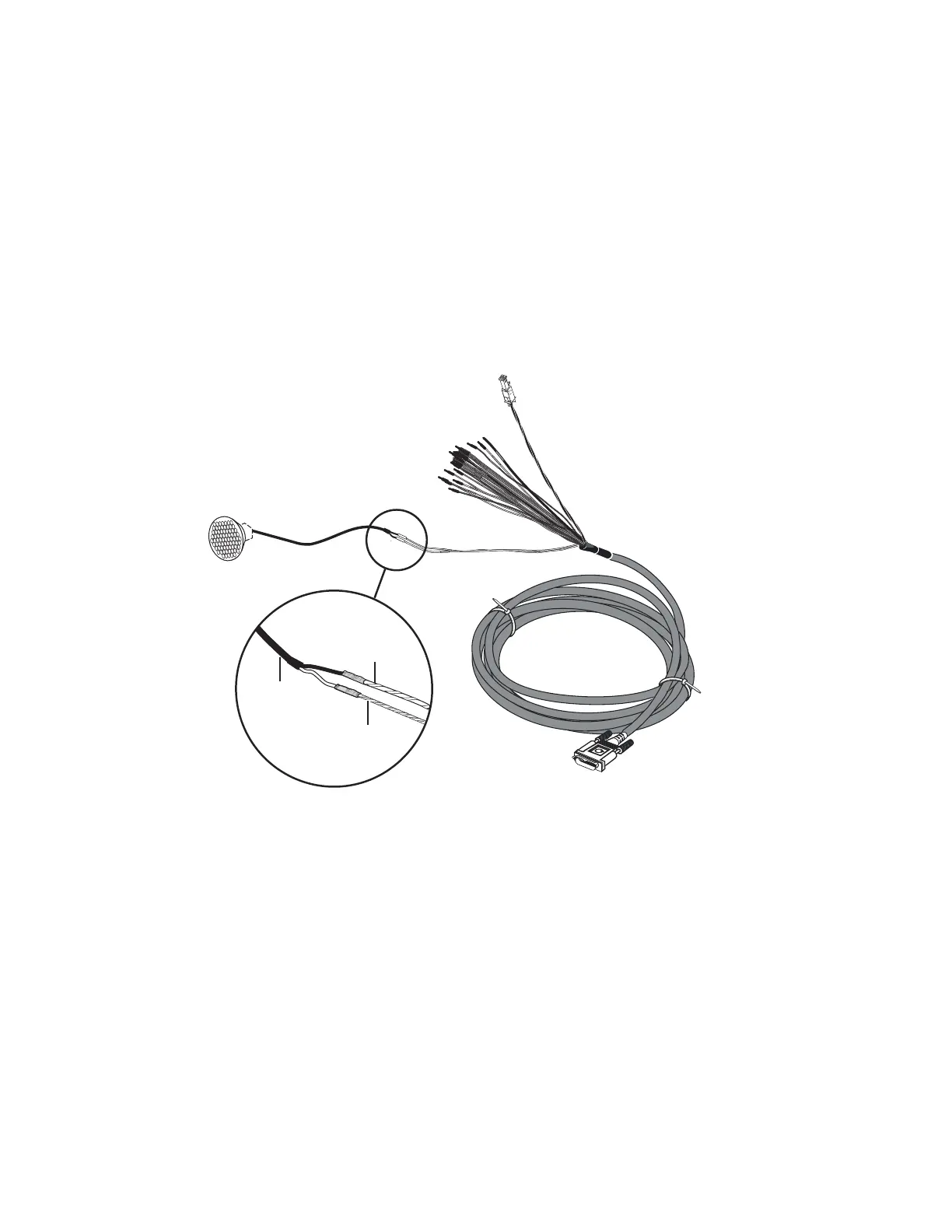
Connect the dedicated speaker for text-to-speech play directly to the accessory cable:
1. Butt splice the blue/yellow SPKR + wire on the accessory cable to the positive (+) wire
that leads from the speaker.
2. Butt splice the blue/violet SPKR - wire on the accessory cable to the negative (-) wire
that leads from the speaker.
Note
The speaker switch cable is not used if you are adding an external, dedicated speaker.
05AAA_148T
Accessory Cable
SPKR+
(blue/yellow)
SPKR-
(blue/violet)
Speaker
Speaker
Wires


 To Next Page