General Installation Guidelines Display Interface Unit 110 (DIU110) Installation
7-2 80-JB400-1 Rev. D
MAY CONTAIN U.S. AND INTERNATIONAL EXPORT CONTROLLED INFORMATION
General Installation Guidelines
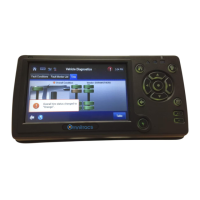
1. Install the holster and DIU110.
2. Route and connect the cable to the DIU110.
3. Connect the display cable to the MAS.
Selecting a Mounting Location
IMPORTANT SAFETY INFORMATION
Do not locate the display unit where it obstructs the driver’s field of vision, distracts the driver
from the driving task, or interferes with the driver’s operation of controls or displays.
DO NOT locate the DIU where it:
• obstructs the driver’s field of vision
• distracts the driver from the driving task
• interferes with the driver’s operation of controls or displays
• obstructs the area swept by the windshield wipers
• blocks the deployment of an airbag
DO locate the DIU where:
• it can be safely installed on a secured bracket that is robust enough to minimize any
vibration and sustain the weight of the DIU. Permanently affix the DIU to the:
- front dash area
- top of dash area
• the mounting surface is strong enough to support the mounting hardware
• the mounting surface is flat
• it is in the driver’s line-of-sight, easy to touch, but does not block the view of the road or
mirrors
• the surrounding area is clear of dash controls and gauges
• the display cable is long enough to reach the mating connector on the accessory cable
• it is not mounted in constant, direct sunlight
• it does not limit a passenger’s leg room or block access to any other compartments
• it does not interfere with anyone entering or exiting the vehicle cab
• it is not likely to impact the driver or passenger in case of an accident or collision


 To Next Page