80-JB400-1 Rev. D 10-3
MAY CONTAIN U.S. AND INTERNATIONAL EXPORT CONTROLLED INFORMATION
System Verification Performing System Verification
Performing System Verification
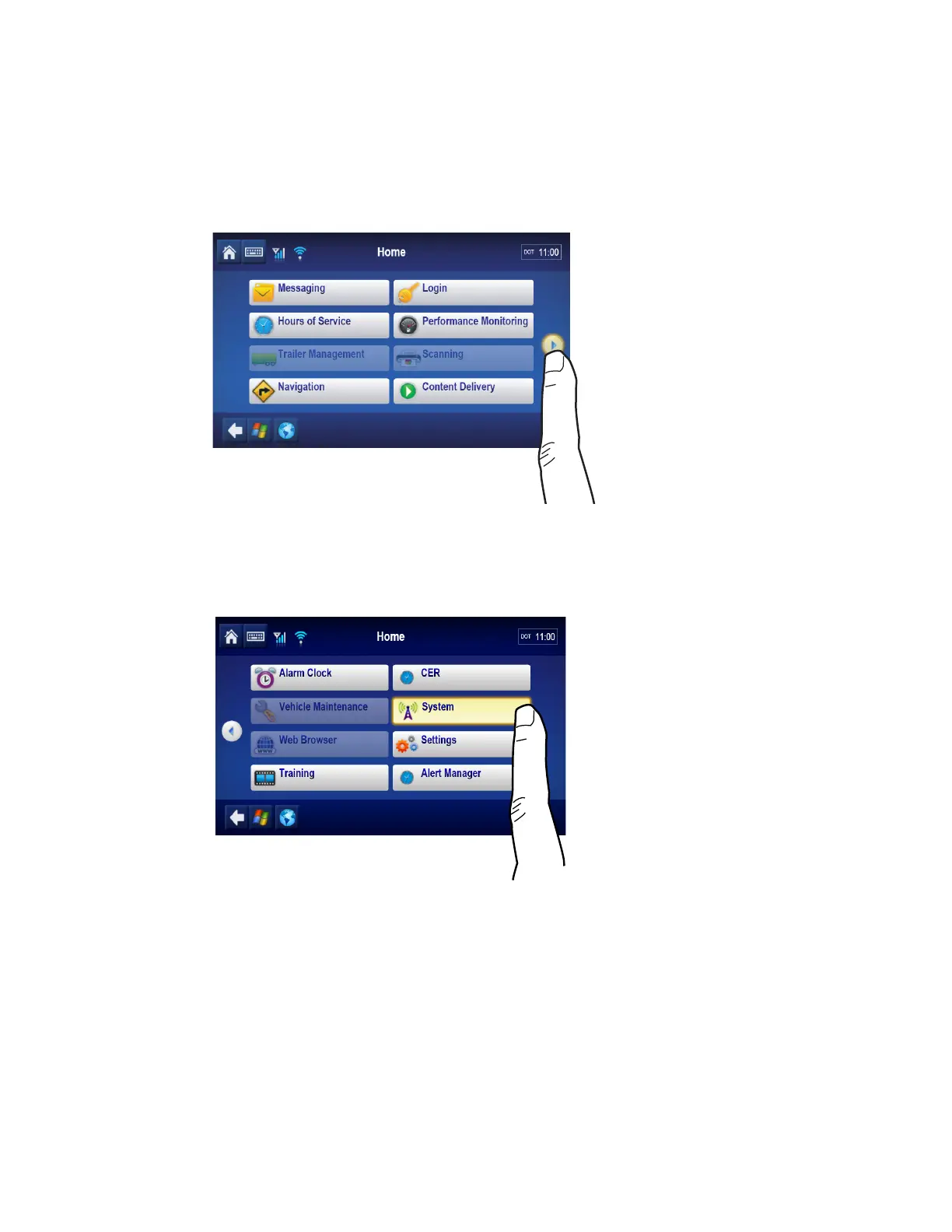
Shortly after you power up the MCP110, the Driver Warning screen appears. Then the
MCP110 Home screen displays.
Tap the arrow on the right to access the system button.
System verification information has been stored on screens/buttons under the System
button.
Tap the System button to access the display screens shown on the following pages.


 To Next Page