80-JB400-1 Rev. D 10-9
MAY CONTAIN U.S. AND INTERNATIONAL EXPORT CONTROLLED INFORMATION
System Verification Basic MCP110 System Verification Procedure
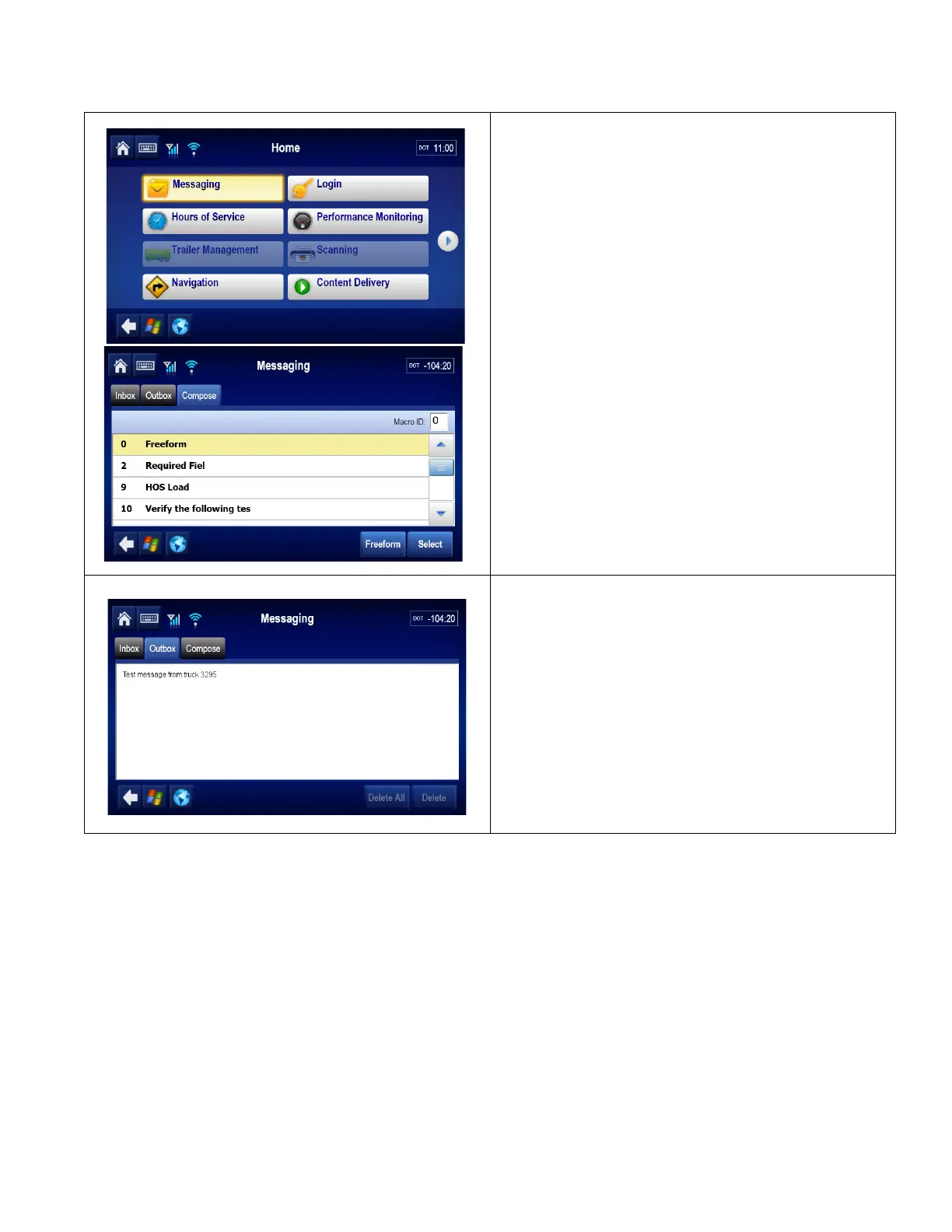
5. Send a test message to the dispatcher. Go to
the Home screen and tap the Messaging
button.
• Tap the Compose tab.
• Type the message text including the truck
number.
• Send the message?
• Tap Yes to send the message.
6. Tap the Outbox tab to display the message
that was just sent. Orange
“” (arrows)
indicate the message is in transit; a green “
”
(check mark) indicates the message has been
acknowledged.
• If the message is acknowledged, go to step
7.
• If the message is not acknowledged, see
the MCP110 Diagnostic Guide.


 To Next Page