5-93
5-7 Digital Operator/Operation Functions
SYSDRIVE MX2 Series USER'S MANUAL (3G3MX2-A@@@@)
5
Functions
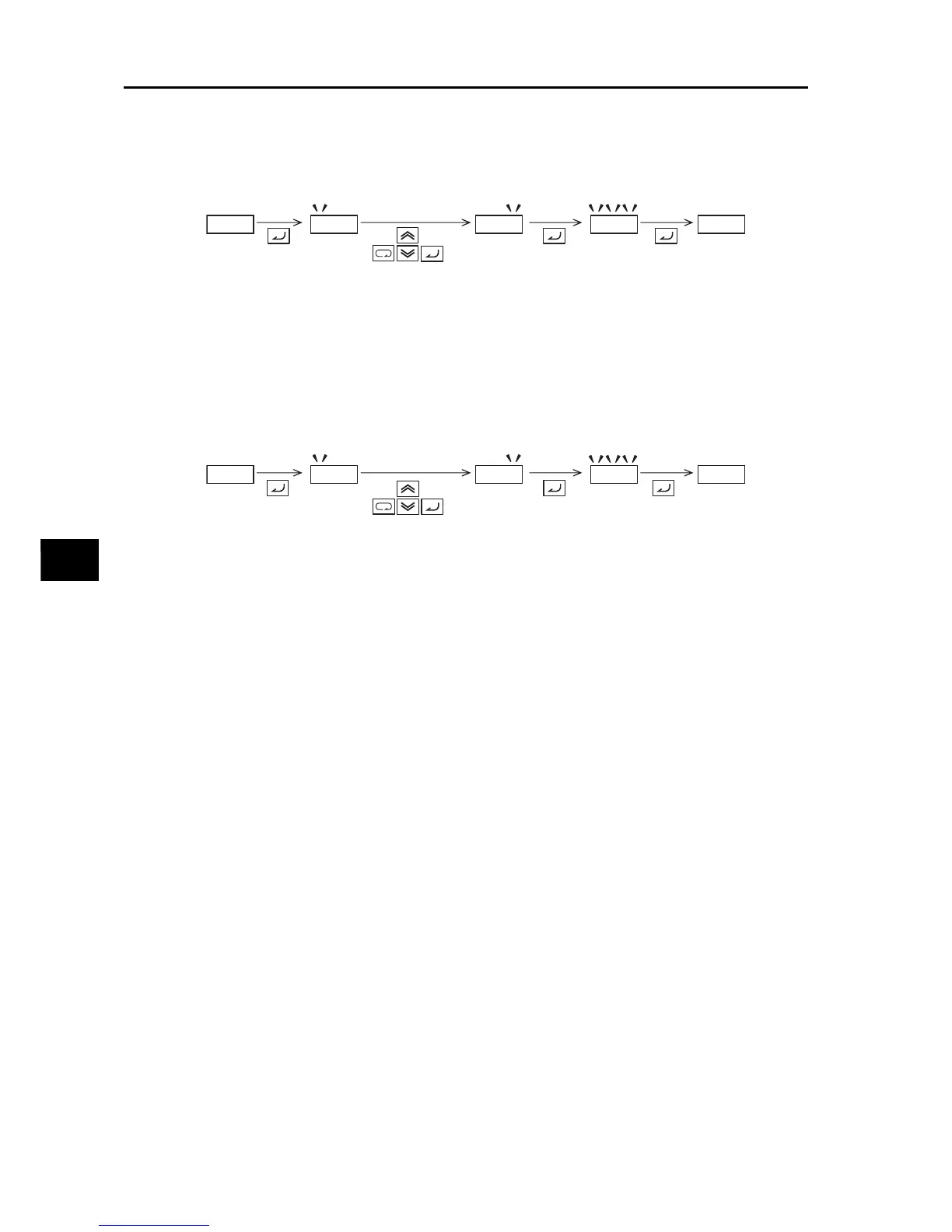
Password Change
(6) Perform password authentication. (The password cannot be changed in the password-
locked condition in (3) ("0000" is displayed).)
(7) Enter a desired password in Password Setting (b190/b192).
(8) When the password is changed, the system automatically switches to the password-locked
condition.
Password Clear
(9) Perform password authentication. (The password cannot be cleared in the password-
locked condition in (3) ("0000" is displayed).)
(10) Enter 0000 in Password Setting (b190/b192).
(11) The system returns to the condition where no password is set (initial condition) and all
password information is cleared.
bk1k9k0
1k2k3k4
akbkckd
akbkckd
bk1k9k0
bk1k9k0.
1k2k3k4
0k0k0k0
0k0k0k0
bk1k9k0



 To Next Page