157
Using FINS Message Communications Section 6-3
6-3-2 Using CMND(490)
With CMND(490), normally the Network Communications Enable Flag at the
CPU Unit (bits 00 to 07 of word A202, corresponding to ports 0 to 7) is used
as the input condition as shown below.
Communications Flags
Communications Flag
Operation
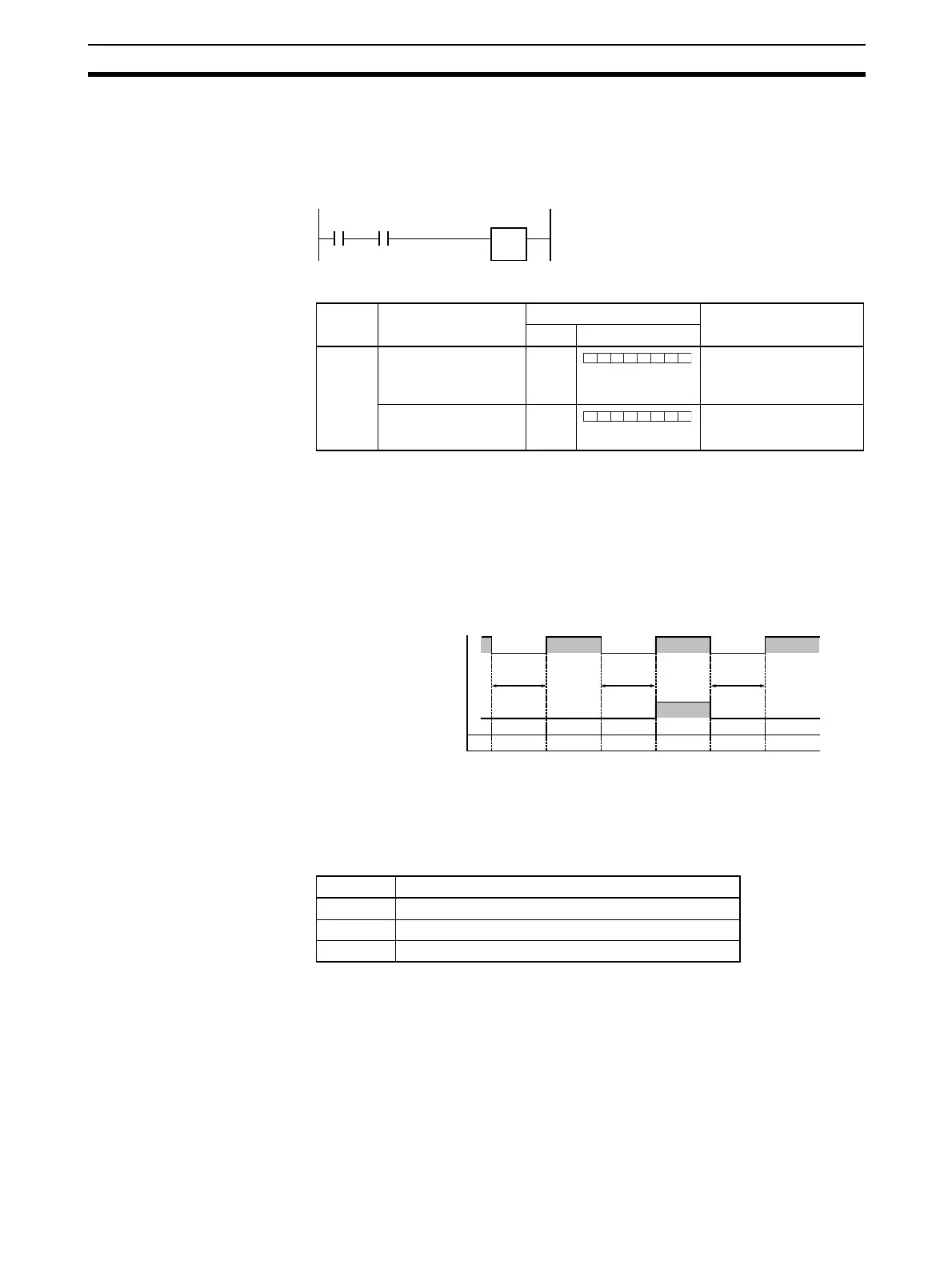
• The Network Communications Enable Flag turns OFF when a send or
receive instruction is being executed (from when the instruction is exe-
cuted until a response is received), and ON after the execution has been
completed (for either a normal completion or an error).
• The Network Communications Error Flag retains its status until the next
transmission or reception is executed.
• The Network Communications Error Flag turns OFF when the next com-
munications instruction is executed even if there is an error.
Network Communications
Completion Code
When execution of a network communications instruction has been com-
pleted, the status is stored in the following words as an Completion Code
(FINS command end code). While the network communications instruction is
being executed, the value is 00 or 0000 hex, and when execution has been
completed the Completion Code is updated.
Note In the CS/CJ Series, CMND(490) execution result is stored as one word (two
bytes) of data. The Network Communications Completion Code is the same
as the FINS command end code. Bits 08 to 15 of the Network Communica-
tions Completion Code correspond to the first byte, and bits 00 to 07 corre-
spond to the second byte.
Execution
condition
Network
Communications
Enable Flag
CMND
Type Flag name
Address
Contents
Word Bits
Flags at
PLC
Network Communica-
tions Enable Flag
A202 0: Enabled (Executing)
1: Disabled (Not execut-
ing)
Network Communica-
tions Error Flag
A219 0: Normal completion
1: Error
7 6 5 4 3 2 1 0
Port 0
Port 1
Port 2
Port 3
Port 4
Port 5
Port 6
Port 7
7 6 5 4 3 2 1 0
Port 0
Port 1
Port 2
Port 3
Port 4
Port 5
Port 6
Port 7
Instruction
1 executed
Instruction
2 executed
Instruction
3 executed
1
0
1
0
Previous
completion
00 00 00
00 (Normal
completion)
04 (Busy)
00 (Normal
completion)
Network Communications
Enable Flag
CMND(490)
Network Communications
Error Flag
Network Communications
Completion Code
Word Contents
A203 Port 0 Network Communications Completion Code
∼
∼
A210 Port 7 Network Communications Completion Code












 To Next Page