168
Simple Backup Function Section 7-1
7-1 Simple Backup Function
7-1-1 Overview of Function
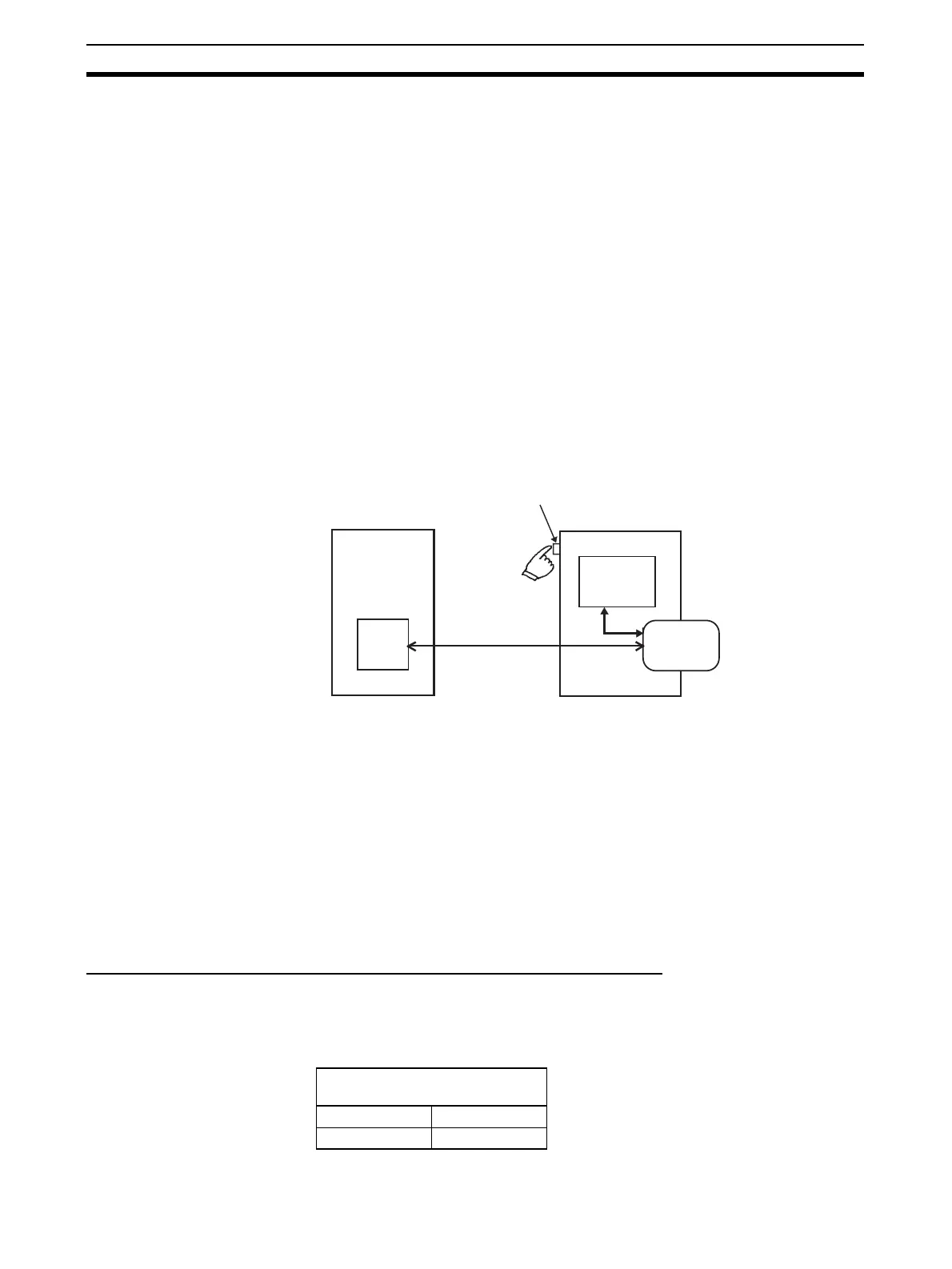
The CPU Unit’s simple backup function can be used when either a CS1W-
CRM21 CompoNet Master Unit is mounted to a CS1-H CPU Unit, or a CJ1W-
CRM21 CompoNet Master Unit is mounted to a CJ1-H CPU Unit. This func-
tion enables all setup data in the internal non-volatile memory (EEPROM) of
the CompoNet Master Unit, as well as all data in the CPU Unit, to be automat-
ically backed up to, restored from, or compared with a file in a Memory Card
mounted in the CPU Unit.
When all the setup data in the CompoNet Master Unit is written to the Mem-
ory Card using a simple backup operation, it is backed up as a Unit/Board
backup file in the Memory Card under the file name BACKUP@@.PRM.
Note The blanks in the backup file name are replaced with the unit ad-
dresses of a CompoNet Master Unit, which is the unit number of a
Special I/O Slave Unit + 20 hex.
This backup file is also used when downloading data from or comparing data
with a file in the Memory Card.
Note The data restoration by the simple backup function in CS1W-CRM21 or
CJ1W-CRM21 CompoNet Master Units is not downwardly compatible. The
backed up data can be restored only in CompoNet Master Units of the same
or later unit versions.
7-1-2 Applications
Use the simple backup function to create a backup file of data for the entire
PLC, including the CPU Unit and Serial Communications Units/Boards, or
when replacing all the Units.
7-1-3 Operating Methods
Backing Up CompoNet Master Unit Setup Files to Memory Card
Set the DIP switch on the front panel of the CPU Unit, as shown in the follow-
ing table, and press down the Memory Card Power Supply Switch for 3 sec-
onds.
• Backing up data
• Restoring data
• Comparing data
CompoNet Master Unit
Memory Card Power Supply Switch
CPU Unit
All data
All setup data
Memory Card
DIP switch on front panel of
CPU Unit
Pin 7 Pin 8
ON OFF












 To Next Page