83
Preparing and Mounting Flat Connectors Section 4-3
3. After attaching the cable, confirm that it is properly pressure-welded.
4-3-3 Flat Cable II
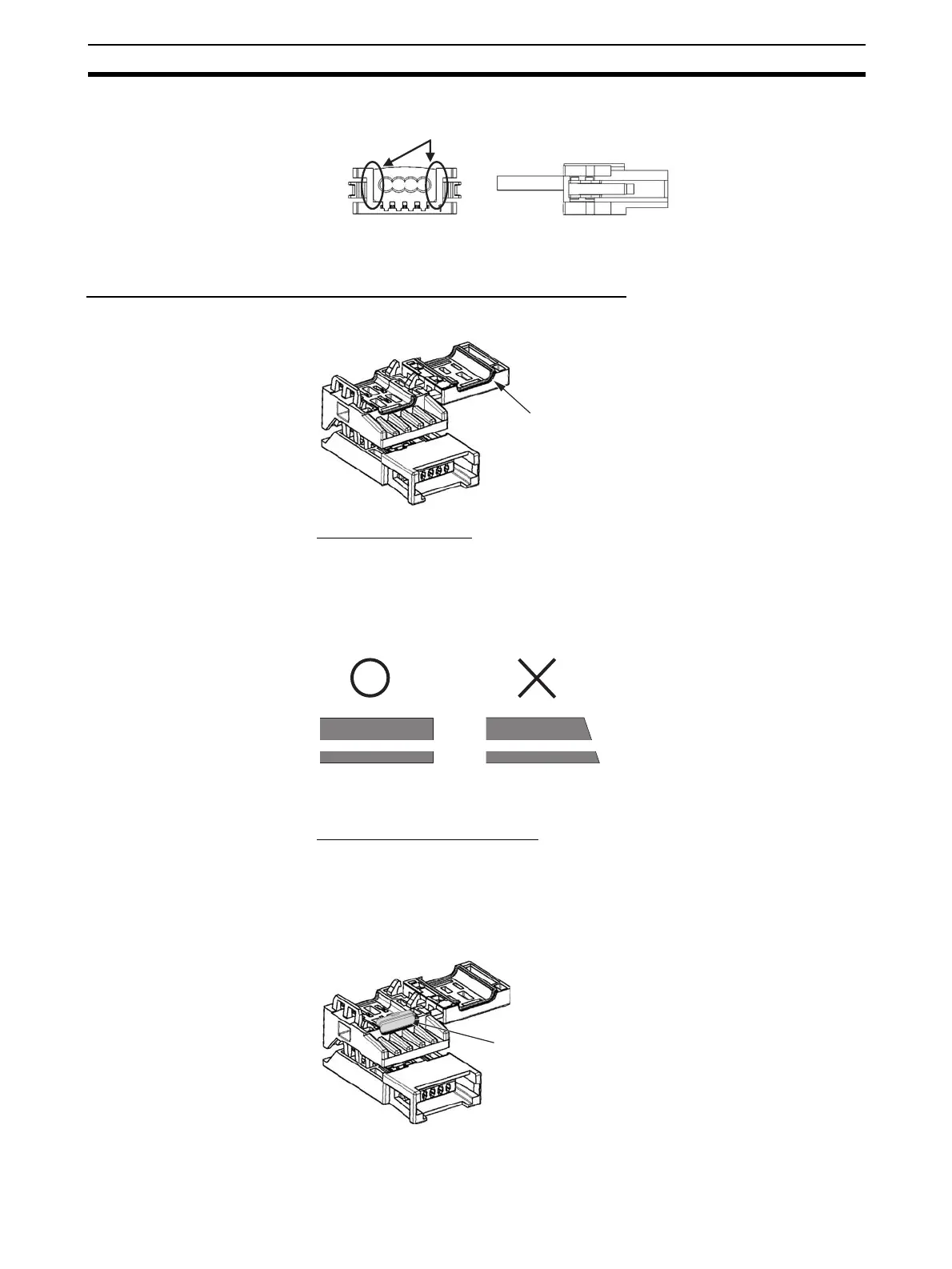
Preparing and Mounting DCN5-TR4 Flat Connector Sockets
■ Component Names
1) Cutting the Cable
This step is required only for extending the cable or connecting a Terminating
Resistor.
At the tip of cable, cut the cable perpendicular to the cable length. To prevent
short-circuits, use a sharp cutting tool such as nipper. Confirm there is no
remaining wire coming out.
To prevent short-circuits, cut the cable with a sharp blade and be sure that
there are no whiskers from the conductors.
2) Setting the Cable Stopper.
This step is required only for extending the cable or connecting a Terminating
Resistor.
For these purposes, the cable can end in the connector. Place the cable stop-
per in advance. Put the cable in the cover. Position the cable so that the cable
tip touches the stopper.
Be sure there are no gaps here.
Cove
Cable stopper












 To Next Page