84
Preparing and Mounting Flat Connectors Section 4-3
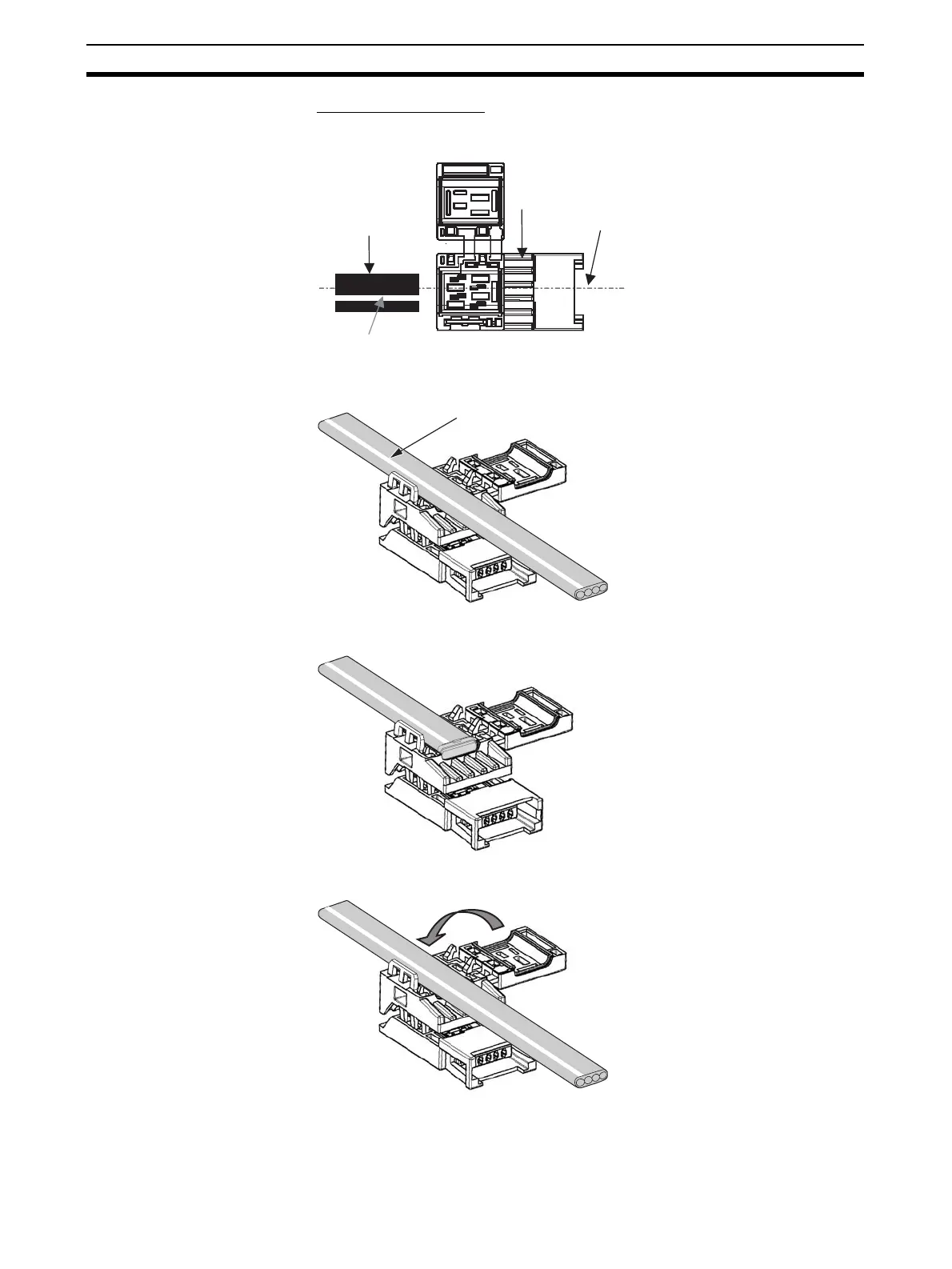
3) Attaching the Cable
1,2,3... 1. Hold the cable with the white line facing up and near the cover opening.
T-branch Connections
Extending the Cable or Connecting a Terminating Resistor
2. Hold the cable to prevent dislocation and close the cover.
Note For extension or to connect a Terminating Resistor, make sure the
cable tip is inserted to the cable stopper and will not come out.
Middle of connecto
(Top view)
White line
Connector
Cable
White line












 To Next Page