173
Handling Errors Section 8-1
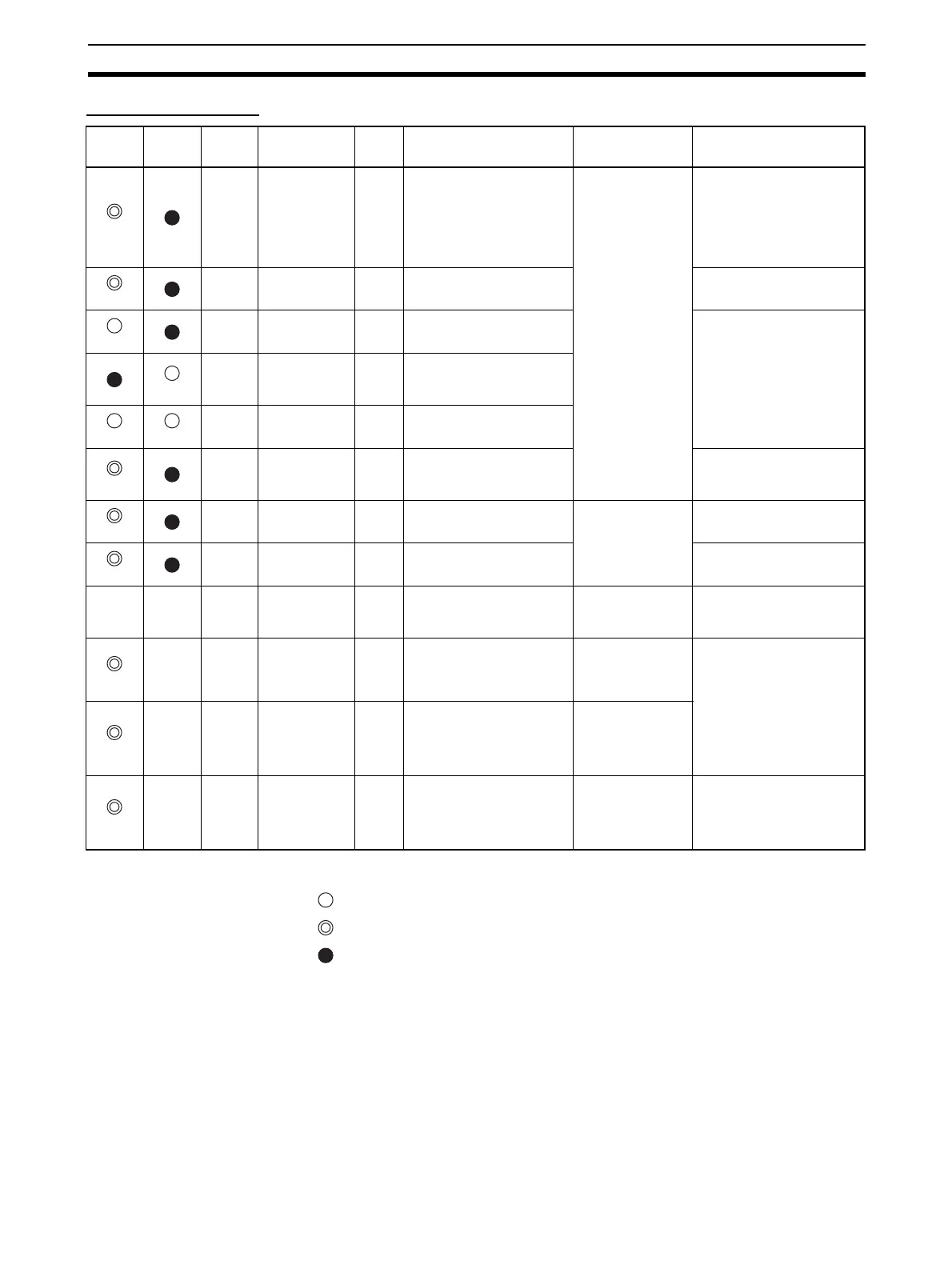
Initialization Errors
Indicators
: Lit
: Flashing
: Not lit
---: Not applicable
MS
indicator
NS
indicator
7-
segment
display
Item Error
history
(hex)
Probable cause of error Unit operation after
error detection
Countermeasures
Red
H1
Unit number set-
ting error
---
One of the following errors
occurred in the unit number set-
ting for the Master Unit.
• An illegal unit number was set.
• A unit number already being
used for another Unit was set.
The Master Unit stops
operating and goes
into standby mode.
Correct the unit number, and
then restart the Master Unit.
Either of the following methods
can be used to restart the Mas-
ter Unit:
1) Cycle the power to the PLC.
2) Turn ON the CPU Unit's Spe-
cial I/O Restart Flag.
Red
H2
The CPU Unit is
defective.
---
--- Restart the Master Unit. If the
same error occurs again, replace
the Master Unit.
Red
H3
Hardware test
error (Unit inter-
face test)
---
An error was detected during
the Master Unit interface check.
If the same error occurs even
when the Unit is mounted to
another CPU Unit, replace the
Master Unit.
Red
H3
Hardware test
error (Communi-
cations ASIC
test)
---
An error was detected during
the Master Unit communications
ASIC check.
Red Red
H3
Hardware test
error (RAM test)
---
An error was detected during
the Master Unit RAM check.
Red
H4
Communications
mode setting
error
---
An illegal rotary switch setting
was detected for the communi-
cations mode (i.e., the switch is
set to 4, 5, 6, 7, or 9).
Correct the communications
mode setting, and then restart
the Master Unit.
Red
H6
The CPU Unit is
defective.
000F
--- After the error is
recorded in the error
history, the Master
Unit stops operating
and goes into standby
mode.
Restart the Master Unit. If the
same error occurs again, replace
the Master Unit.
Red
H7
No I/O table reg-
istration.
0006
The Unit is not registered to the
CPU Unit's I/O table.
Create the I/O tables.
--- --- H8
To t al b a c k u p
download error
---
A batch backup restoration
failed.
The Unit will start with
the parameters that
are saved internally.
If the error occurs again even
after restarting the Unit, set the
parameters in the Unit individu-
ally.
Red
--- HA
CPU Unit mem-
ory error
0012
An error response to a FINS
command (READ ROUTING
TABLES) for the CPU Unit was
detected.
After the error is
recorded in the error
history, operation con-
tinues without the
routing tables.
Restart the Master Unit. If the
same error occurs again, replace
the Master Unit.
Red
--- Hb
Event timeout
0011
A timeout was detected for a
system setting read request to
the CPU Unit.
After the error is
recorded in the error
history, operation con-
tinues while the inter-
face with the CPU
Unit is stopped.
Red
--- HC
Setting table
error
021A
A logical error (such as an out-
of-range error) occurred in rout-
ing tables read from the CPU
Unit at initialization, or a sum
error or an error other than a
timeout was returned.
After the error is
recorded in the error
history, operation con-
tinues without the
routing table.
Correct or delete the routing
table.












 To Next Page