69
Connecting Cables Section 4-2
Note Attach a M3 crimp terminal to the cable wire before you connect the wire to a
terminal block.
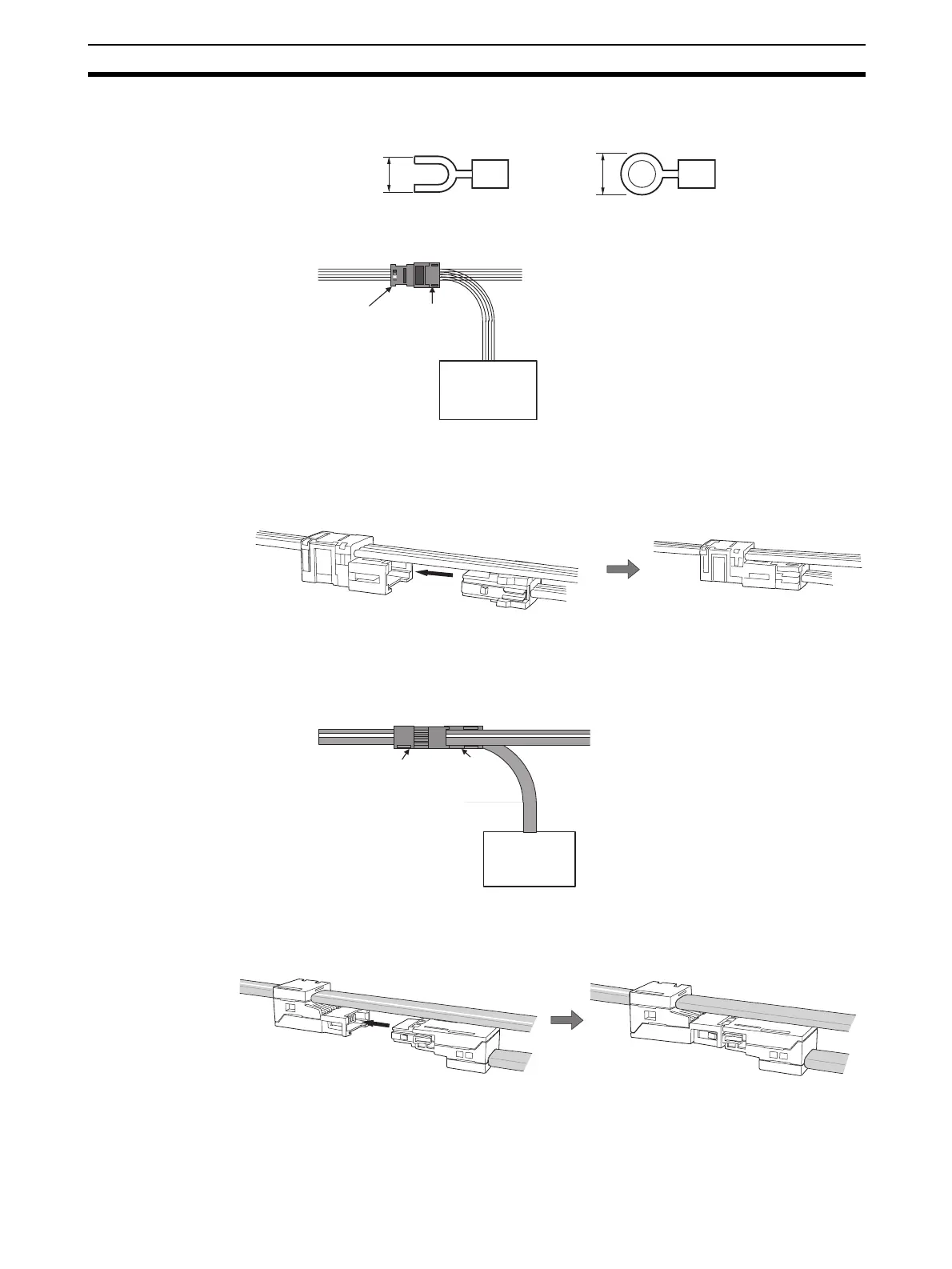
Flat Cable I Attach a DCN4-BR4 Flat Connector Plug to a DCN4-TR4 Flat Connector
Socket which has already been mounted to the communications cable.
■ Mounting Procedure
Hold the Flat Connector Plug with the side with the line colors (i.e., red, white,
black, and blue) facing down, and push the Connector Plug inward until it
clicks into place.
Note To remove a Connector Plug which has been attached, hold the latches on
both sides of the Connector, and pull out the Connector Plug.
Flat Cable II Attach a DCN5-BR4 Flat Connector Plug to a DCN5-TR4 Flat Connector
Socket which has already been mounted to the communications cable.
■ Mounting Procedure
Hold the Connector Plug with the side with white line facing down, and push
the Connector Plug inward until it clicks into place.
Note To remove a Connector Plug which has been attached, hold the latches on
both sides of the Connector, and pull out the Connector Plug.
6.0 mm max.
6.0 mm max.
Slave Unit
DCN4-TR4
Flat Connector
Socket
DCN4-BR4
Flat Connector
Plug
Slave Unit
DCN5-TR4 Flat
Connector
Socket
DCN5-BR4 Flat
Connector Plug












 To Next Page