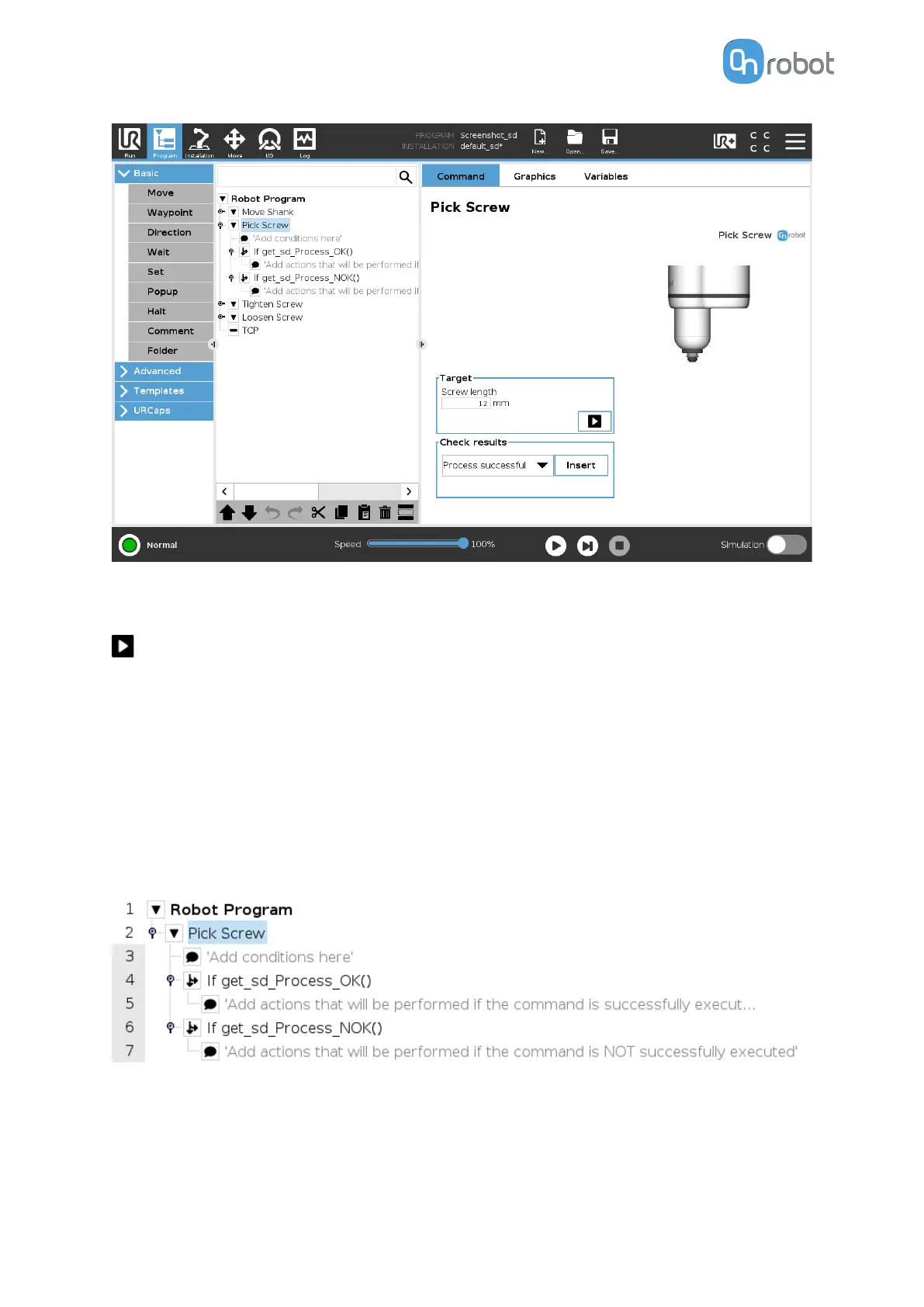
Target
Screw length: Input the length of the screw.
When pressed, the screwdriver will act as if the command is executed.
Check results
Selecting one of the 2 options from the dropdown list and pressing Insert will add an if
statement in the robot program based on the selected option as shown in the screenshot
below.
The Dropdown list options are:
•
Process successful: Uses the function get_sd_Process_OK() and returns true if the
command is executed correctly.
•
Process NOT successful: Uses the function get_sd_Process_NOK() and returns true if the
command is not executed correctly.
OPERATION
101



 To Next Page