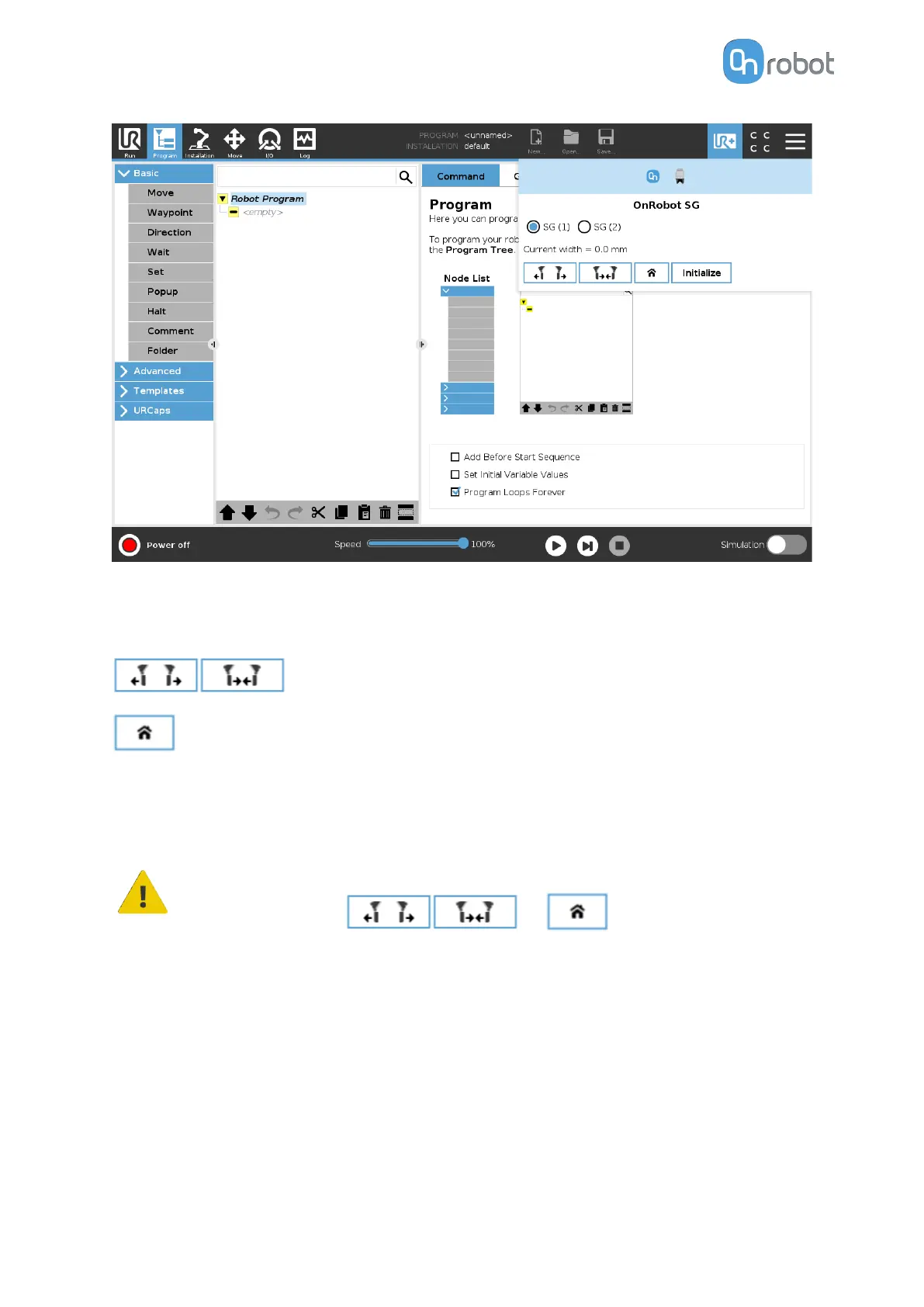
GS (1) and GS (2): In case of using 2 SG grippers, you can select which one performs the
action.
Current width: shows the value.
These are open and close hold-to-run buttons.
This is for homing the SG.
Initialize: Press here to initialize the gripper with the current tool. This button will only appear
if the gripper is not initialized or if there is a mismatch between the Saved and the Current
tool.
CAUTION:
Before pressing or buttons always make sure
that no part will be dropped due to the homing procedure.
6.2.7. VG10 / VGC10
To open up the toolbar follow the instructions in the How to Access the Toolbar section.
The toolbar for the VG grippers is shown below.
OPERATION
124



 To Next Page