5. SW Installation
5.1. Install URCap
UR CB3 UR e-Series
NOTE:
The minimum UR PolyScope
version is 3.10. Please remove
all previous OnRobot URCap
version(s) before the
installation. The controller
version must be CB3.1.
For the HEX-E/H QC products
the 3.12 is not recommended.
NOTE:
The minimum UR PolyScope
version is 5.4. Please remove
all previous OnRobot URCap
version(s) before the
installation.
For the HEX-E/H QC products
the 5.6 is not recommended,
instead please use the 5.7.
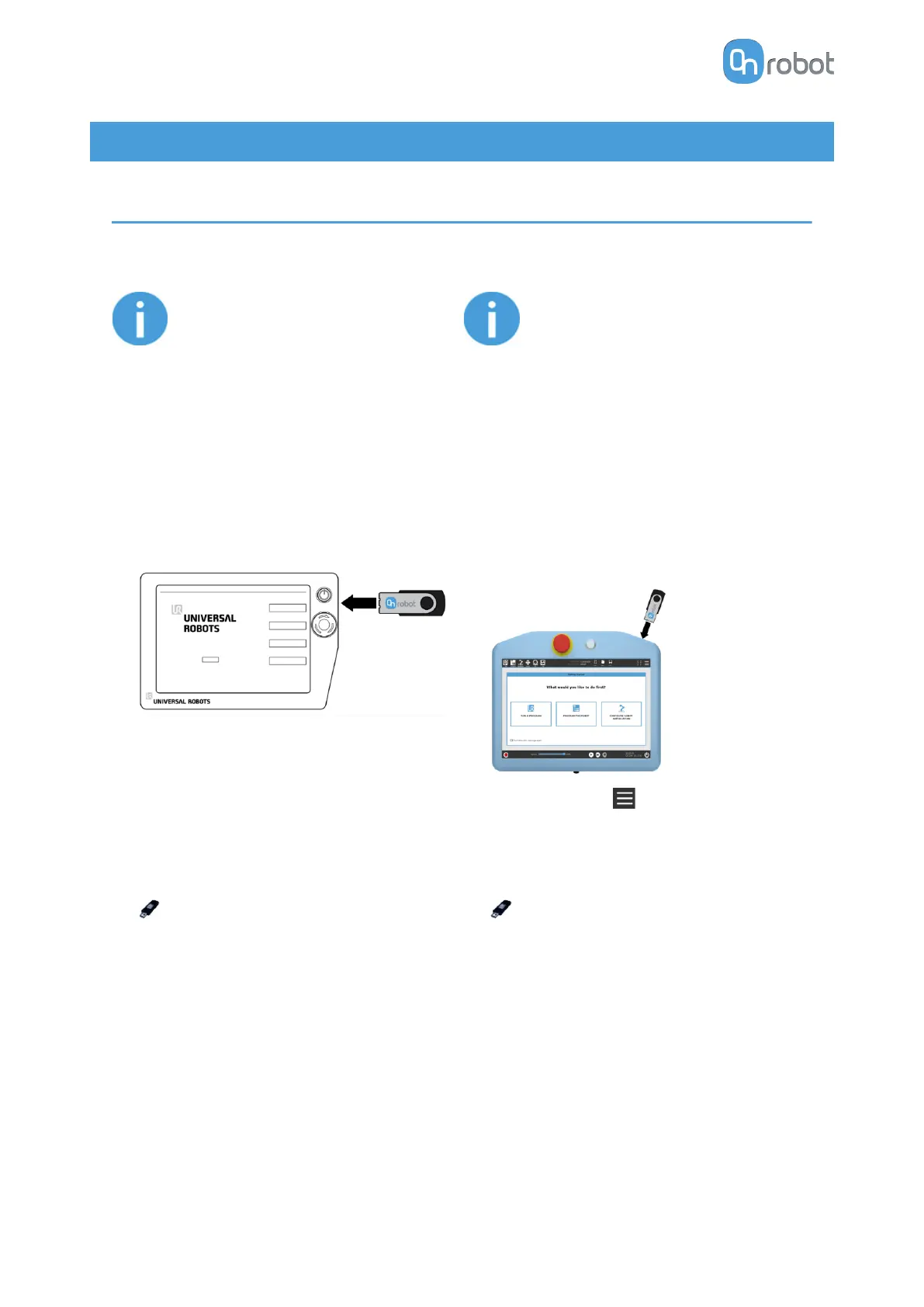
1. Insert the OnRobot USB drive in the USB
slot on the right side of the Teach Pendant.
1. Insert the OnRobot USB drive in the USB
slot on the top right side of the Teach
Pendant.
2. Select the Setup Robot option from the
main menu, then the URCaps option.
2. Then tap on the menu (top right corner
of the screen), then from the System
section tap on the URCaps menu.
3. Tap on the + sign to browse for the
OnRobot URCap file. It can be found in the
usbdisk/UR/URCAP folder. Tap on
Open.
3. Tap on the + sign to browse for the
OnRobot URCap file. It can be found in the
usbdisk/UR/URCAP folder. Tap on
Open.
SW INSTALLATION
32



 To Next Page