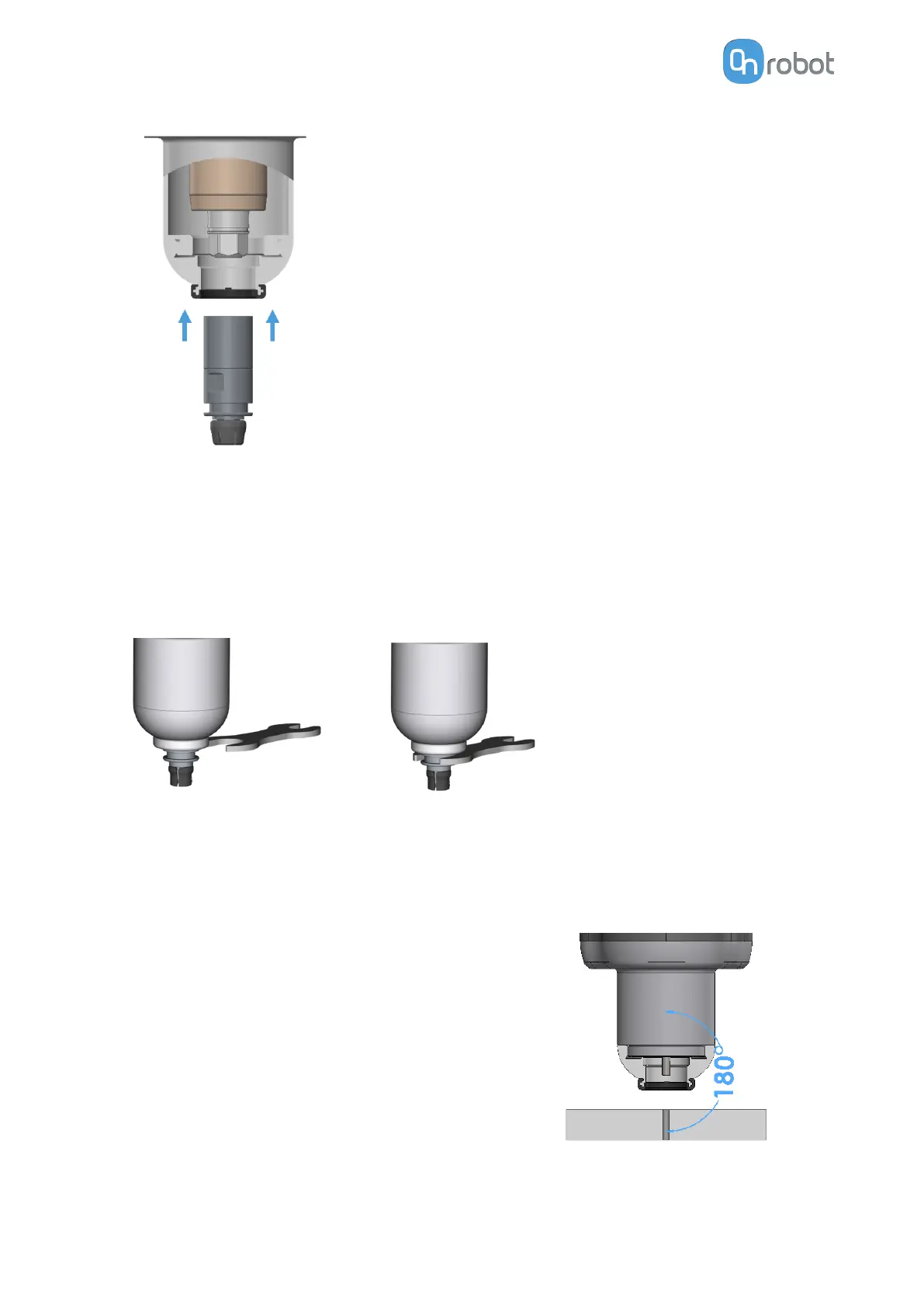
To remove the Bit holder from the screwdriver's shank, follow the steps below:
1. Move the shank all the way out to position 55 by operating the user interface in the robot
or in the Web Client.
2. As shown in the images below, use the provided key to grab the Bit holder.
3. While holding the key, move the shank inwards by operating the user interface in the
robot or in the Web Client.
Screwdriver Position to Execute Commands
To successfully execute the screwdriver commands, it is fundamental to position the
screwdriver correctly. This is achieved if the following two conditions are met:
1. The Screw-bit System must be perfectly aligned to
the screw or thread.
HARDWARE SPECIFICATION
200



 To Next Page