no pop-up message is shown but the user can handle any possible errors using the return
value of the command. See return values in the 6.5. Return Values section.
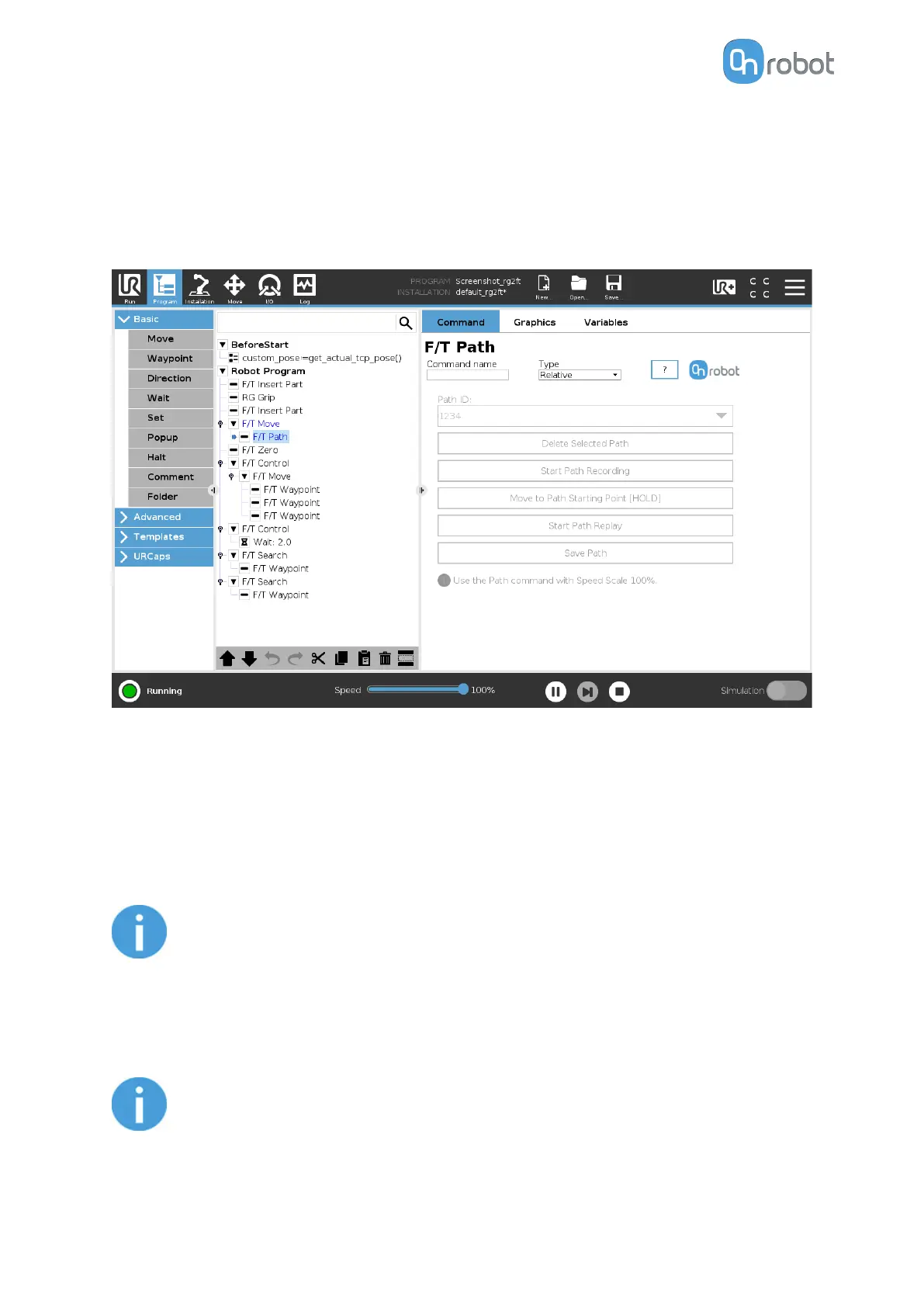
F/T Path
The F/T Path command can be used together with the F/T Move or F/T Search command,
to record and replay a Path.
Type: If relative is selected, the Path is replayed starting from the actual position of the Tool,
instead of the absolute position where it was recorded. If absolute is selected, the Tool moves
to the original starting point, and replays the Path from there.
Path ID:: Lists
identifiers of all the Paths saved on the Compute Box. A Path ID is assigned to a
path, when the path is saved. If there is no recorded unsaved path, there is a Record new…
item, select it to record a new path. If there is a recorded Path that is not saved, there is an
Unsaved item in the List.
NOTE:
Only one unsaved Path can exist, and it will be overwritten by starting a Path
recording while the Unsaved Path is selected.
Delete Selected Path: Deletes the path currently selected in the Path ID dropdown list from
the Compute Box, permanently.
NOTE:
Do not delete a Path that any other F/T Path commands is using.
OPERATION
92



 To Next Page