28
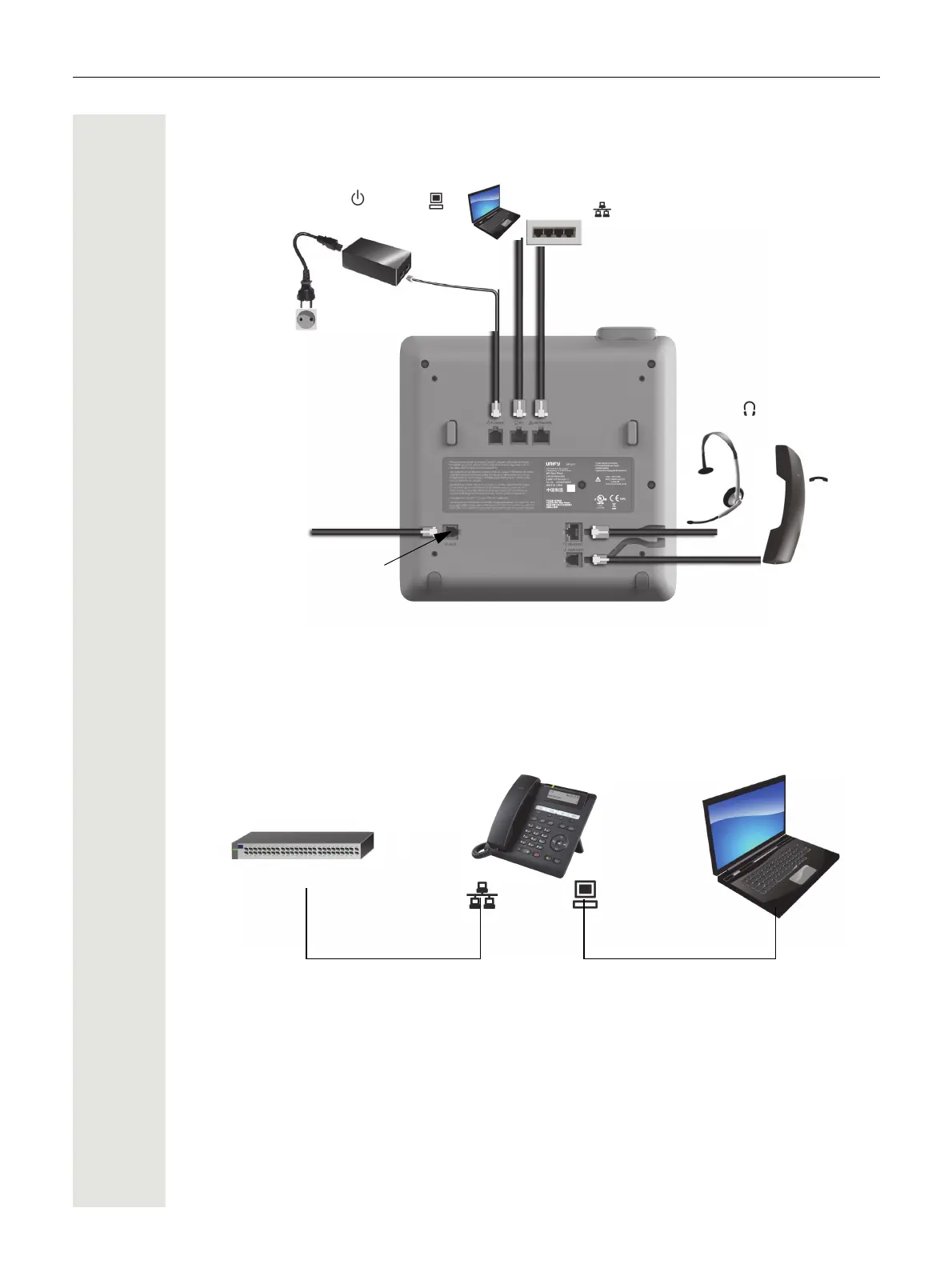
Ports on the underside of the phone
Using network ports more efficiently
The OpenScape Desk Phone CP200/CP205 has a built-in Ethernet switch. This means that you
can also connect a PC with a LAN port to the LAN directly via the phone. The option for connecting
the telephone and PC must first be activated on the telephone by your administrator.
Using this connection option saves one network port for each switch used and allows shorter net-
work cables to be used when arranged correctly.
Service interface
Headset
Hand-
set
PC
Network switch
Country-specific cable
Power supply unit
(if necessary)
OpenScape Desk Phone CP200/CP205
Network switch PC



 To Next Page