Assembly
OPTIMUM
MASCHINEN - GERMANY
© 2008
GB
Page 20 Metal belt saw S210G; S275G; S210G Vario; S275G Vario version 1.3.1 4 February 2008
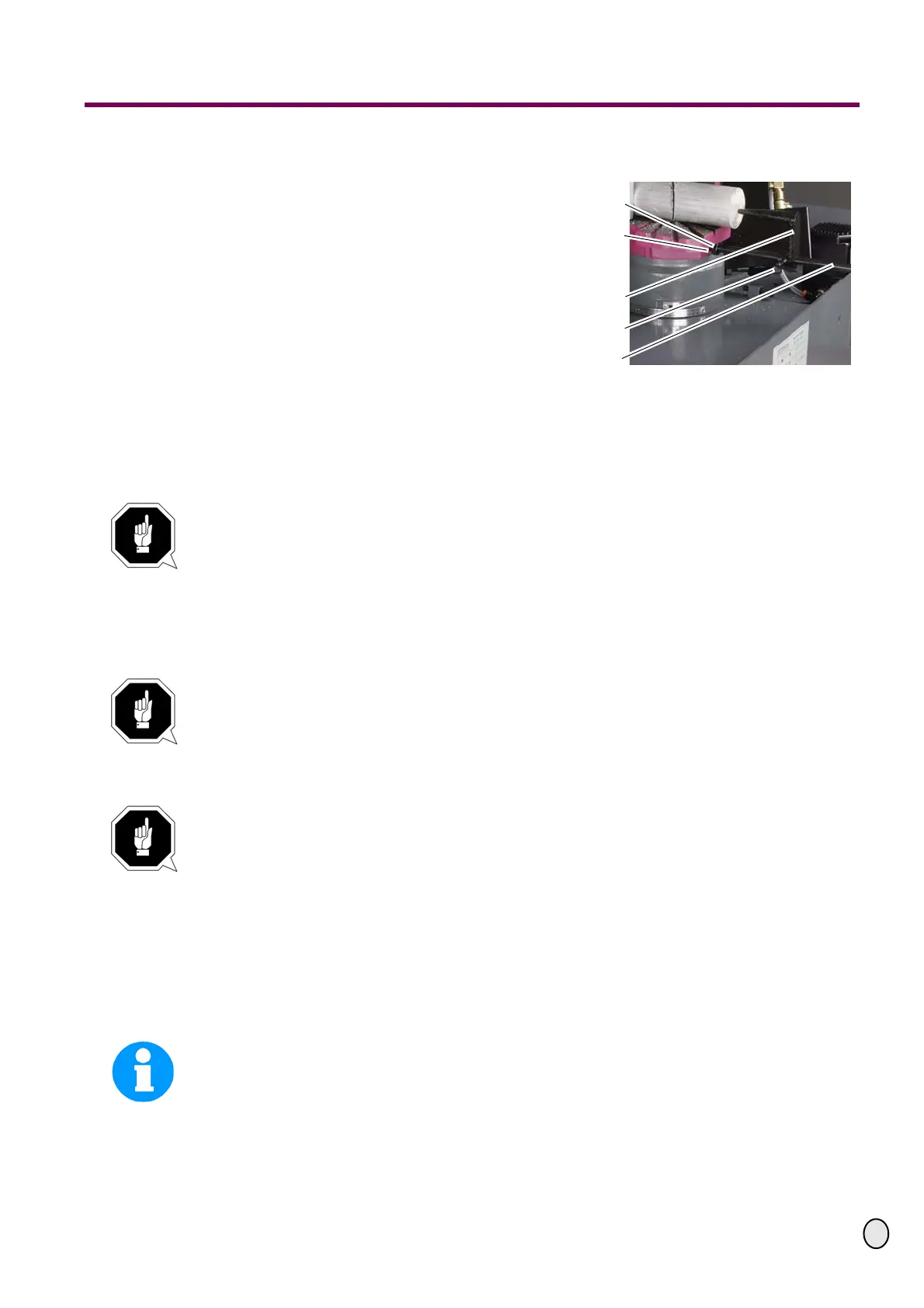
Depth stop
Position the stop rod in the hole and
immobilise it with the lockscrew.
Push the saw stop onto the stop rod.
Lock the saw stop using the set stop.
Illustr.3-4: Depth stop
3.4 Power connection
Connect the metal belt saw to the power supply in accordance with the total input power infor-
mation.
ATTENTION!
For connection, install a lockable main switch or use a CE 16A combined plug.
Check the rotation field. Check the electrical fuse protection installed by the operator.
“Power connection“ on page 20
“Qualification of personnel“ on page 8
“Schaltplan - Wiring diagram - S210G / S275G“ on page 42
ATTENTION!
Metal belt saws with frequency converter must not be operated with a CEE plug. Connect
the machine permanently to a connection box (see EN 50178/ VDE 5.2.11.1)
• S 210 G Vario
• S 275 G Vario
ATTENTION!
Please pay attention that all three phases (L1, L2, L3) are connected correctly.
Most engine failure result from incorrect connection, for instance the neutral
conductor ( N ) is being connected to a phase.
This might lead to the following results:
- The engine does get quickly very hot.
- The engine noise increases, i.e. becomes louder.
- The engine has no power.
When the phases are connected wrongly, the guarantee is being null and void.
INFORMATION
On metal belt saws of the type "VARIO" the frequency converter (driving regulator) might
release the FI protected switch of your electrical supply. In order to avoid malfunction, you
either need an FI protected switch sensitive for pulse current or AC/DC sensitive.
In case of a mulfunction or release of the FI protected switch, please check the type installed.
Fastening screw
Bore hole
Saw stop
Set stop
Stop rod



 To Next Page