Control central and
paging desk
NB: The file transfer operations shown hereunder can be performed with version 2.6.3 and upwards of the Optimus Flasher
software.
.
6.2. Pre-recorded messages resident in the flash memory of the
Coldfire circuit (WAV)
6.2.1. Characteristics
Access/Updating of messages
Remotely, by means of a PC, through the IP connection
Maximum number of messages
2 messages (maximum size of 3 Mb/message)
.WAV
Sampling rate: 48000 Hz, 24000 Hz and 12000 Hz (mono)
Sample size: 16 bits
6.2.2. Transfer of messages to the Coldfire flash memory
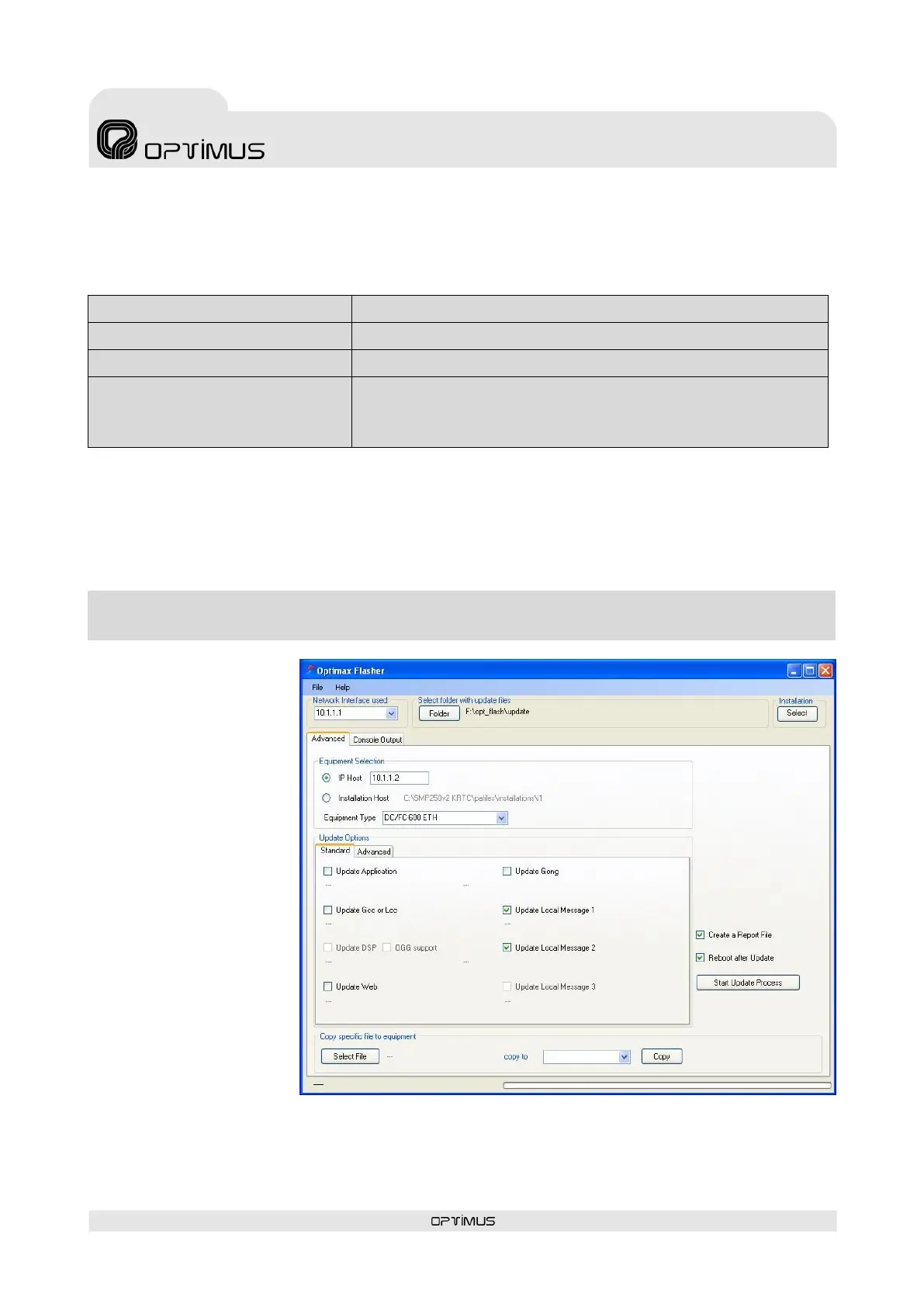
To transfer the WAV files to the flash memory, it is necessary to have a PC connected to the same IP
network as the desk and to use the Optimax Flasher application. This application is supplied together
with the P.A. Manager software. To install it, run the file Optimax Flasher x.x.exe which can be found
in the folder 02_FIRMWARE of the installation CD and follow the instructions of the assistant.
Once the software has been installed, proceed as follows:
1. Start the Optimax
Flasher application.
2. Select the Advanced
tab (1).
3. Enter the IP address of
the desk in the IP Host
field (2).
4. Select DC/FC600ETH
from the Equipment
Type drop-down menu
(3).
5. Tick the box
corresponding to the
message that you wish
to transfer (4) and
indicate the route and
file that you wish to use.
(Local Message 1
corresponds to the
EVACUATION message
and Local Message 2 to
the WARNING
message).
6. Press the button Start
Update Process (5) to begin to transfer the files.
7. Press OK when the process has been completed.
8. Exit the application (File>Quit).



 To Next Page