Control central and
paging desk
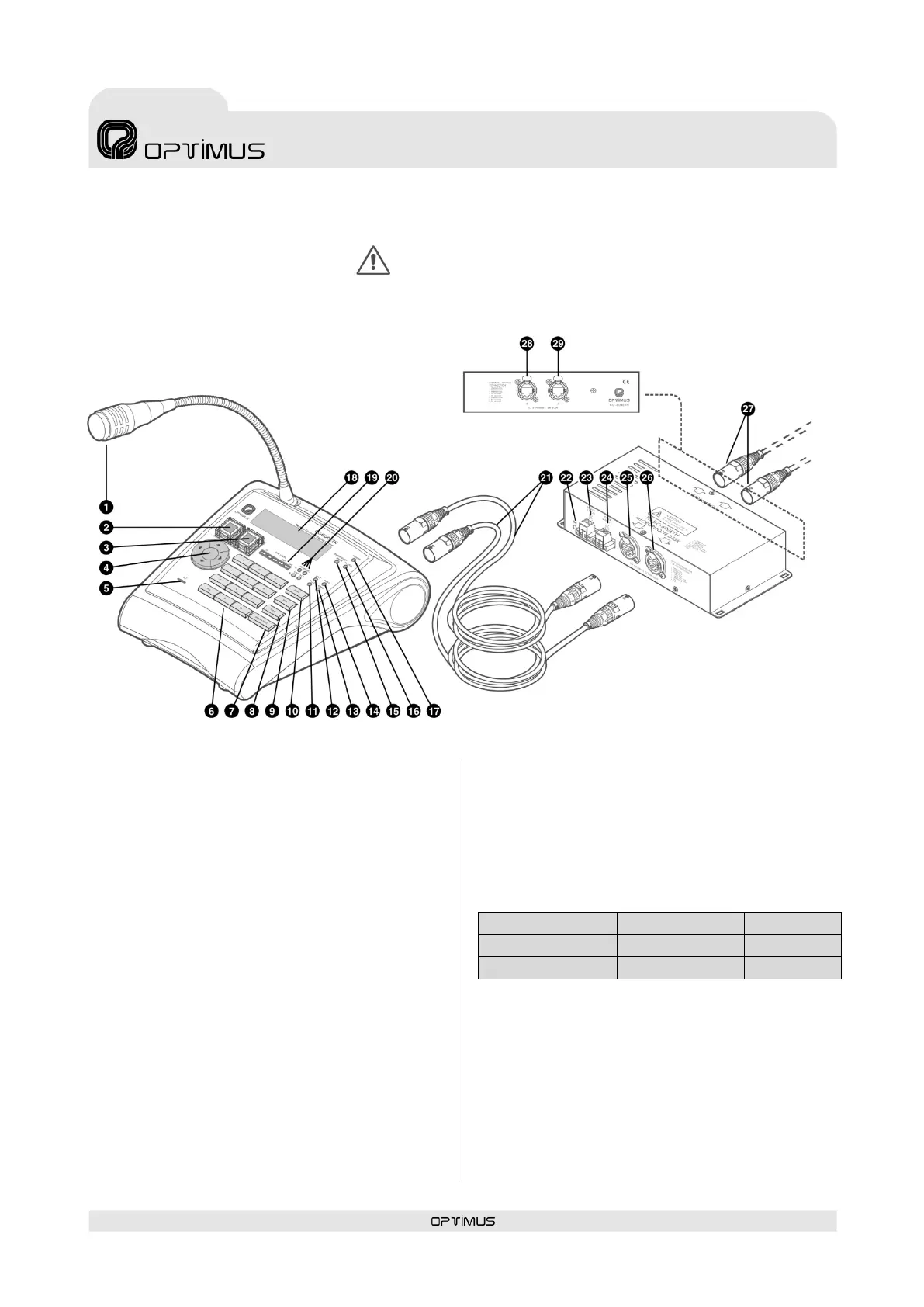
2. FRONT VIEW
(1) Microphone
(2) WARNING button
Pre-evacuation announcement activation key.
Functionality:
a) In emergency mode, it sends the message
assigned to the button to the emergency
group.
b) In button emergency mode, it goes into
emergency mode and sends the message
assigned to the button to the emergency
group.
c) In zone selection mode, it sends the message
assigned to the button to the zone selected.
(3) EVACUATION button
Evacuation announcement activation key.
Its functionality is the same as the Warning
button, but it has priority over this button (when
the EVACUATION button is activated, the
assigned message is activated and it cuts off the
WARNING message if this is being played).
The messages assigned to the WARNING and
EVACUATION buttons can be stored in the desks
or in the power units of the OPTIMAX series. Both
equipment units have two memories for storing
messages: flash memory (WAV) and MP3
memory.
Depending on the configuration, the messages
assigned can be the following:
(4) MENU navigation keys and OK/CANCEL
selection
(5) Monitor loudspeaker
This serves to monitor the MP3 messages and the
music input of the desk itself.
(6) Numeric keypad
ATTENTION: WHEN CONNECTING THE CC-600ETH BOX TO THE IP
NETWORK, ENSURE THAT THE CONNECTORS MARKED “TO SWITCH” ARE
USED. IF THE CONNECTORS MARKED “TO OPTIMUS EQUIPMENT” ARE USED
BY ERROR, THE SWITCH OR ROUTER IN THE INSTALLATION MAY BE
DAMAGED.



 To Next Page