Control central and
paging desk
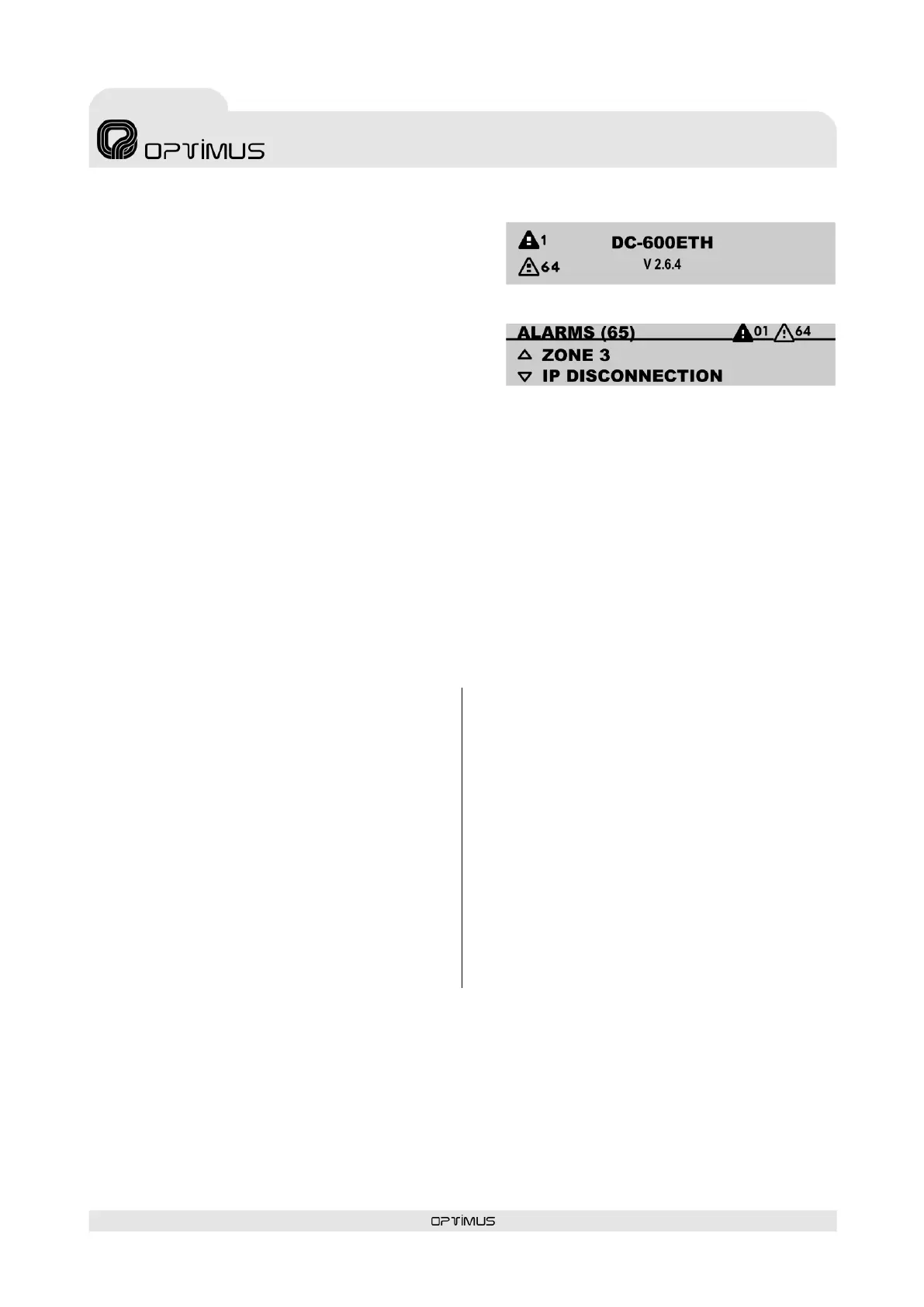
The number that appears next to each alarm indicates
the number of alarms that exist of each type (alarms
generated by the desk and system alarms).
To view each of the alarms in detail:
1. From the start screen, press .
2. Use the navigation keys / to view each of the
alarms.
The name of the unit causing the alarm appears on
the top line and the category of alarm appears on the
bottom line. In the case of alarms generated by the desk itself, “(INTERNAL MIC.)” appears instead of
the name.
3. Press the navigation key to return to the start screen.
ATTENTION: Depending on the configuration of the P.A. Manager software, some of the alarms may not
appear on the list (Installations Screen, menu Options>Alarm Management).
12.2. Alarm acoustic indicator (buzzer)
The desk has a buzzer which sounds whenever an alarm is received. The acoustic indication, a beep
lasting 0.5 seconds, is repeated every 5 seconds until the alarm is accepted (see section 12.2.1).
12.2.1. Acceptance of an alarm
Reception of an alarm activates the acoustic
indicator. When an alarm is accepted, the
acoustic indicator for that alarm stops (if there
are more unaccepted alarms, the acoustic
indicator will remain activated).
To accept an alarm:
1. Press to access the list of alarms.
2. Use the navigation keys / to view the
alarm that you wish to accept.
3. Press OK. When the alarm is accepted, the
validation symbol appears.
4. Press the navigation key to return to the
start screen.
12.2.2. Activation or deactivation of
the acoustic indicator
(Requires Administrator user level).
The acoustic indicator can be activated or
deactivated. If it is deactivated, the alarm
acoustic indicator stops operating.
Press OK to access the main menu.
1. Select ADVANCED and press OK.
2. Select OPTIONS and press OK.
3. Select BUZZER and press OK.
Select ACTIVATE or DEACTIVATE and press OK
to save.
12.3. Alarm light indicator
This lights when the desk receives one or several system alarms, or when it generates an alarm itself.
Acceptance of the alarms does not turn the ALARM LED off.



 To Next Page