Control central and
paging desk
a) Information about the multicast configuration on Optimax equipments
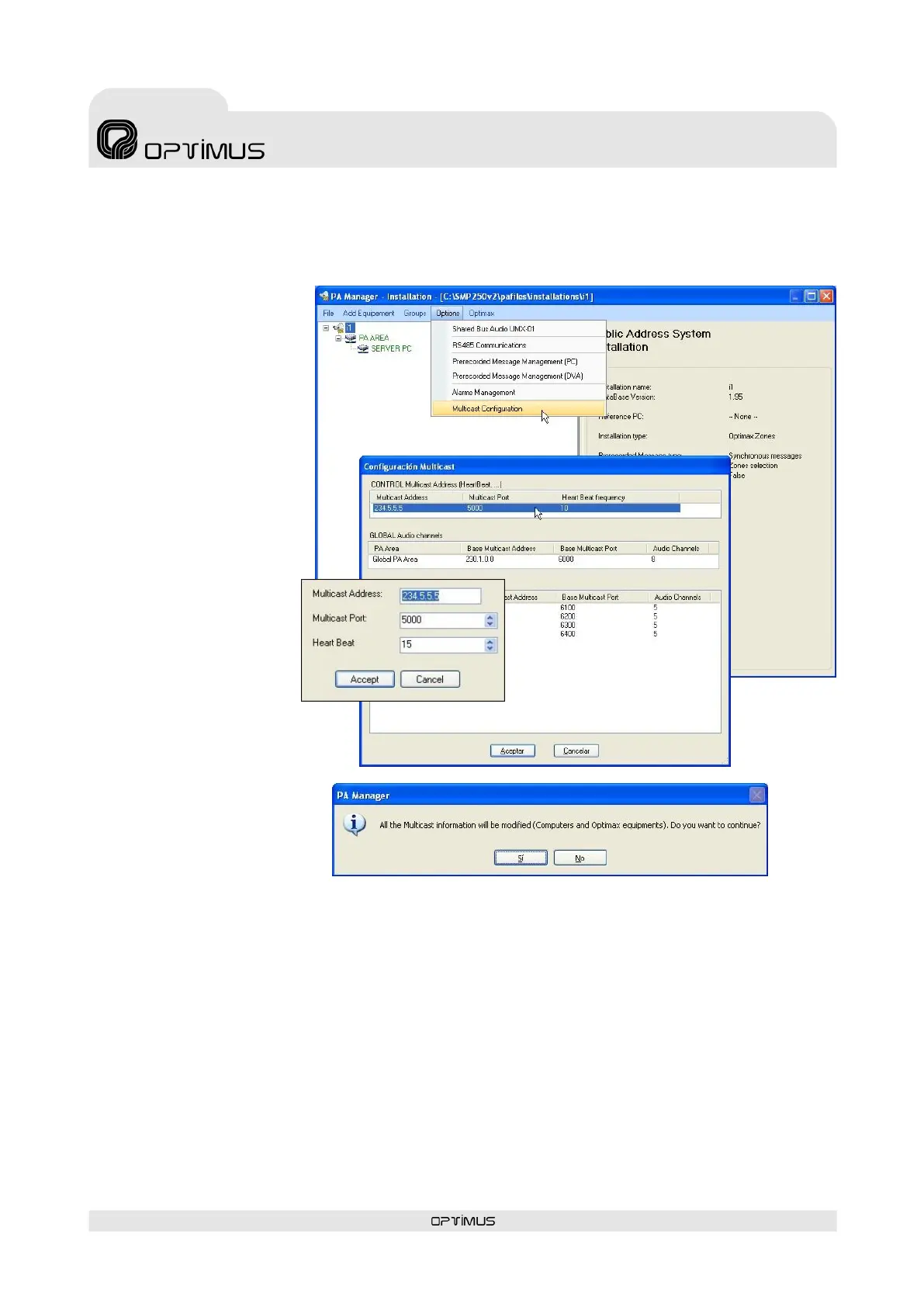
It is possible to modify the multicast configuration of all the equipment units in the installation simultaneously. Proceed as follows:
1. From the installation screen,
open the Options menu and
select Multicast Configuration.
2. A window with the
configurations of the multicast
group appears. Double click on
the data item that you wish to
change.
3. Modify the value and click on
OK.
4. Confirm the change by clicking
on Yes.
5. Close the multicast configuration window by clicking on OK.
ATTENTION: The values that are modified from the multicast configuration window affect all the equipment units in the
multicast group in the installation.



 To Next Page