28
Basic operation
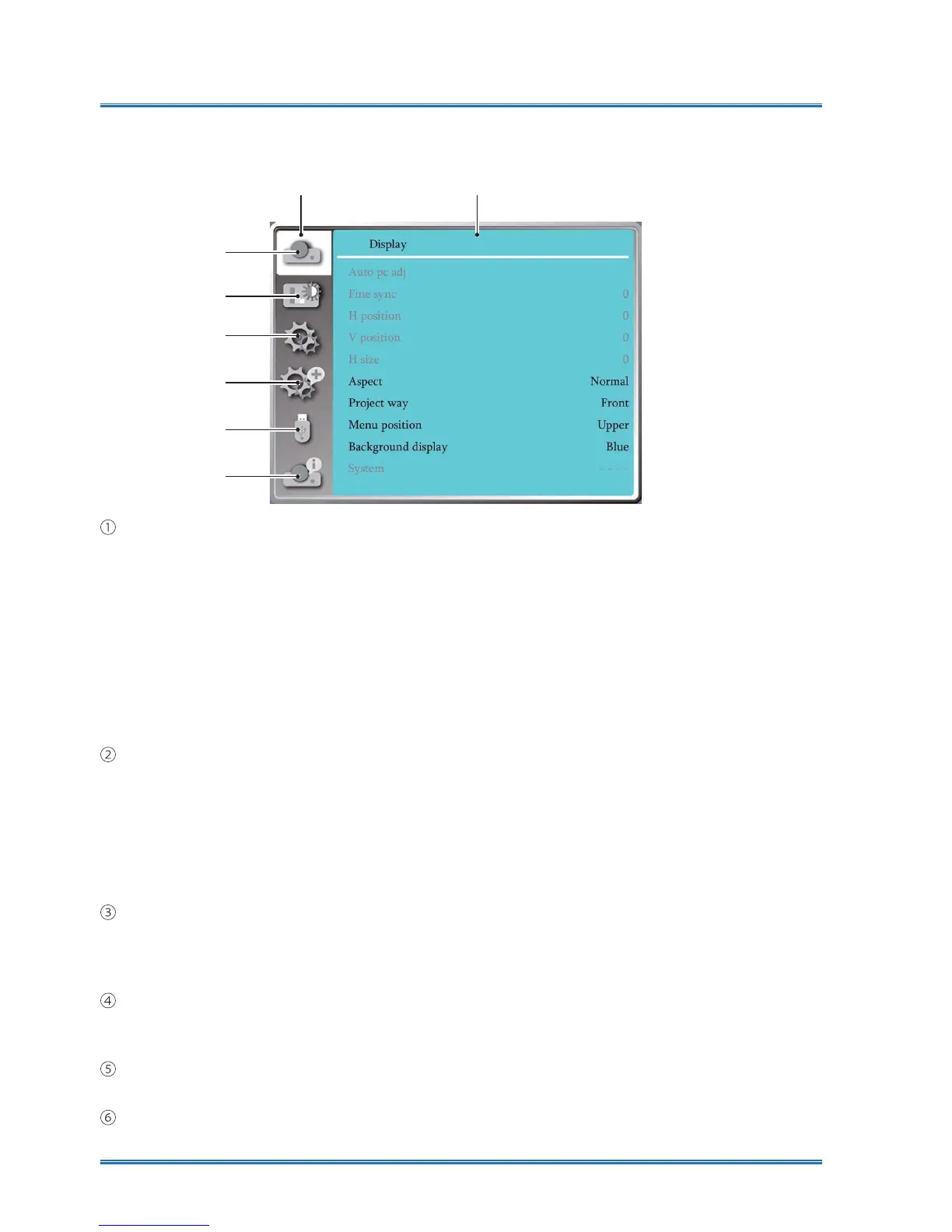
Menu item overview
⋇
⋈
⋉
⋊
⋋
⋌
Mainmenu Submemu
Display menu
Ɣ
Select Auto PC adj., Fine sync, H Position, V Position, H. size to adjust the parameters to
match the VGA format.
Ɣ
Aspect : Normal, Widescreen, Fullscreen, Advanced.
Ɣ
Project way: Choose Front, Rear, Ceiling / Front, Ceiling / Rear, Auto ceiling/Front and Auto
ceiling/Rear .
Ɣ
Menu position: Set screen menu display position on the screen.
Ɣ
Background display: Sets the background color of the projection screen.
Ɣ
System: Select the compatible system signal format with input source .
Color adjust menu
Available options in the Image Select menu are Dynamic, Normal, Cinema, Blackboard (Green),
Colorboard, or User Image.
Ɣ
For AV signal input ,the available color adjust options : Contrast, Brightness, Color, Tint,
White balance(Red, Green, Blue) and Sharpness.
Ɣ
For PC signal input ,the available color adjust options :Contrast, Brightness, Color temp. ,
White balance(Red, Green, Blue) and Sharpness.
Setting menu
&RQ¿JXUDWLRQRIWKHEDVLFIXQFWLRQRSHUDWLRQRQWKHSURMHFWRUOn start, Standby mode, High
land, Lamp control, Cooling fast , Closed caption, Key lock, Iris, Terminal, Sound
and HDMI
Setup.
Expand menu
Available adjust options are Language, Auto Setup, Keystone, LOGO , Security, Power
management, Filter counter, Test pattern, Network, Factory default and Lamp counter.
Memory Viewer menu
Select Parameter Of Set slide, Slide transition effect,Sort order, Rotate, BHVW¿WRepeat, Apply .
Information menu
Display information about the projector.



 To Next Page