92
Appendix
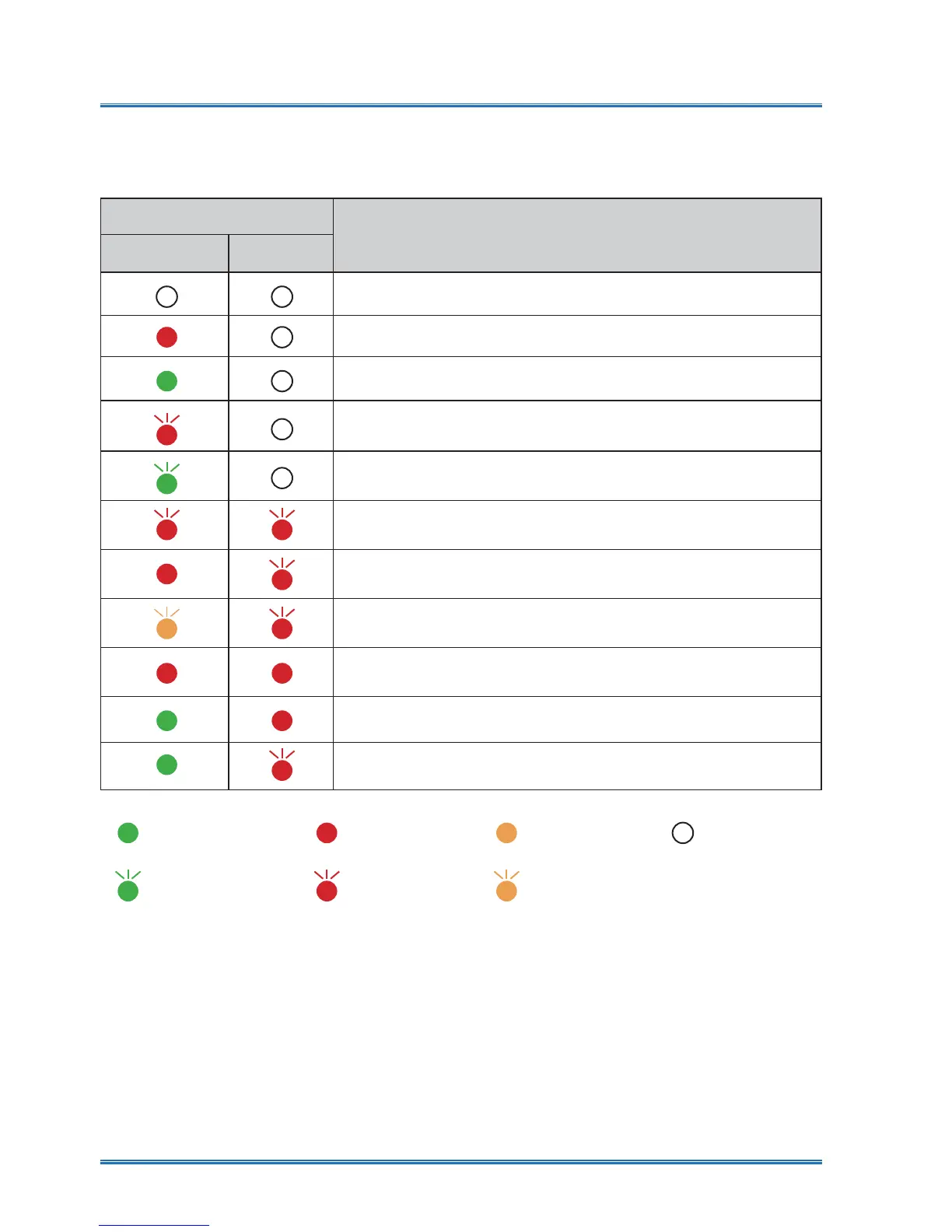
Light indicator
Status of your projector
POWER
Red / Green
WARNING
Red
Your projector is in Off status (without AC power supply).
Your projector is in standby status. Press Standby button to turn it on.
Your projector is in normal status.
It is in ready status or the lamp is cooling.
Your projector is in Ready mode.
Your projector detects the temperature abnormality and switches into
cooling mode.
Your projector detects the temperature abnormality and switches into
standby mode.
Your projector detects the lamp abnormality and switches into cooling
mode.
Your projector detects the lamp abnormality and switches into standby
mode.
Your projector detects its usage time is more than or equal to the life of
the projector and less than 1.1 times of the life of the projector.
<RXUSURMHFWRUGHWHFWVLWVXVDJHWLPHWLPHVWKHOLIHRIWKHSURMHFWRU
Light indicator status
Check light indicator to learn status of your projector.
Green
Red Yellow
Turns off
Flashing green Flashing red
Flashing yellow



 To Next Page