50
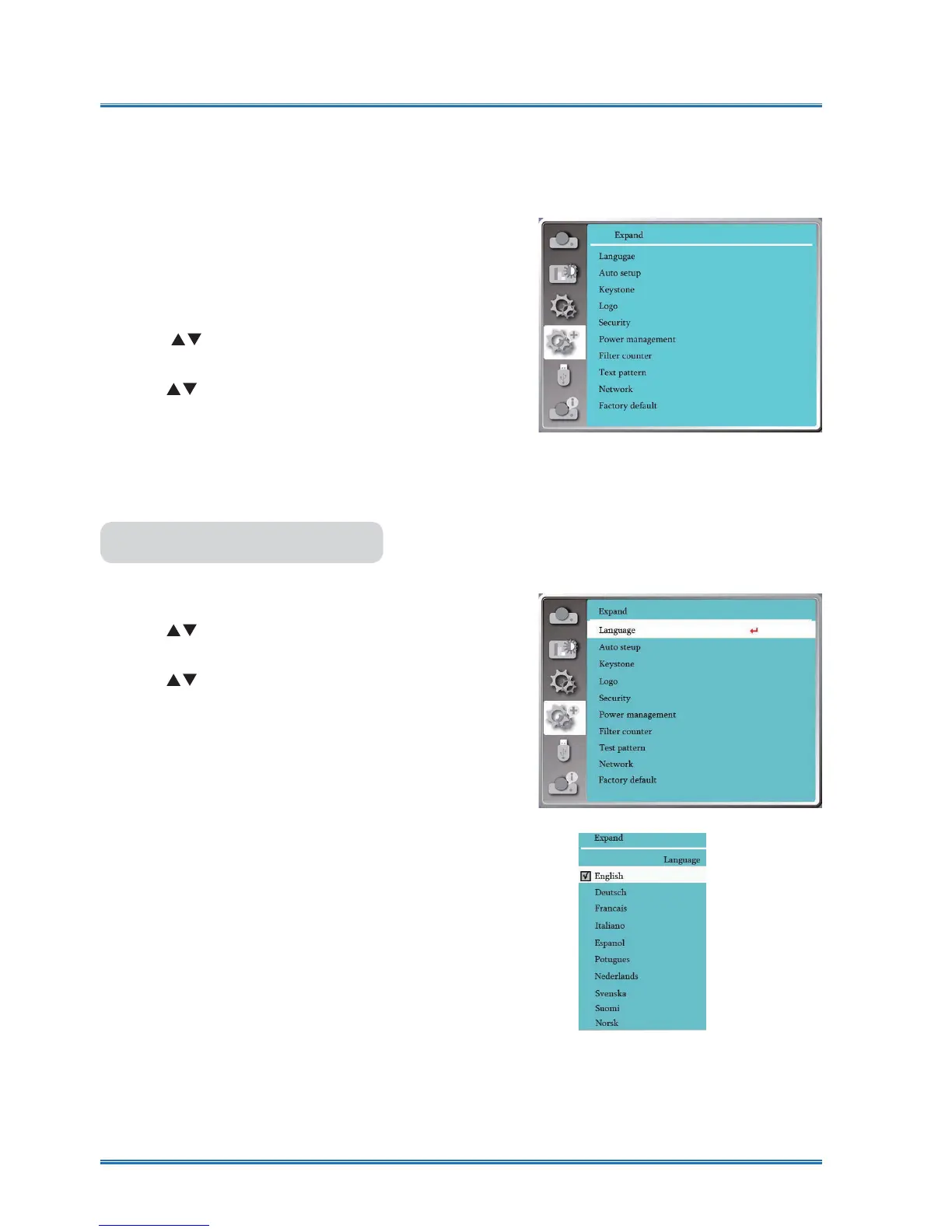
Expand
Menu operation
Press < MENU > button on the remote controller or
on the top control panel to display the OSD menu.
Press
ST
button to select the Expand menu ,then
press <OK> or
X
button
.
1) Press
button to select reqiured item.
2) Press <OK> button.
3) Press
button to set options.
4) Press <OK> button.
The projector has Expand fuction, you can select other functions as described
below.
Expand menu
Users can selected the language displayed on the
screen .
1) Press
button to select [Language] menu.
2) Press <OK> button.
3) Press
button to select required language.
4) Press <OK> button.
The name of menus, setting, the OSD, button etc.,
can displayed by the selected language.
Your projector comes with multiple language sup-
port. You may select required one from them,such
as:English, German, French, Italian, Spanish, Polish,
6ZHGLVK'XWFK3RUWXJXHVH-DSDQHVH6LPSOL¿HG
Chinese, traditional Chinese, Korean, Russian,Ara-
bic, Turkey, Finland, Norway, Denmark, Indonesia,
Hungary, Czech Republic, Kazakhstan, Vietnamese,
Thai, Farsi.
Language
Language
......



 To Next Page