46
Setting
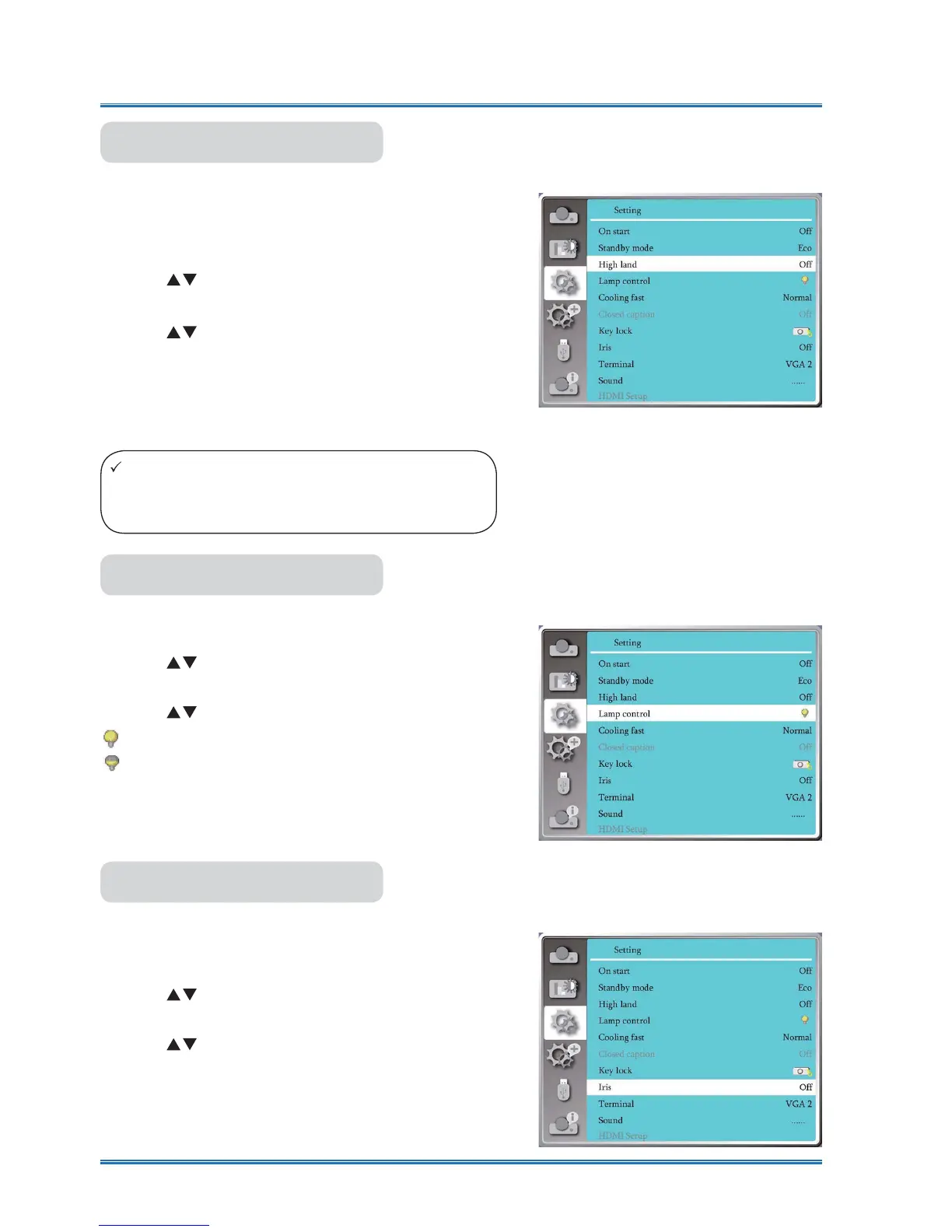
High landThis projector provides Fan control function in the set-
tings menu. You can change the setting about speed
of cooling fan
according to the altitude your projector
is operating at.
1) Press
button to select [High land] menu.
2) Press <OK> button.
3) Press
button to select required menu.
Off: Normal speed. Set the option OFF when operat-
ing the operator, if the altitude is not too high .
On:Faster than when in Off mode .Set the option ON
when operating the operator in high land .
High land
Note:
Ɣ Set high land option ON when you operate the
operator at an altitude of 1400-2700 meters.
Lamp controlChange lamp brightness according to the environment
and aim your projector is operating.
1) Press
button to select [Lamp control] menu.
2) Press <OK> button.
3) Press
button to switch required menu.
Normal.....Normal brightness.
Economical........Lower the brightness and reduce
energy consumption, thus prolonging the lamp
service life .
Lamp control
Iris
Select this function to
correct and compensate signal
automatically on the basis of the image, to get the
best contrast image.
1) Press
button to select [Iris] menu.
2) Press <OK> button.
3) Press
button to adjust leves.
OFF......
NO correction.
ON.......Correct iris.
IRIS



 To Next Page