6
Safety operation Guideline
Caution
Precautions on air outlet:
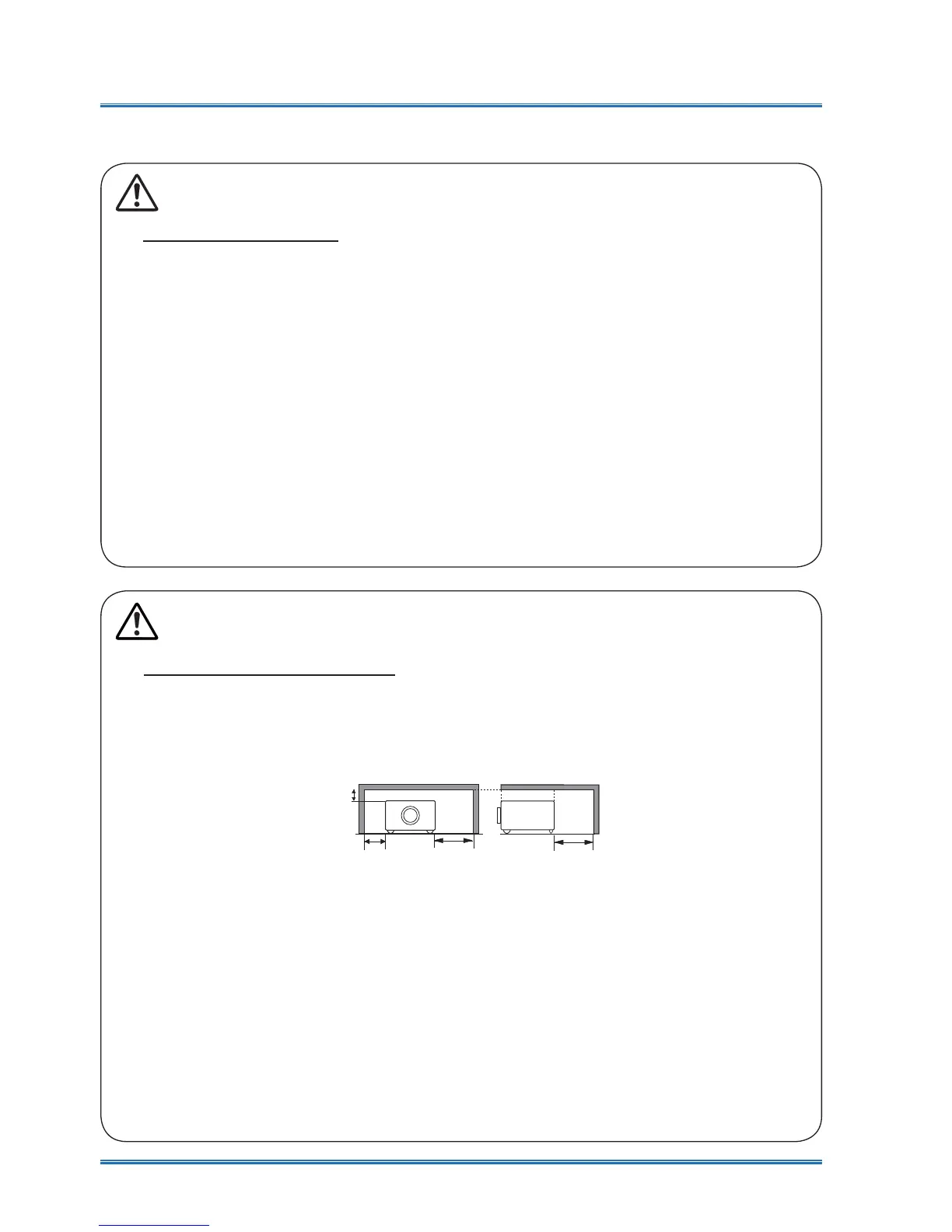
Ɣ.HHSDGHTXDWHFOHDUDQFHDURXQG\RXUSURMHFWRUIRULWVYHQWLODWLRQDQGFRROLQJ6HH¿JXUH
below for the least clearance requirements. The least clearance is a MUST when your pro-
jector is placed within a cabinet or other closed environment.
0.7’(20cm)
1.5’(50cm)
3’(1m)
3’(1m)
Sides and bottom Rear
ƔDO NOT cover the air outlet of your projector. Poor ventilation not only shorten life cycle
of your projector but also may lead to risks.
ƔSlots and openings at rear and bottom of your projector are designed for ventilation. Keep
your projector from overheated to ensure its steady operation.
ƔDO NOT cover the air outlet with cloth or other objects. DO NOT place your projector on
the surface of bed, sofa, carpets, or similar object as this may block the air outlets at its
bottom.
ƔDO NOT place your projector in closed environment, e.g. a bookcase, unless it is well ven-
tilated.
Ɣ Keep any matter from falling in your projector through the air outlets as they may touch
KLJKYROWDJHSDUWVDQGOHDGWR¿UHRUHOHFWULFVKRFNE\VKRUWFLUFXLWV'2127VSODVKOLTXLG
to your projector.
Notes
Caution
Safety precautions:
ƔGROUND your projector.
ƔLens of your projector projects strong light. DO NOT look at the light beam directly. You
may get your eyesight hurt. This is especially the case with children.
ƔUnplug the AC power plug if your projector will not be used for long time.
Ɣ'2127RYHUORDGWKHVRFNHWRISRZHUFRUGDVLWPD\OHDGWR¿UHRUHOHFWULFVKRFN'2
NOT subject the power cord to any object. DO NOT place your projector in locations
where its power cord may become damaged by treading by passersby.
ƔDisconnect the power plug before cleaning your projector. DO NOT apply liquid or sprays
to your projector. DO NOT wipe your projector with wet cloth.
ƔPlease follow warnings and instructions given in labels attached to your projector. Unplug
your projector when your projector is exposed to thunderstorm weather, is unmanned, or
not in use for long periods to prevent damage caused by lightning and power surges.
ƔDO NOT use accessories without recommendation by the manufacturer as it may result in
potential risks.



 To Next Page