32
Basic operation
BLANK
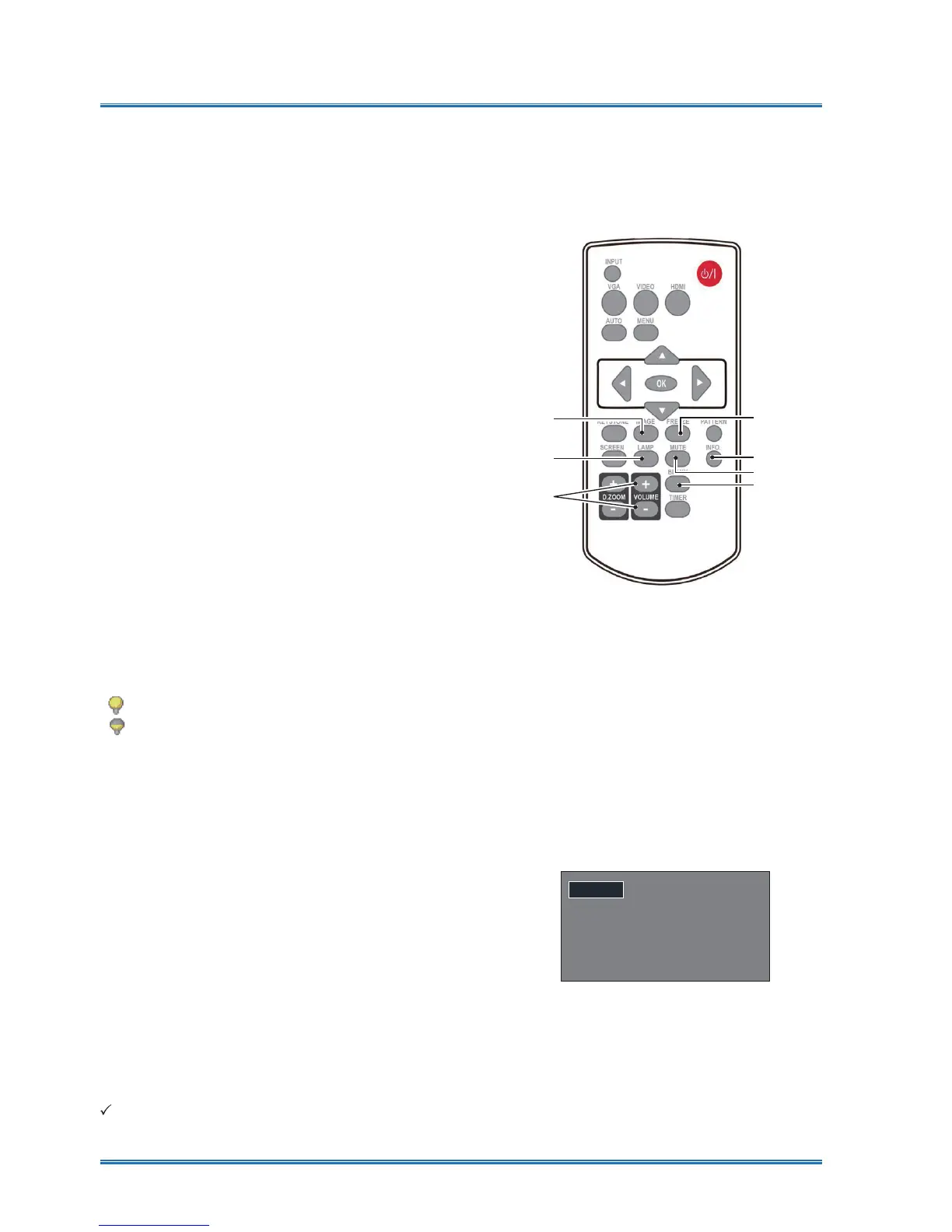
Remote controller operation
Use your remote controller for common operations.
Freeze (FREEZE)
Press the FREEZE button on remote con-
troller to freeze image and mute the audio.
Freeze icon appears on the screen .Press the
FREEZE button or any button to cancel the
freeze function, then the image replay and the
sound is restored .
Mute (MUTE)
Press the mute button on the remote control to
turn off the sound. To remove the mute func-
tion, please press the mute button or volume
+/- button to cancel the mute function.
Volume +/- (VOLUME +/-)
press the Volume +/- on remote controller to
increase or decrease volume.
Image (IMAGE)
Press the IMAGE button on remote controller
to select required image mode.
Lamp (LAMP )
Press the Lamp button on remote controller to
change screen brightness.
Info.(INFO.)
Press the information button on the remote
control to display the information of the project-
ed image and the projector's operating status .
Blank (BLANK)
Press the BLANK button on remote controller;
a blank screen displays to replace existing
image. Press the BLANK button or any other
button to restore the image.
Press the BLANK to toggle switch your screen
as shown below:
%/$1.ĺ1RUPDOĺ%/$1.ĺ1RUPDOĺ
Normal.....Normal brightness.
Economical........Lower the brightness and
reduce energy consumption, thus prolong-
ing the lamp service life .
The BLANK screen disappears if no
buttons are pressed in 2 seconds.
Note:
For some other buttons' description,please refer to the next page.
Mute
Blank
INFO.
Image
Lamp
Volume+/-
Remote controller
Freeze



 To Next Page