47
Setting
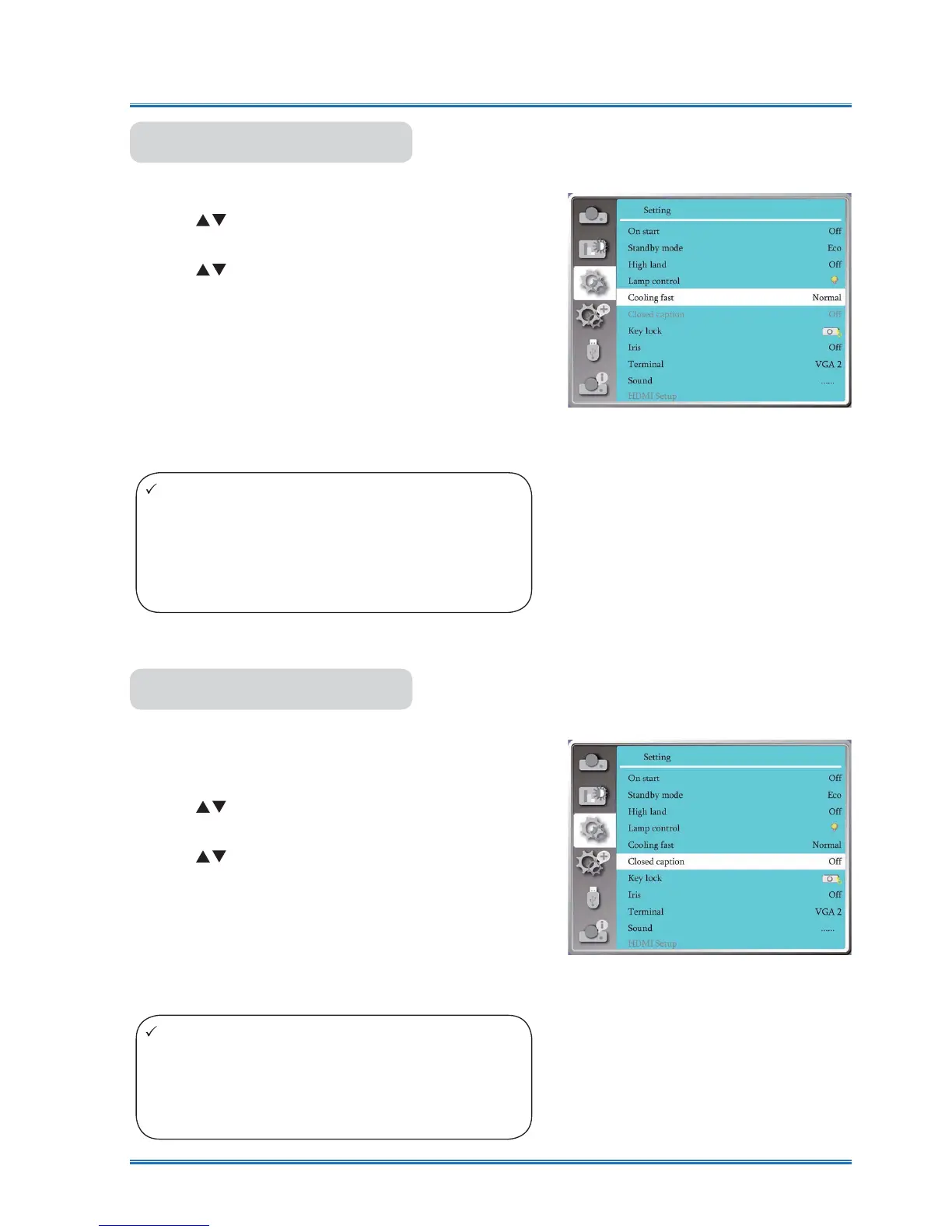
Cooling fast
Note:
Ɣ When set the option 0 seconds, user cannot re-
start the projector immediately after turning off it.
Ɣ While sometimes,the lamp may take a longer
time to cool off than usual to light again for high
temperature.
Note:
Ɣ The icon display gray if the Closed caption
function is invaild.
Ɣ The Closed caption function is invaild when the
OSD menu and Timer display on the screen.
After your projector is powered off, select cooling fan
speed to shorten the cooling time .
1) Press
button to select [Cooling fast] menu.
2) Press <OK> button.
3) Press
button to switch required menu.
Normal............
Running in normal way.
60 seconds.....Running faster than in normal mode with
shorter time but a louder sound.
0 seconds.......Select this function allow you to unplug
the AC power directly after the shutdown,
without waiting for the projector cooling
off.
Cooling fast
Closed captionClosed Caption is used for displaying the program
sound or other information on the screen. Select this
function to switch channel with input signal of closed
caption .
1) Press
button to select [Closed caption] menu.
2) Press <OK> button.
3) Press
button to switch required menu.
OFF:No closed caption.
CC1......Display CC1 data.
CC2......Display CC2 data.
CC3......Display CC3 data.
CC4......Display CC4 data.
Closed caption



 To Next Page