40
Display
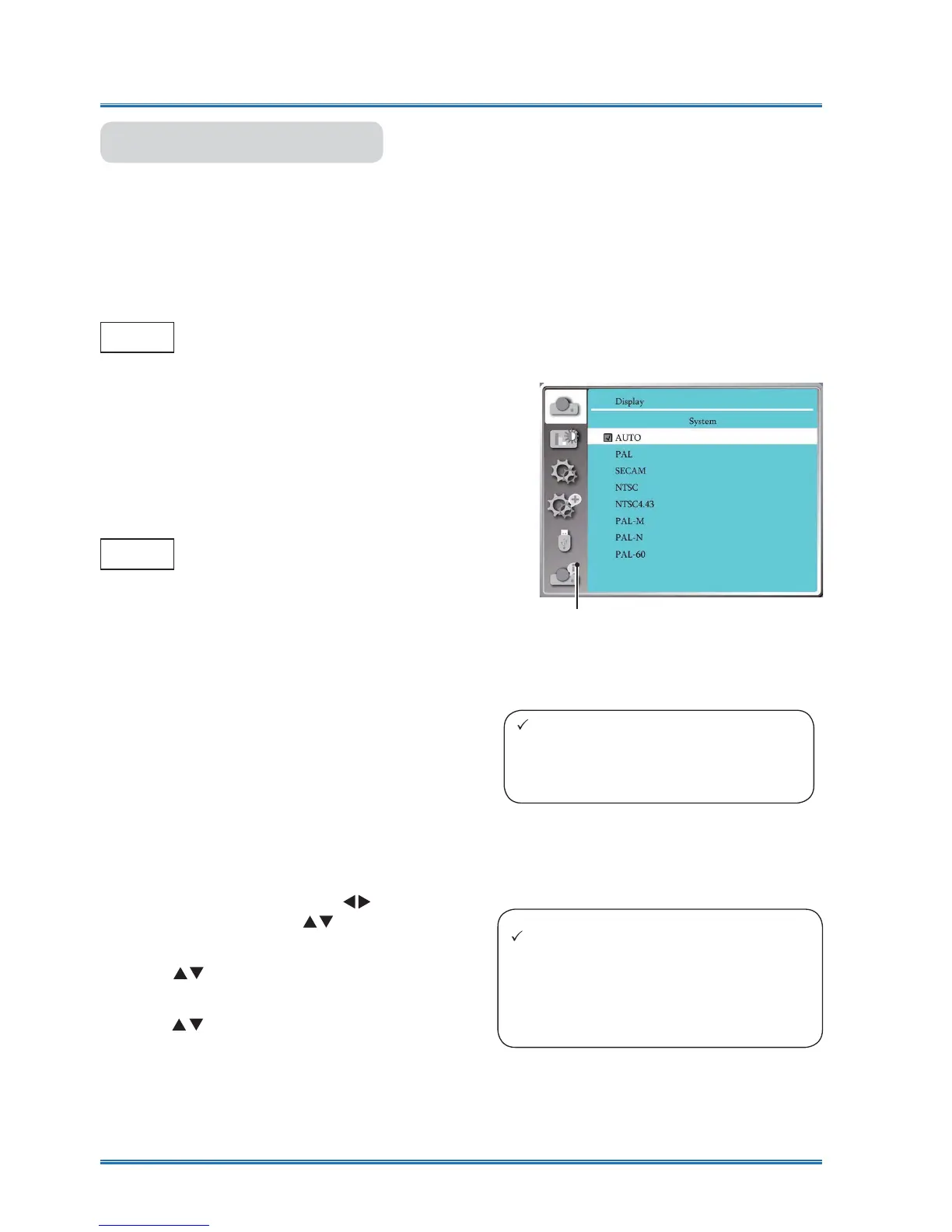
System
System selection
The scanning system and auto computer adjustment function may detect scores of signal format.
If a PC is selected as the input signal source, your projector will detect and adapt to its signal for-
mat automatically. Correct image can be displayed without any setup operation.
Your projector will display one of the following:
Auto
-----
If your projector failed to identify
signals not shown in the signals
format table, the “Auto” message
will display in the System Signal
Format menu. The Auto PC Ad-
justing function will make neces-
sary adjustment to your projector
to project valid images. If images
are displayed incorrectly, adjust it
manually.
No PC signals detected. Check
the connection between PC and
your projector.
Computer system menu
The selected system displays in the
PC system menu.
Note:
Your projector may save data generat-
ed by the Auto PC Adjusting function.
Select the computer system manually.
1 Press the MENU button on remote controller
and the OSD displays. Press
button to point
to the Input icon, press
button or OK button
and the Input menu displays.
2 Press
button to select System Signal For-
mat, then press OK button.
3 Press
button to select required system sig-
QDOIRUPDWWKHQSUHVV2.EXWWRQWRFRQ¿UP\RXU
selection.
Note:
The computer system menu will be
disabled once HDMI 1,HDMI 2(MHL),
Memory Viewer,Network,USB Display
has been selected.



 To Next Page