38
Display
1) Press button to select [ Aspect ] menu.
2) Press <OK> button.
3) Press
button to select [ Advanced ] menu.
4) Press <OK> button.
5) Press
button to select the required item.
H Total.........Set the H total ,and images will be
vertical division by the set value.
Adjustment range is from1 to 5 of
widescreen .
V Total..........Set the V total ,and images will be
horizontal division by the set value.
Adjustment range is from1 to 5 of
widescreen .
H Position....Set the projector in horizontal
position.
Adjustment range is from1 to the
current H Total value .
V Position....Set the projector in horizontal
position.
Adjustment range is from1 to the
current V Total value .
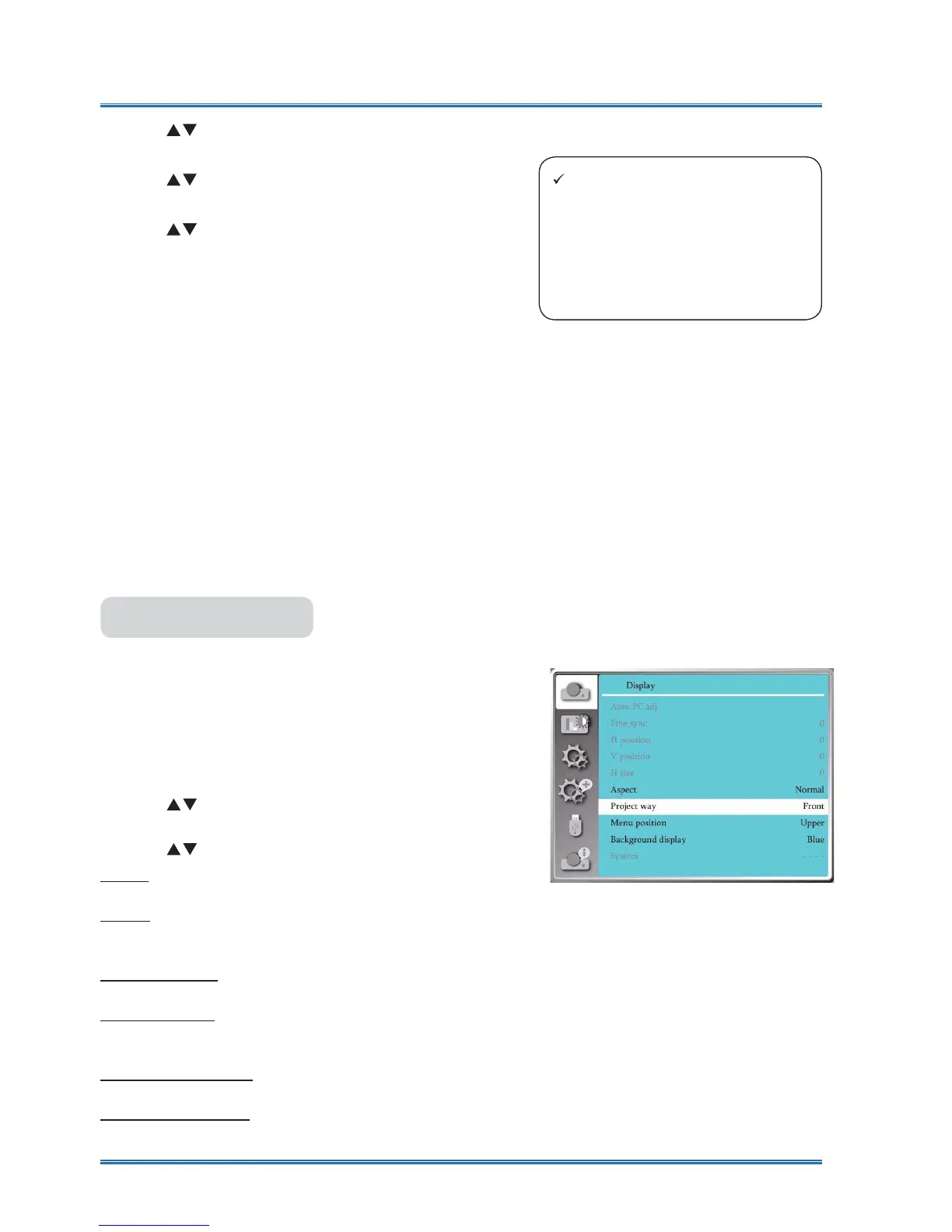
Select this function to set the progect way .
Please change the projection way,if the OSD
displays inversely or reversedly.
Press < MENU > button on the remote controller or
on the top control panel to display the OSD menu.
Press
ST
button to select the Display menu ,then
press <OK> or
X
button
.
1) Press
button to select [Project way] menu.
2) press <OK> button.
3) Press
button to switch .
Front : when the projector is installed on the table
and projected in front of the screen.
Rear : when the projector is installed on the table
and projected in rear of the screen (using translu-
cent screen)
Ceiling / Front : when use the bracket to lift the pro-
jector (optional) in front of the screen.
Ceiling / Rear : when use the bracket to lift the pro-
jector (optional) in rear of the screen(using translu-
cent screen).
Auto ceiling / Front : when the projector is projected
in front of the screen.
Auto ceiling / Rear : when the projector is projected
in rear of the screen.
Project way
Project way menu
Note:
Ɣ Only the VGA 2 port can be set
to Monitor out .
Ɣ Image segmentation function
work only when you choose
VGA 1 as input signal and VGA
2 as output one.



 To Next Page