30
Basic operation
H/V Keystone Adjust
T
T
S
S
Keystone adjustment
You may adjust keystone distortion of image in your
projector with the V keystone adjustment.Follow
steps below to adjust keystone distortion of projected
image manually.
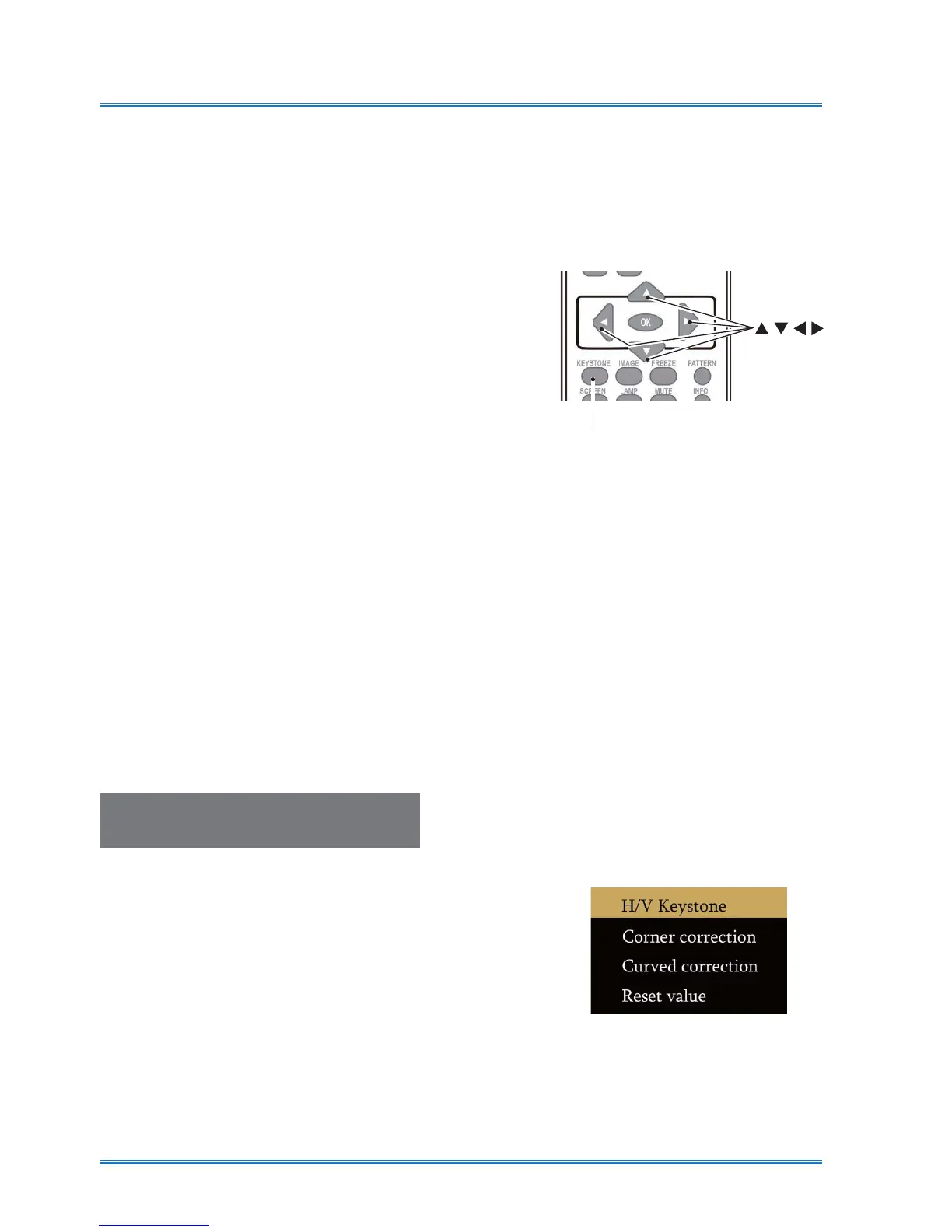
Press the KEYSTONE button on your remote con-
troller. The keystone adjustment dialog box displays
( including H/V Keystone, Corner correction, Curved
correction, Reset value) , press
STWX
button to
adjust keystone distortion.
You may save your settings for keystone adjustment.
H/V Keystone...........Adjust the projected image
when the projector is on the horizontal or vertical
keystone distortion.
Corner correction.......Adjust the projected image
when the projector is keystone distortion of four
corners .
Curved correction........Adjust the projected image
when the projector linearity is uneven or the pro-
jected images bent vertically and horizontally.
Reset value............The correction values will be
restored to the factory defaults.
Remote controller
KEYSTONE
Ɣ The arrow mark looks white when there is no key-
stone adjustment in existence.
Ɣ The arrow mark indicating the adjustment direction
turns red.
Ɣ The arrow mark disappears when the maximum
adjustment limit reaches.
Ɣ The keystone prompt box will disappear if you
press the KEYSTONE button again when it is
displaying. Press the OK button again to switch
the four correction items.
Ɣ The adjustable range is subject to source of signal
input.



 To Next Page