35
Basic operation
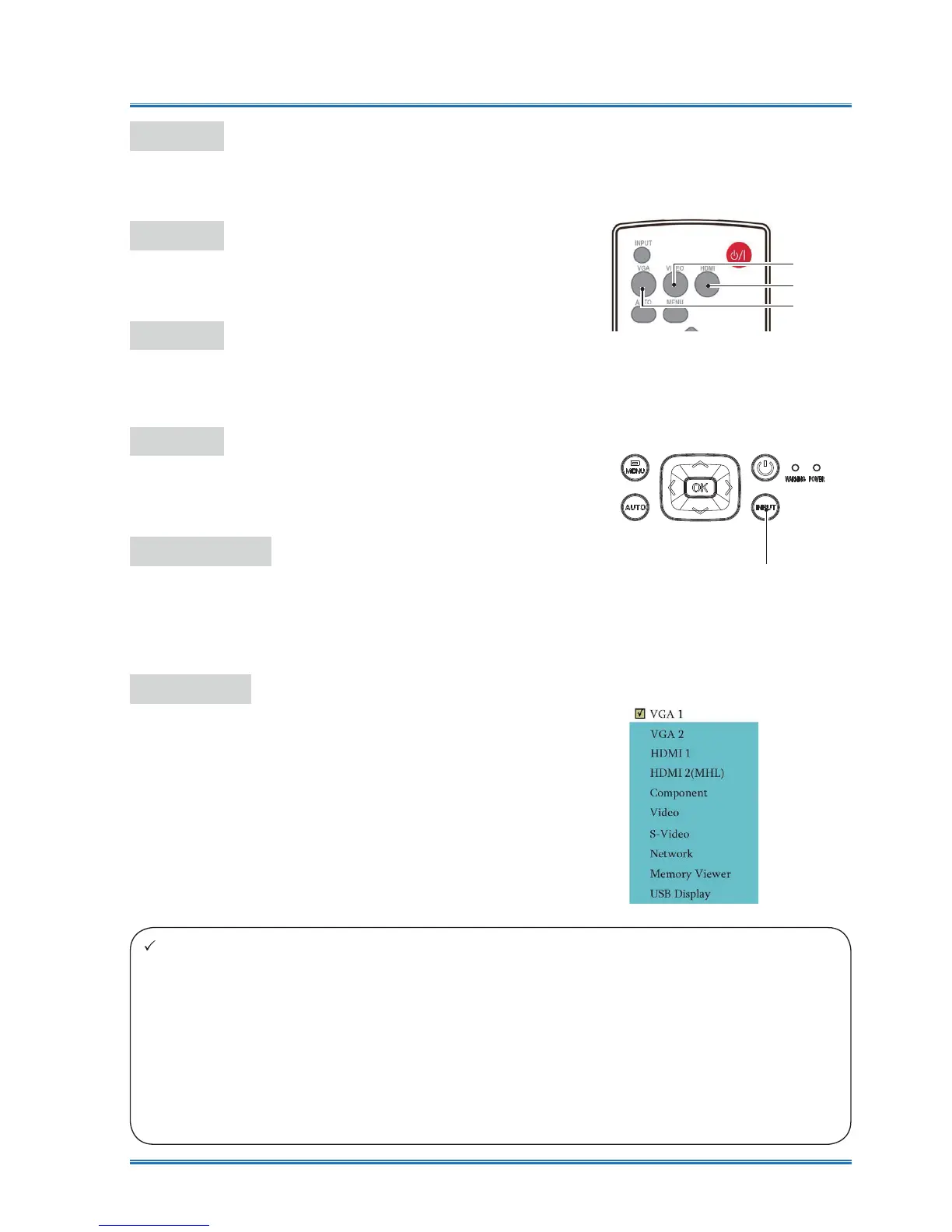
Top Control Panel
Input
Component
Select input Component if a PC is connected to
the YPbPr terminal.
Video
Select input Video if a PC is connected to the
Video terminal.
S- video
Select input S- video if a device is connected to
the S- video terminal.
Network
Select input Network if a device is connected to
the LAN terminal.
Memory Viewer
Select input Memory Viewer if a device is con-
nected to the USB-A terminal.
USB Display
Select input USB Display if a device is connect-
ed to the USB-B terminal.
Remote controller
HDMI
VGA
Video
Input menu
Note:
Ɣ If the " input search" function in the Auto Setup option is set to "On", once you press the AUTO
button, the projector will search for input signals automatically. The AUTO searching function
maybe invalid for input of
"USB display", "Memory viewer" and "Network".
Ɣ The following function will be invaild : Freeze, Aspect ratio, Image mode, Auto setup,and
Pattern and Screen,once "USB display", "Memory viewer", "Network" has been selected as
signal input.
Ɣ For further details about Memory Viewer function, please turn to page 76-78.
Ɣ For further details about USB display function, please turn to page 78-80.



 To Next Page