EasyManua.ls Logo

OSEE Lilmon 5 - Page 54

OSEE Lilmon 5
99 pages
Print Icon
To Next Page IconTo Next Page
To Previous Page IconTo Previous Page
Loading...
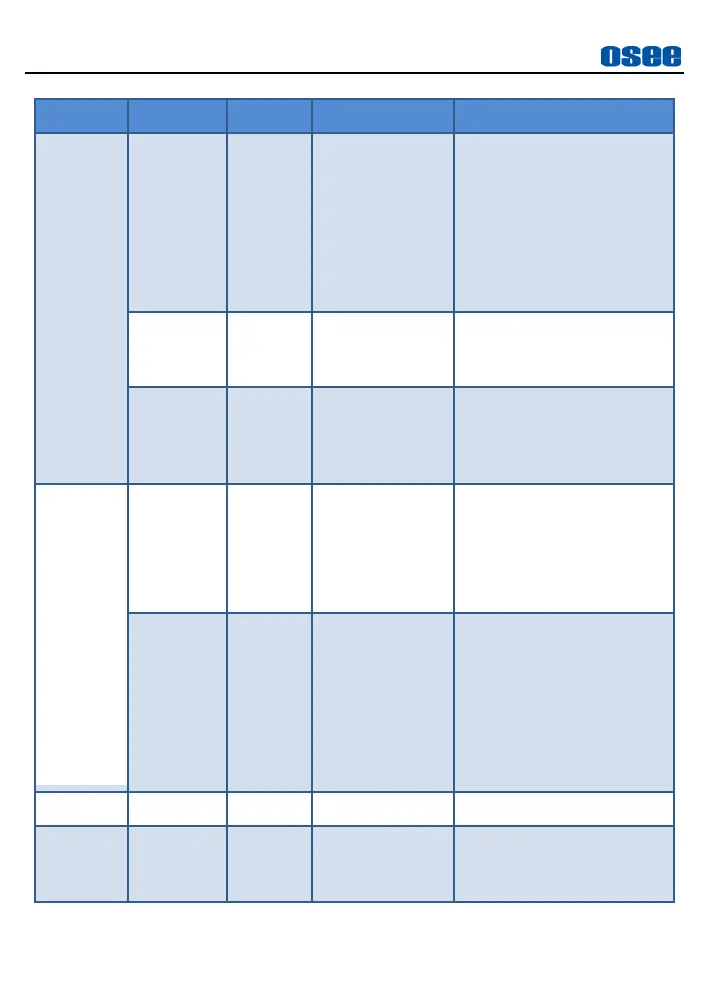
MySets and Tools
46
Tool
Items
Default
Domain Range
Description
TV)
4:5/1:1/
4:3 (SD TV)/
1.375:1(Cinema
)/
16:9 (HD TV)/
1.85:1(Cinema)/
2.37:1(Cinema)/
CUSTOM
the marker
Custom
Ratio
1:1
3:1 ~1:3
Set the width of the matte
area in CUSTOM mode,
the step is 0.02
Opacity
0
25%
50%
75%
100%
Set the transparency of
the matte darken area
Safe
Action
Off
Off/On
The safe marker is
displayed as an outside
frame, proportional to
92% of the ASPECT
RATIO
Title
Off
Off/On
The safe marker is
displayed as an inside
frame, proportional to
80% of the ASPECT
RATIO in horizontal
direction, and 90% of the
ASPECT RATIO in
vertical direction.
Center
Style
Cross
Cross/Hollow
Set center marker style
Crosshatc
h
Lines
2X2
2X2/3X3/4X4/
5X5/6X6/7X7/
8X8/9X9
Set the cross line number

Related product manuals