Enable magnify to draw
the image full screen after
de-squeezing the image
with the selected
anamorphic ratio, cut the
part which extend outside
the screen
1.33X/1.4X/
1.5X/1.6X/1.8X/
1.9X/2X
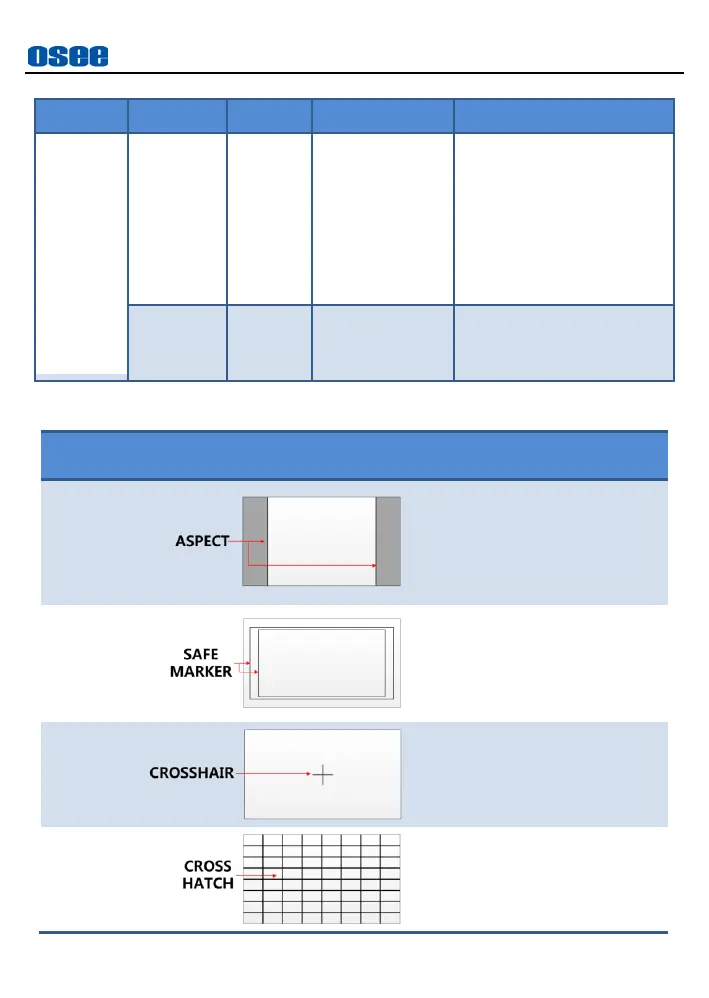
This marker identifies an
area with a specified aspect
ratio and a covered matte,
and the area’s transparency
could be adjusted.
This marker displays a
rectangle to identify the
safety area with a specified
percentage in Area Marker.
This marker enables easier
checking for center position.
This marker displays
multiple vertical and
horizontal lines to help
when user check the



 To Next Page