126
Ⅳ Limit and option settings
How to Set Limits
• Setting limits enables the chair to recognize the position of limit resistance
• You must perform this function after installing the chair
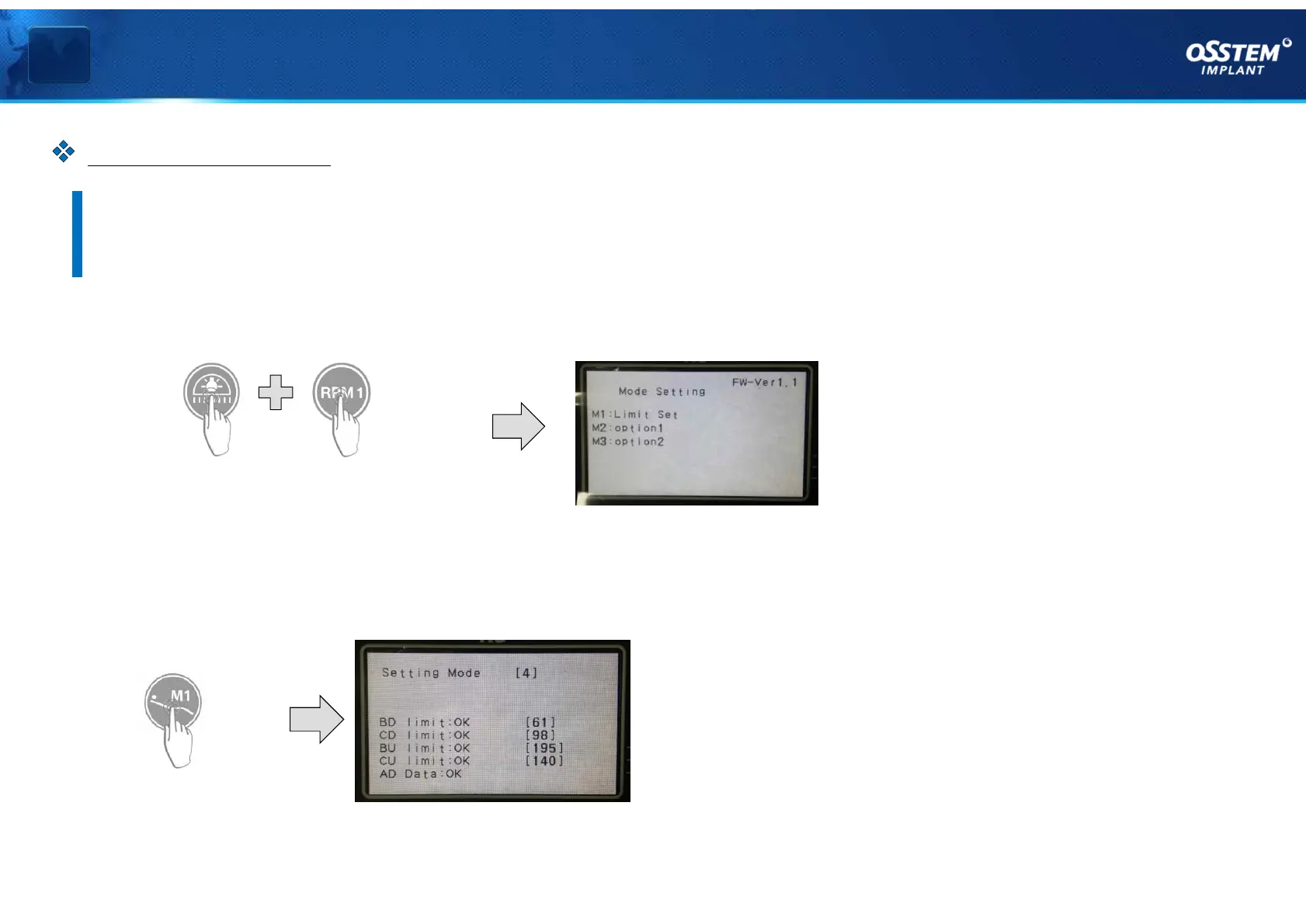
1. Press the LED LIGHT key and the RPM1 key simultaneously on the membrane of Dr.Table.
Press simultaneously
Enter the options mode menu
2. Press the M1 key on the membrane of Dr.Table to select a limit set.
- Immediately after entering, setting limits for the chair and backrest begins.
Select Limit Set
Types of limit setting errors
v BD limit:FAIL - Backrest lowering limit error
v CD limit:FAIL - Chair lowering limit error
v BD limit:FAIL - Backrest lowering limit error
v CU limit:FAIL - Chair raising limit error
v AD Data:B FAIL - Backrest position variable resistance error
v AD Data:C FAIL - Chair position variable resistance error



 To Next Page