40
Ⅲ K3 UNIT CHAIR Installation
§ Installation precautions
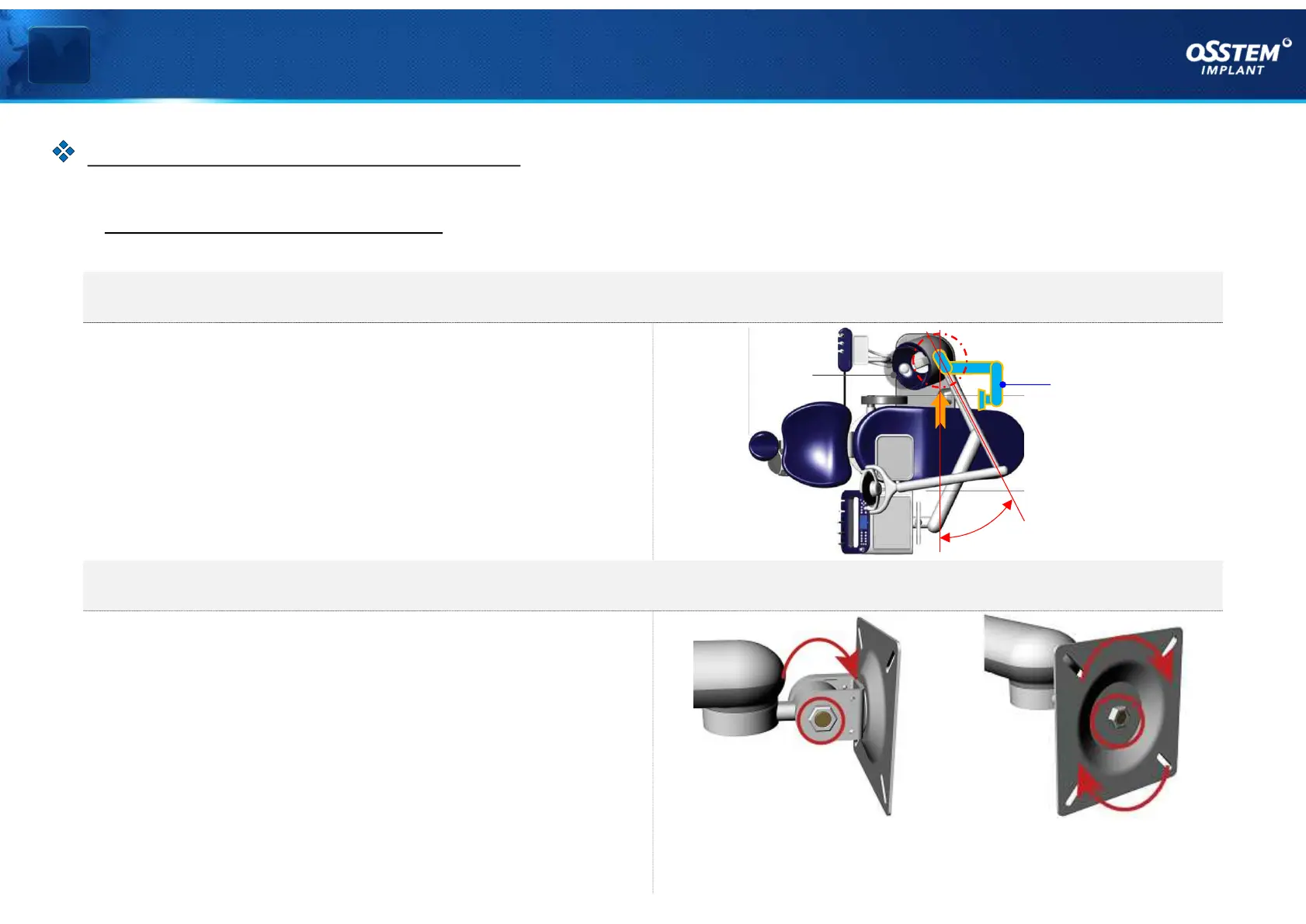
1. Installation direction of monitor arm
When installing the monitor arm, install it at an
angle of 30˚ (or 5 o'clock) when looking straight at
the front surface of the Spittoon.
2. Check the fixing force of monitor fixing bracket joint
Before installing the monitor, you must check
each joint of the monitor fixing bracket by moving
and turning it in arrow direction, and fasten the
adjustment bolt if the fixing force is insufficient.
< Monitor up/down motion
adjustment bolt >
< Monitor rotating motion
adjustment bolt >
MONITOR ARM INSTALLATION
< Figure 01 >
『MONITOR ARM Installation』
30˚
Monitor Arm
Spittoon



 To Next Page