38
Ⅲ K3 UNIT CHAIR Installation
MONITOR ARM INSTALLATION
§ Installation procedures #3
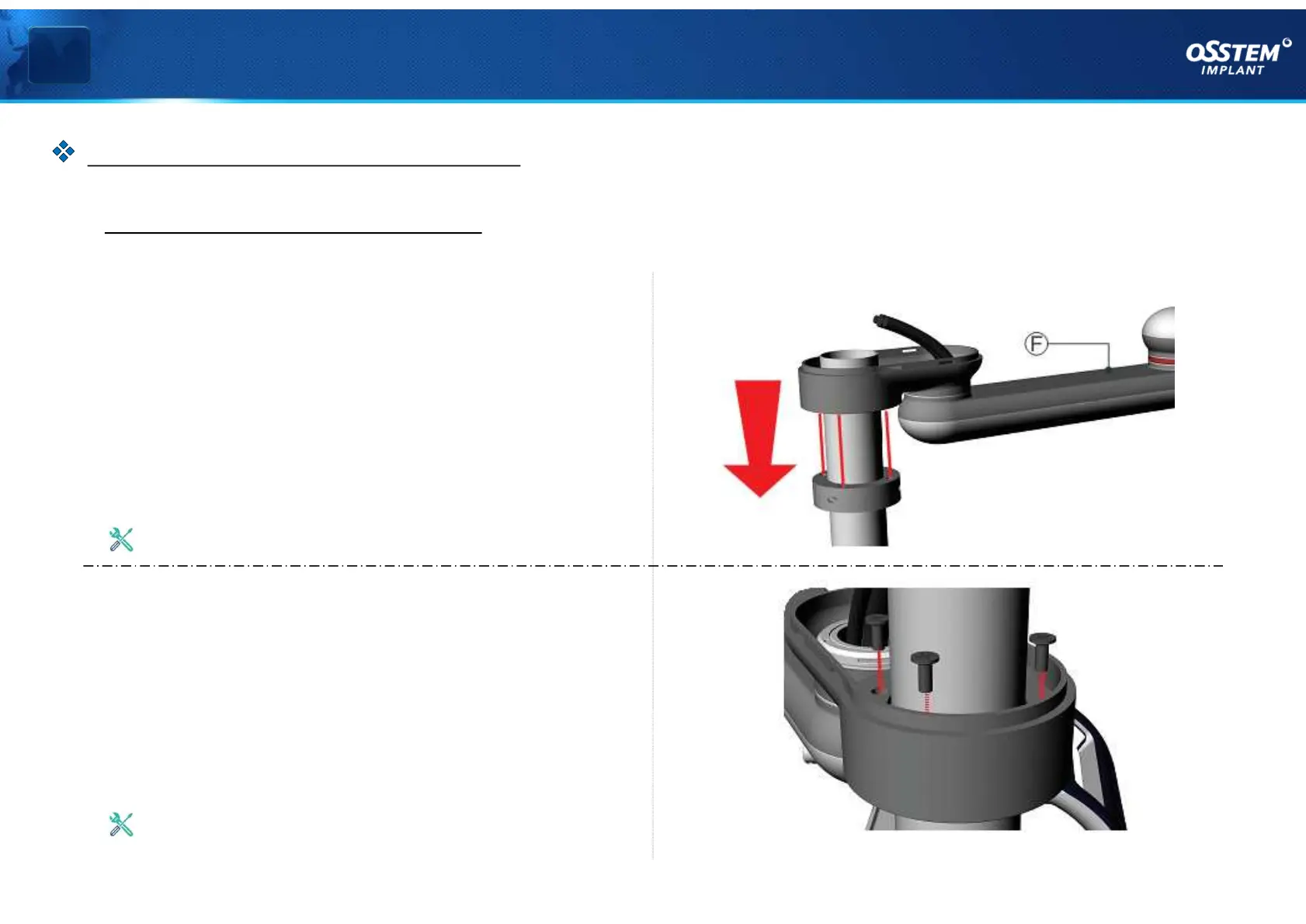
5. Install Monitor Arm Assembly
As shown in <Figure 05>, align and put the
Monitor Arm Assembly (F) in the bolt holes on
Support_Left (C) and Support_Right (D).
6. Fasten Monitor Arm Assembly
As shown in <Figure 06>, fasten Support_Left (C)
and Support_Right (D) on the Monitor Arm
Assembly (F) using bolts.
Use 5mm T-wrench
< Figure 06 >
< Figure 05 >
Use 4mm T-wrench
『MONITOR ARM Installation』



 To Next Page