EasyManua.ls Logo

OutBack Power FLEXmax 100 - User Manual

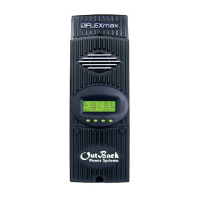
OutBack Power FLEXmax 100
76 pages
Print Icon
To Next Page IconTo Next Page
Loading...
FLEXmax 100
Charge Controller
Owner’s Manual

Table of Contents

Questions and Answers

  • J
    Jessica RamirezAug 21, 2025
    Why is my OutBack Power FLEXmax 100 Controller unit not producing expected power?
    • J
      Julie PorterAug 21, 2025
      There might be several reasons why your OutBack Power Controller isn't producing the expected power. Check the PV and battery voltages, PV conditions, battery conditions, and charging stage. Also, determine the specified short-circuit current of the PV array, and check both the PV array and the FLEXmax 100 external temperatures.
  • H
    hcarterSep 4, 2025
    What to do if my OutBack Power Controller displays 'Fault Input Active'?
    • J
      Jeanette GonzalezSep 4, 2025
      A 'Fault Input Active' message indicates a deliberate action due to a rapid shutdown condition, which is not a controller error. Resetting this condition requires resetting the external rapid shutdown device.
  • M
    Michael GravesSep 2, 2025
    Why is charging not temperature-compensated on my OutBack Power FLEXmax 100?
    • C
      Christina BrooksSep 3, 2025
      Charging may not be temperature-compensated because the FLEXmax 100 is performing equalization, which is a function that is not temperature-compensated. It could also be caused by a damaged Remote Temperature Sensor (RTS). To test, remove or replace the RTS.
  • M
    Megan SaundersSep 1, 2025
    What does it mean when the red FAULT indicator is lit on my OutBack Power Controller?
    • J
      Jose JuarezSep 1, 2025
      A lit red FAULT indicator suggests a ground fault. The detection circuit has sensed an open connection on the GFDI fuse. Check the fuse and ensure it is installed according to the instructions.
  • R
    Rebecca MeltonAug 30, 2025
    What to do if my OutBack Power FLEXmax 100 unit powers up but does not operate?
    • R
      Robert AdkinsAug 30, 2025
      If your OutBack Power Controller powers up but doesn't operate, and the PV voltage drops when connected, the PV array wiring polarity may be reversed. Check the PV wiring.
  • W
    Wendy GarciaAug 29, 2025
    Why is my OutBack Power FLEXmax 100 not operating, but had worked normally before?
    • W
      william79Aug 29, 2025
      This behavior can be normal in cases of low light. Confirm conditions and behavior using Table 4 on page 34. It could also be due to a battery temperature fault, so check the temperature. Also, a rapid shutdown condition may cause this, so try resetting the external rapid shutdown device.
  • A
    Alyssa JacksonAug 27, 2025
    What to do if my OutBack Power Controller shows a GFDI Fault?
    • E
      Eric ButlerAug 28, 2025
      A GFDI Fault indicates a ground fault where the detection circuit has sensed an open connection on the GFDI fuse. Check the fuse and make certain it is installed according to the instructions.
  • J
    James GardnerAug 27, 2025
    What to do if my OutBack Power FLEXmax 100 is in over current fault?
    • W
      William TylerAug 27, 2025
      An over current fault occurs if more than 80 amps flow from the battery to the FLEXmax 100, or if more than 120 amps flow from the controller to the battery. To restart the FLEXmax 100, remove all power from the controller and then reconnect the batteries.
  • A
    aduncanAug 25, 2025
    What does it mean when my OutBack Power Controller displays 'VOC Too High'?
    • B
      braunlynnAug 25, 2025
      If the open-circuit voltage (Voc) is too high, the FLEXmax 100 cannot safely operate. The controller will automatically restart operation once the Voc decreases to a safe level. You should also check the controller temperature.
  • C
    Christopher PotterAug 23, 2025
    What to do if OutBack Power Controller unit does not power up upon initial connection?
    • S
      Shelby MarshallAug 23, 2025
      If your OutBack Power Controller unit doesn't power up, check the battery connection and polarity, ensuring it's properly connected. Also, inspect the battery circuit breaker or device to ensure it's appropriately sized. Confirm the battery voltage at the FLEXmax 100 terminals, as a voltage below 15 Vdc may prevent power-up. If a rapid shutdown device caused this, reset the external rapid shutdown device.

Summary

IMPORTANT SAFETY INSTRUCTIONS

General Safety

Covers essential safety precautions for operating the equipment.

Installation

Wiring

Provides instructions and requirements for connecting the charge controller to the system.

Grounding

Explains grounding requirements and methods for system safety.

Ground Fault Detection and Interruption (GFDI)

Describes the internal GFDI circuit and its function for fault protection.

Wiring Size and Requirements

Specifies correct wire gauges and cable ampacities for system connections.

Power Up

Outlines the step-by-step procedure for powering on the charge controller.

Resetting to Factory Defaults

Explains how to restore the controller to its original factory settings.

Status and Information

Error Screen

Details fault conditions, error messages, and troubleshooting steps.

Programming the FLEXmax 100

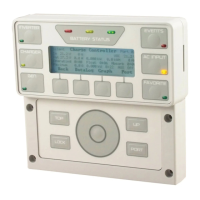
Menu Structure in the MATE3 S

Presents the menu hierarchy for configuring settings via the MATE3S display.

MATE3 S Screens

Troubleshooting

Specifications

Applications

OutBack Power FLEXmax 100 Specifications

General IconGeneral
Maximum PV Input Voltage150 VDC
Maximum Charge Current100 A
Maximum Output Current100 A
Efficiency98%
Operating Temperature-40°C to +60°C
Battery Voltage12 VDC
CommunicationRS-232
ProtectionOvervoltage, Overcurrent, Short Circuit, Reverse Polarity

Related product manuals